

AI insights for Advanced recommendations (Reservations)
- 09 Aug 2026
- 1 Minute to read
- Print
- DarkLight
- Download PDF
AI insights for Advanced recommendations (Reservations)
- Updated on 09 Aug 2026
- 1 Minute to read
- Print
- DarkLight
- Download PDF
Article summary
Did you find this summary helpful?
Thank you for your feedback!
Overview
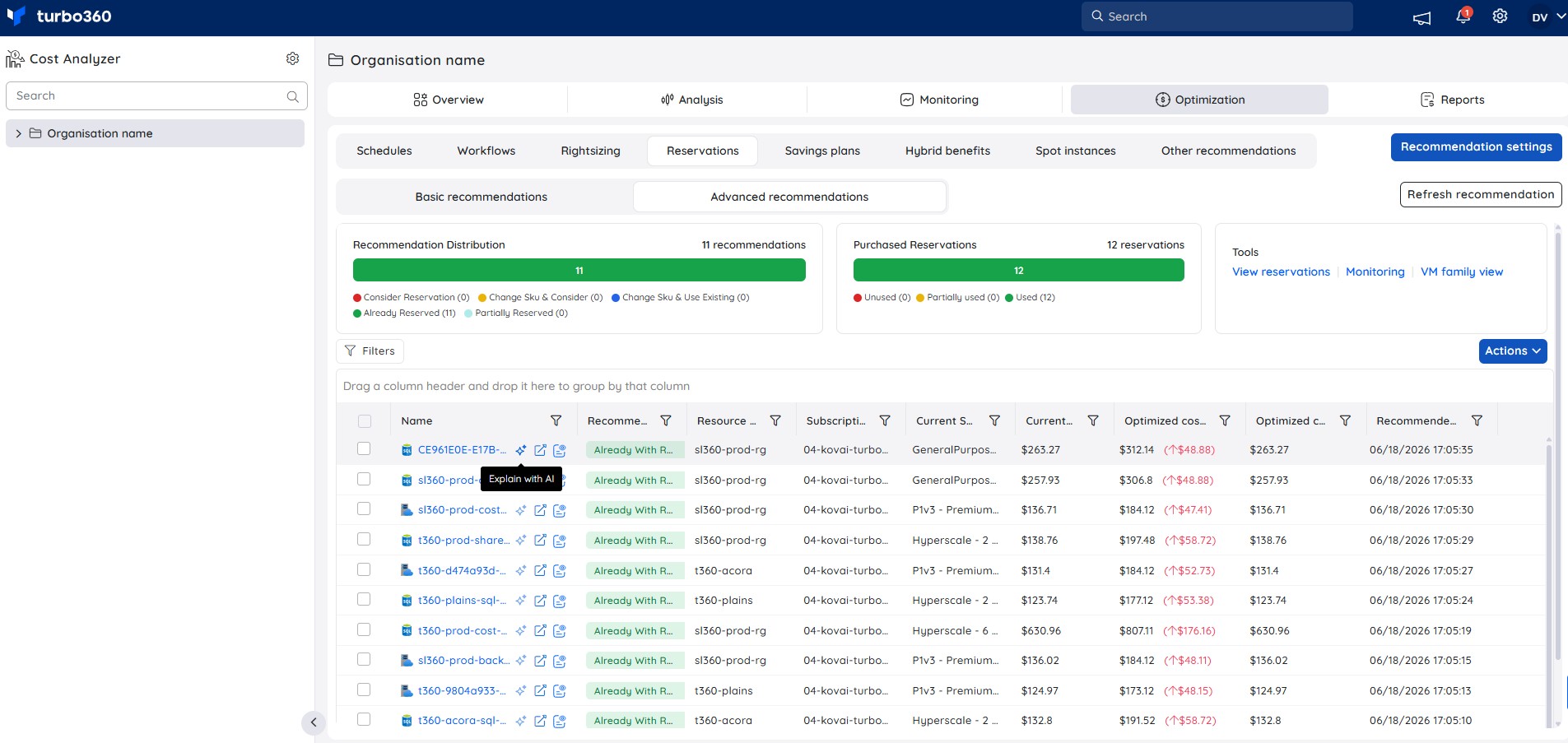
The Reservations tab under Cost Analyzer → Optimization includes a built-in AI capability, Explain with AI, available under Advanced recommendations, that provides a detailed breakdown of a Turbo360-generated reservation recommendation — covering the current reservation status, savings context, implementation steps, risk assessment, and renewal guidance.
How to use
- Navigate to Cost Analyzer → Optimization → Reservations.
- Select the Advanced recommendations tab.
- Hover over a recommendation row and click the Explain with AI icon that appears.
- The AI Insights panel opens with a full analysis of the selected recommendation.
Insight breakdown
1. Savings summary
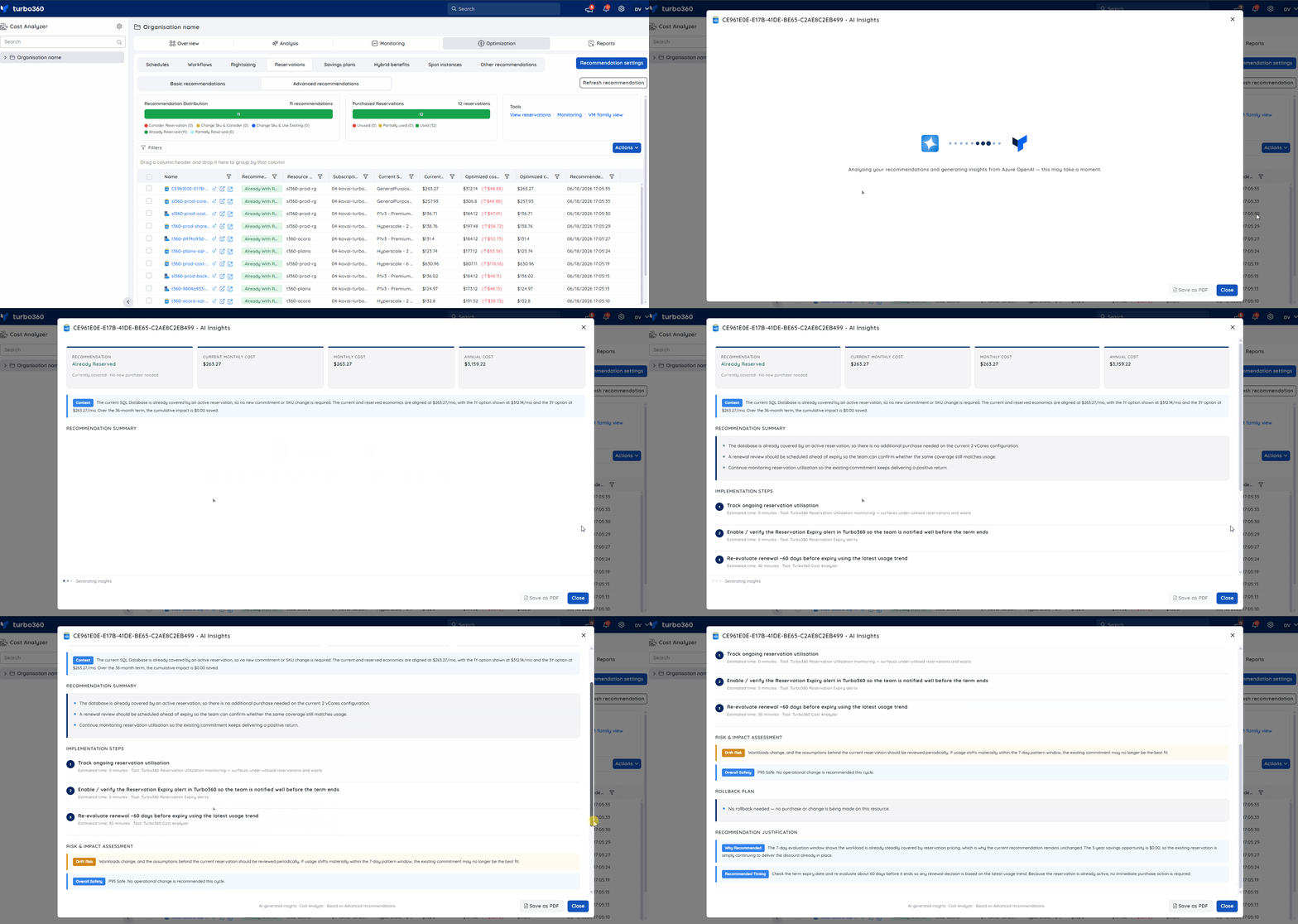
Displays the recommendation type — Consider Reservation, Change SKU & Consider, Change SKU & Use Existing, Already Reserved, or Partially Reserved — along with the current monthly cost, monthly cost with the recommendation applied, and the annual cost, giving a clear view of whether action is needed or the existing commitment is already aligned.
2. Recommendation summary
Explains the current reservation coverage status, what action is needed (if any), and what to monitor to ensure the commitment continues to deliver positive ROI.
3. Implementation steps
Lists the actions needed based on the recommendation type, each with an estimated time and the Turbo360 tool required — such as Turbo360 Reservation Utilization monitoring, Turbo360 Reservation Expiry alerts, or Turbo360 Cost Analyzer.
4. Risk & impact assessment
Covers the key risks associated with the recommendation — including Drift Risk (the possibility that workload usage shifts before the reservation renews) — and provides an Overall Safety rating for the current cycle.
5. Rollback plan
Describes whether any rollback is applicable. For Already Reserved recommendations where no purchase or change is made, this section confirms no rollback is needed.
6. Recommendation justification
Explains why the recommendation was generated based on the monitored usage pattern and savings opportunity, and provides a recommended timing for the next review or renewal evaluation.
Sample illustration
The GIF below highlights the insights provided for an Advanced reservation recommendation:
Was this article helpful?