

AI insights for Basic recommendations (Reservations)
- 24 Jun 2026
- 1 Minute to read
- Print
- DarkLight
- Download PDF
AI insights for Basic recommendations (Reservations)
- Updated on 24 Jun 2026
- 1 Minute to read
- Print
- DarkLight
- Download PDF
Article summary
Did you find this summary helpful?
Thank you for your feedback!
Overview
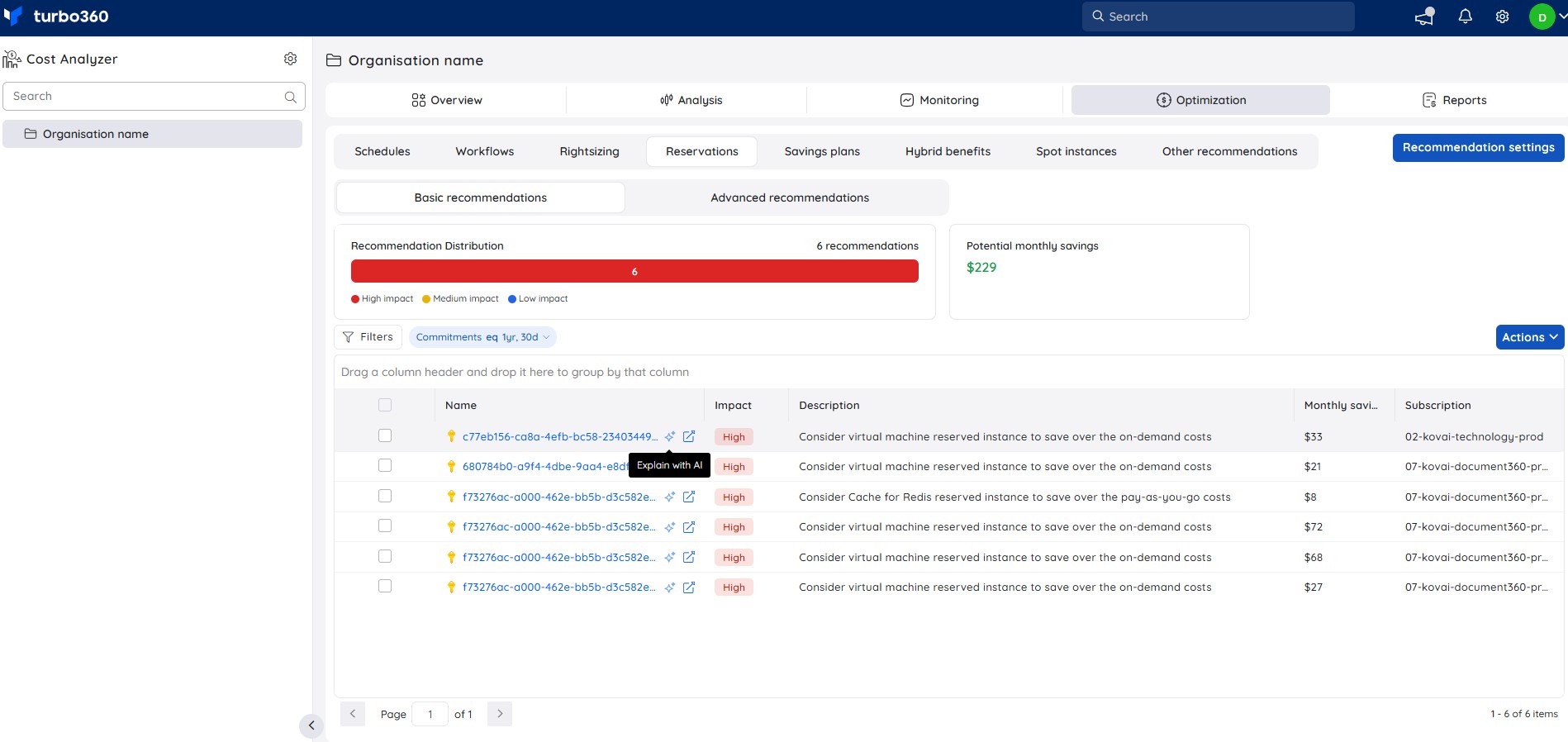
The Reservations tab under Cost Analyzer → Optimization includes a built-in AI capability, Explain with AI, that provides a detailed breakdown of an Azure Advisor reservation recommendation — covering savings potential, implementation steps, risk assessment, and rollback guidance.
How to use
- Navigate to Cost Analyzer ->Optimization ->Reservations->Basic recommendations.
- Hover over a recommendation row and click the Explain with AI icon that appears.
- The AI Insights panel opens with a full analysis of the selected recommendation.
Insight breakdown
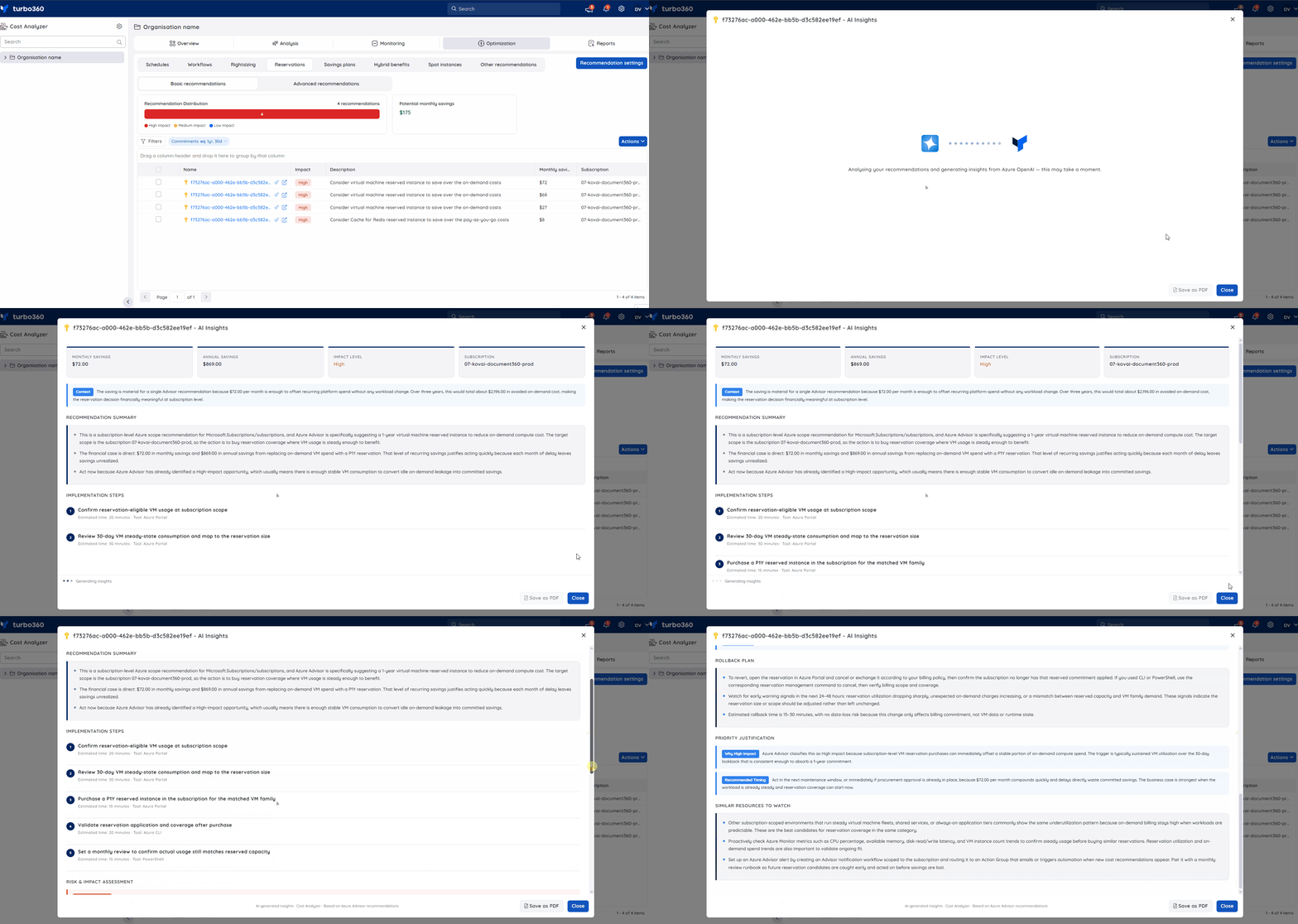
1. Savings summary
Displays the monthly savings, annual savings, impact level, and subscription for the recommendation at a glance, along with a context note on the overall financial significance over the commitment term.
2. Recommendation summary
Explains the resource scope and what Azure Advisor is recommending, the financial case for acting, and why the recommendation should not be deferred.
3. Implementation steps
Lists the step-by-step actions needed to act on the recommendation, each with an estimated time and the tool required (Azure Portal, CLI, or PowerShell).
4. Risk & impact assessment
Covers the key risks of purchasing the reservation — Performance Risk, Availability Risk, and an Overall Safety rating — with guidance on what to monitor after the commitment is made.
5. Rollback plan
Describes how to revert the commitment if needed, including early warning signals to watch for and the expected rollback time.
6. Priority justification
Explains why the recommendation is marked at its current impact level and provides a recommended timing for when to act.
7. Similar resources to watch
Identifies other resources of the same type that may benefit from a reservation, with guidance on how to validate demand stability before committing.
Sample illustration
The GIF below highlights the insights provided for a reservation recommendation:
Was this article helpful?