
AI-Powered Resource Insights
  • 13 Nov 2025
  • 2 Minutes to read
  • Dark
    Light
  • PDF

AI-Powered Resource Insights

  • Dark
    Light
  • PDF

Article summary

Introduction

Artificial intelligence is reshaping how software evolves in today’s digital world. Staying ahead means embracing these advancements and bringing them into our business solutions. With Azure OpenAI, we unlock new possibilities for Azure-based innovation.

Cost Analyzer takes this a step further by introducing AI Agents that delivers powerful resource insights — from tracking cost spending to uncovering optimization opportunities. Seamlessly integrated with the Cost Intelligence View, this AI-driven approach turns complex data into clear, actionable intelligence.

Pre-requisite

Azure OpenAI

The Azure OpenAI Resource provides access to OpenAI’s powerful language models through the Azure platform. It enables developers to build and deploy intelligent applications that leverage capabilities such as natural language processing, content generation, and data analysis.

Connection requirement: Private Instance vs SaaS

Cost Analyzer requires an Azure OpenAI connection to generate AI summaries using its built-in AI Agent.

In the SaaS environment, Turbo360 leverages its in-house OpenAI connection to generate AI-driven resource summaries seamlessly. For private instances, a dedicated Azure OpenAI resource connection must be configured to enable AI-based summary generation and analysis.

The screen shown below requires an OpenAI connection to access the AI-generated resource summary feature:

AI Agent.png

Connection establishment

Follow the steps below to connect OpenAI with Cost Analyzer:

  1. Go to Settings -> OpenAI connection within the Cost Analyzer module to begin connection establishment.

Open AI connection.png

  1. Select Create and provide the connection details as in Azure.

  2. Click Validate to confirm the credentials.

  3. Once the validation is successful, click Save to complete the OpenAI connection configuration.

OpenAI configuration.png

AI-Powered Resource Insights

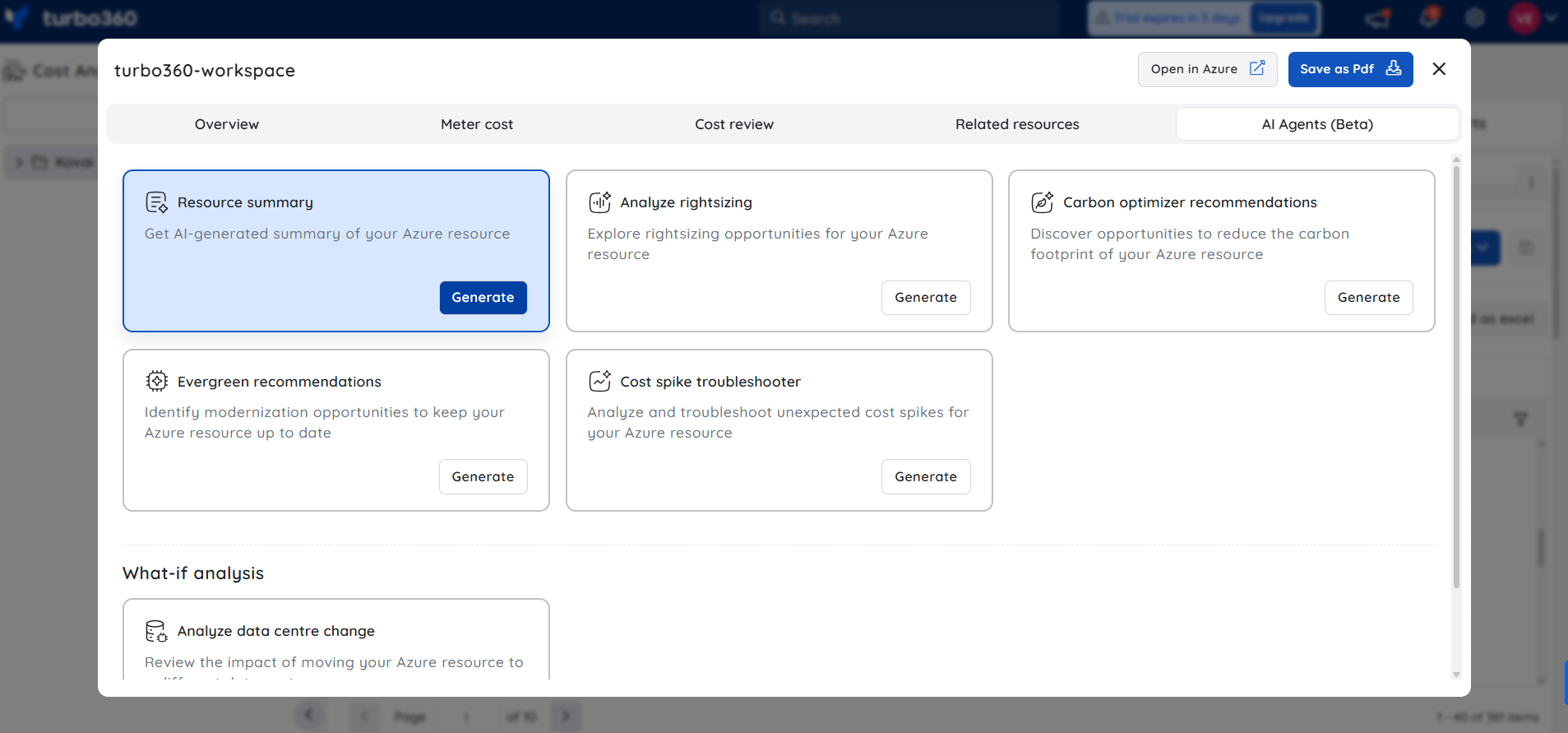
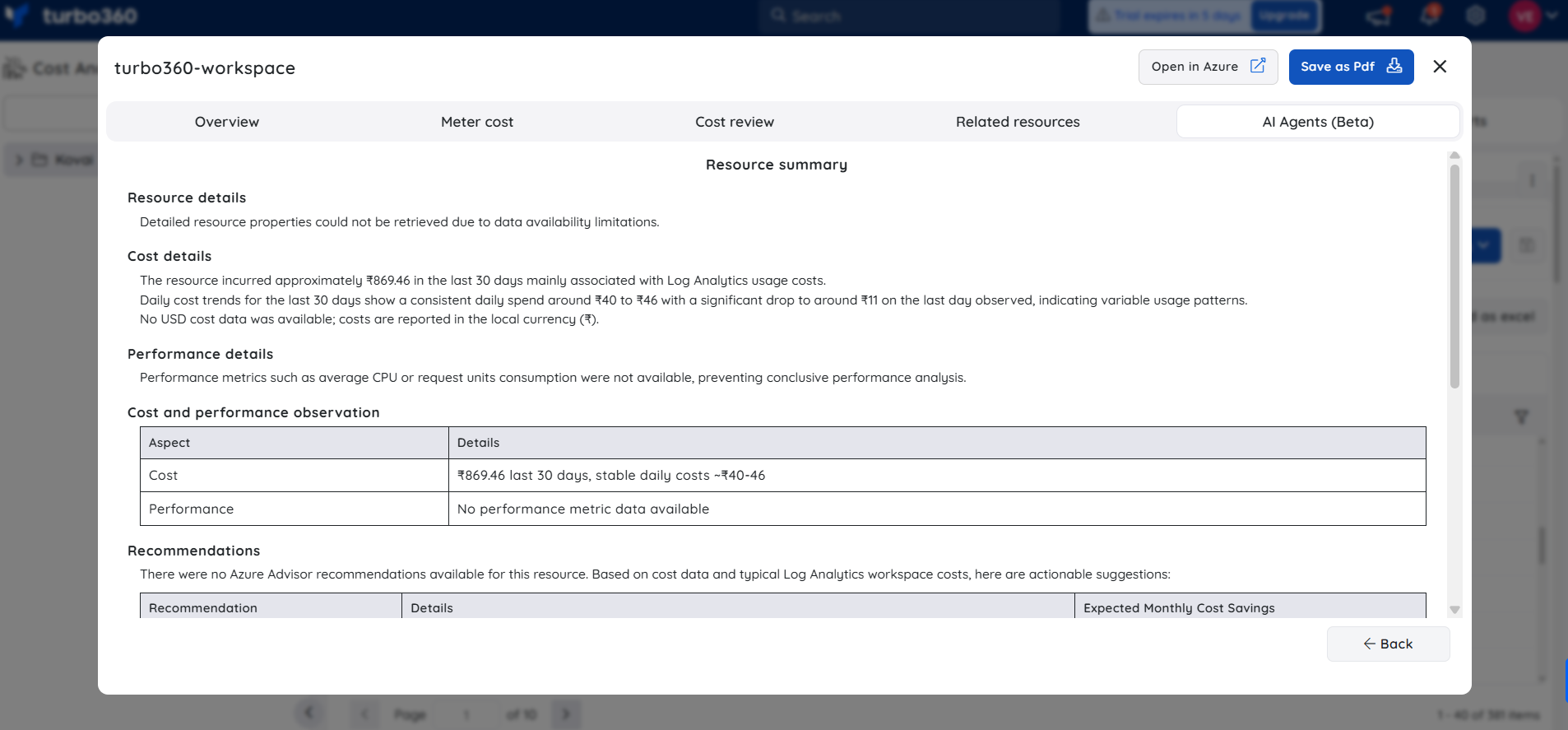
The Cost Intelligence View in Cost Analyzer is equipped with a built-in AI agent, accessible under AI Agents, that delivers intelligent, data-driven insights. It automatically analyzes and summarizes the recommended resource, revealing cost patterns, usage efficiency, and actionable optimization tips to help users maximize value from their Azure environment.

Insight breakdown

The AI Agents aggregate comprehensive data points across the Azure environment, including:

  • Resource configurations and metadata
  • 30-day cost and usage analytics
  • Performance metrics and efficiency indicators
  • Optimization recommendations and best-practice suggestions

It also generates an AI-curated summary that condenses all these details into an easy-to-read snapshot, enabling quicker analysis and data-driven decision-making.

The illustration below showcases the AI-powered resource insights generated by the AI Agent for an SQL Database resource within the Cost Intelligence View.

AI resource insights.gif

Note:
  • This feature is currently in beta and may undergo changes as we continue to improve performance and reliability.
  • Accuracy may vary. Always review and validate AI-generated outputs before using them in production environments.
  • We encourage you to share feedback or report issues to help us enhance the feature before general availability.

Was this article helpful?