

Analyze OS change impact
- 19 Feb 2026
- 1 Minute to read
- Print
- DarkLight
- Download PDF
Analyze OS change impact
- Updated on 19 Feb 2026
- 1 Minute to read
- Print
- DarkLight
- Download PDF
Article summary
Did you find this summary helpful?
Thank you for your feedback!
Overview
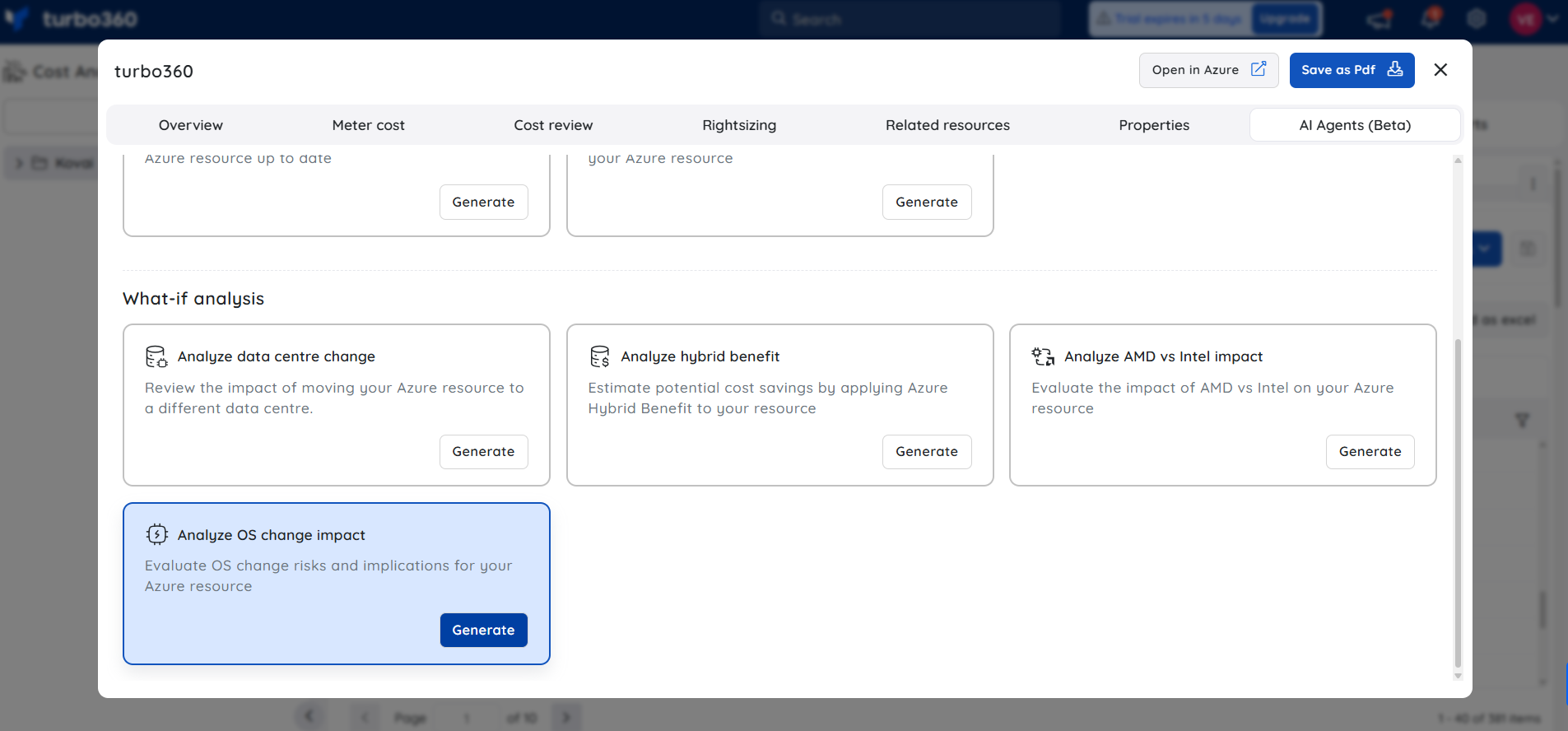
The Cost intelligence view in Cost Analyzer includes a built-in AI capability, Analyze OS change impact, available under AI Agents, that evaluates the impact of changing the operating system of an Azure Virtual Machine by analyzing downtime, cost implications, compatibility risks, and migration effort.
What the AI Agent analyzes
Current and target operating systems
VM size, region, and configuration
Dependencies, extensions, and workloads
Licensing and pricing considerations
Migration complexity and risk factors
Insight breakdown
1. Downtime impact
Evaluates expected service interruption caused by VM deallocation and OS redeployment.
2. Cost implications
Analyzes potential cost changes, including OS licensing differences.
3. Compatibility risks
Identifies possible application, driver, and configuration compatibility concerns.
4. Migration effort
Summarizes the steps and complexity involved in changing the OS safely.
Sample illustration
The image below highlights the insights provided by the AI Agent, which evaluates OS risks and implications for an Azure resource:
.png)
Note:
- This feature is currently in beta and may undergo changes as we continue to improve performance and reliability.
- Accuracy may vary. Always review and validate AI-generated outputs before using them in production environments.
- We encourage you to share feedback or report issues to help us enhance the feature before general availability.
Was this article helpful?