

Getting started with AI Agents
- 24 Jun 2026
- 2 Minutes to read
- Print
- DarkLight
- Download PDF
Getting started with AI Agents
- Updated on 24 Jun 2026
- 2 Minutes to read
- Print
- DarkLight
- Download PDF
Article summary
Did you find this summary helpful?
Thank you for your feedback!
Overview
Turbo360 brings AI-powered intelligence directly into your Business Applications workflow through AI Agents — purpose-built assistants that analyze your Azure resources in real time and surface insights you can act on immediately.
Rather than manually inspecting configurations or cross-referencing Azure documentation, you can simply pick an agent, hit Generate, and receive a structured analysis of your selected resource — streamed live via Azure OpenAI, always reflecting the resource's current state.
Available AI Agents
Turbo360 offers two specialized AI Agents for Business Applications:
AI resource overview - Get an instant, plain-language summary of what your resource does, how healthy it is, and what you should look at next. This agent is particularly useful when onboarding to an unfamiliar environment or doing a quick resource audit.
AI security checklist - Assess your resource against Azure security best practices — automatically. This agent identifies hardening opportunities, organizes findings by security pillars, and recommends targeted fixes so you can close gaps without manually running through checklists.
AI metrics advisor - Skip the guesswork on Azure monitor configuration. This agent automatically recommends the right metrics for your resource based on Azure SRE best practices — complete with pre-filled warning and error thresholds, aggregation types, and priority tags (Critical, Important, or Optional) so you can review, fine-tune, and apply your monitoring setup in one go.
Logic App cost review - Get a structural cost breakdown of your Logic App workflow with concrete savings recommendations covering monthly spend trends, bill spike risks, and prioritized next steps. Available exclusively for Logic App Consumption and Standard hosting plans.
Permissions
AI Agents in Business Applications are accessible to the following users:
- Account Owner – Has full access to all features in Business Applications, including AI Agents, by default.
- Owner – Has complete access to Business Applications, including AI Agents, by default.
- Contributor – Has access to manage everything at the scope at which it is assigned, including AI Agents, by default.
- Custom Role – Users with a custom role must have the AI Agents feature permission explicitly set to Enabled.
.png)
Accessing AI Agents
AI resource overview and AI security checklist
The AI resource overview and AI security checklist AI Agents in Business Applications can be accessed from two levels:
- Resources level — From the overall Resources section of a Business Application, click the AI Agents icon next to any resource in the list to launch the AI Agents panel.
.gif)
- Resource type level — Navigate into any specific resource type (e.g. API Apps, Logic Apps, Azure Function Apps), and click the AI Agents icon next to the resource within that section.
.gif)
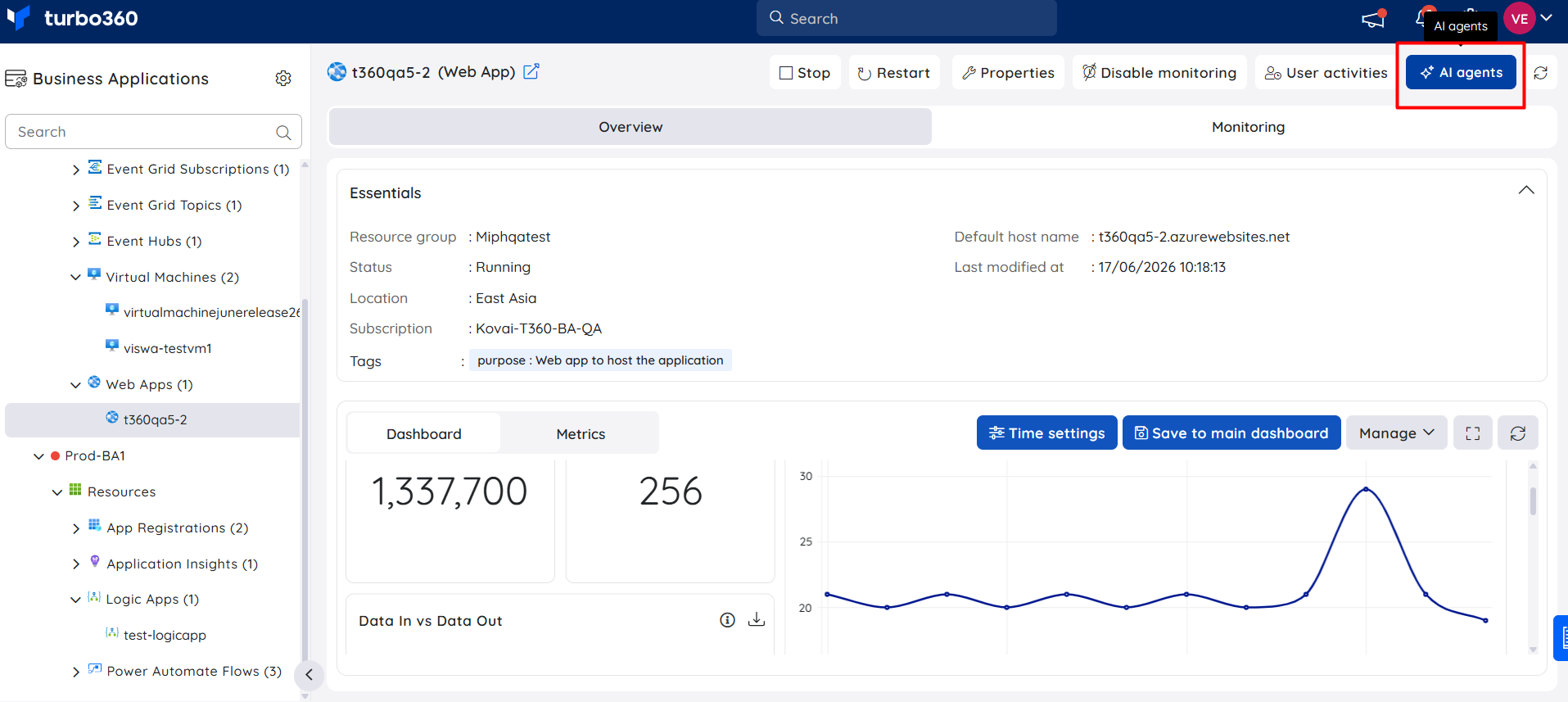
- Resource level — Open an individual resource and click the AI Agents button in the top action bar to launch the panel directly from within the resource.
AI metrics advisor
The AI metrics advisor can be accessed from two places:
Resource monitoring tab — Open any resource within a Business Application, navigate to the Monitoring tab, and click AI metrics advisor in the Metrics section to get recommendations for that specific resource.
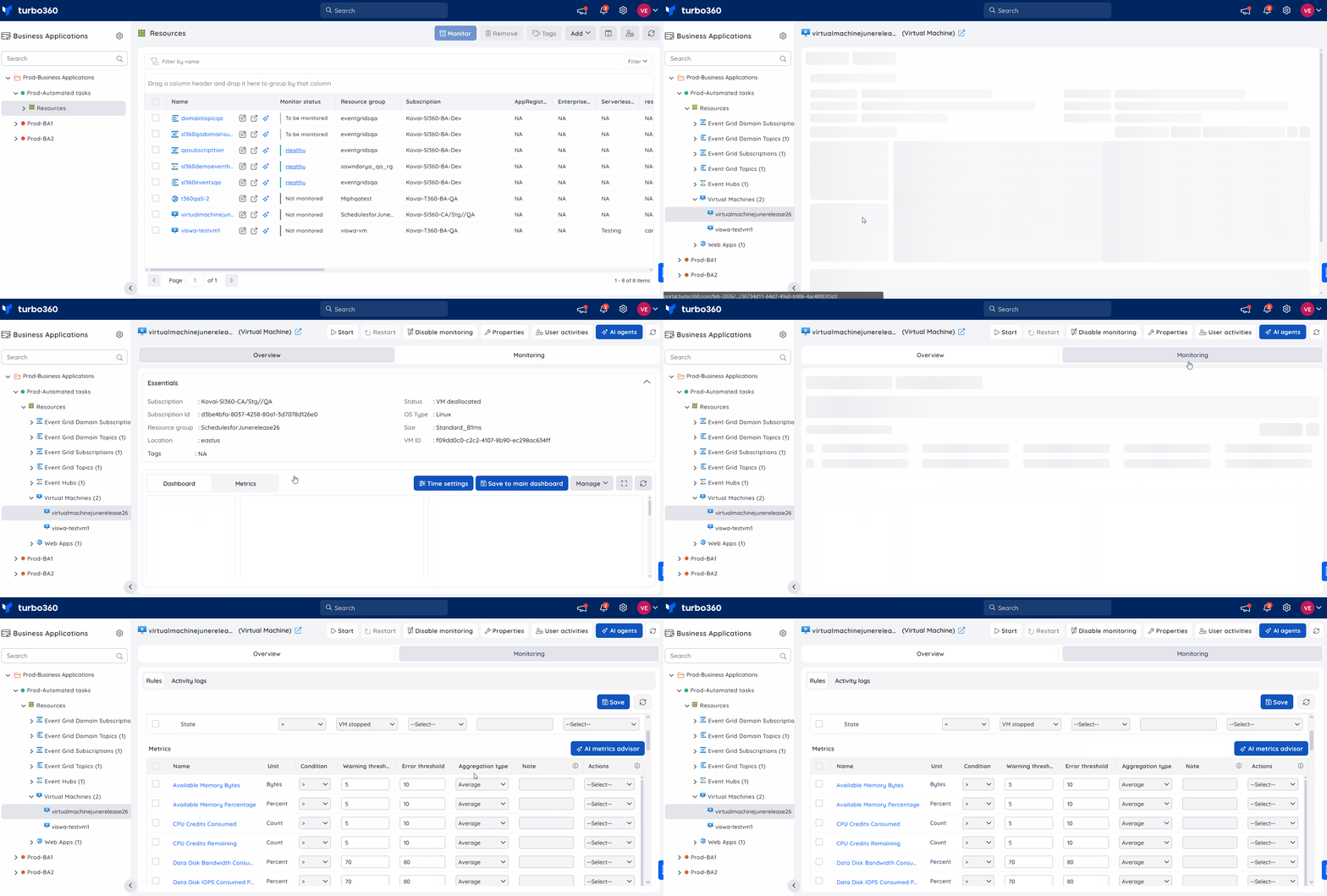
Monitoring profile (Create/Edit) — While creating or editing a monitoring profile, select a resource type and click AI metrics advisor in the Metrics section to apply AI-recommended metric thresholds directly to the profile.
.gif)
Was this article helpful?