

How does Turbo360 Cost Analyzer work?
- 16 Jan 2026
- 2 Minutes to read
- Print
- DarkLight
- Download PDF
How does Turbo360 Cost Analyzer work?
- Updated on 16 Jan 2026
- 2 Minutes to read
- Print
- DarkLight
- Download PDF
Article summary
Did you find this summary helpful?
Thank you for your feedback!
In this page we will discuss at a high level how Turbo360 Cost Analyzer works to help you understand some of the architecture and functionality and how it will interact with Microsoft Azure.
Overview
At its highest level Turbo360 will interact with the management API’s for Azure. Billing data is imported into Turbo360 which allows us to provide efficient analysis views of the data in a user friendly manner. This also allows us to perform cross subscription and cross tenant views of data which are important to many customers.
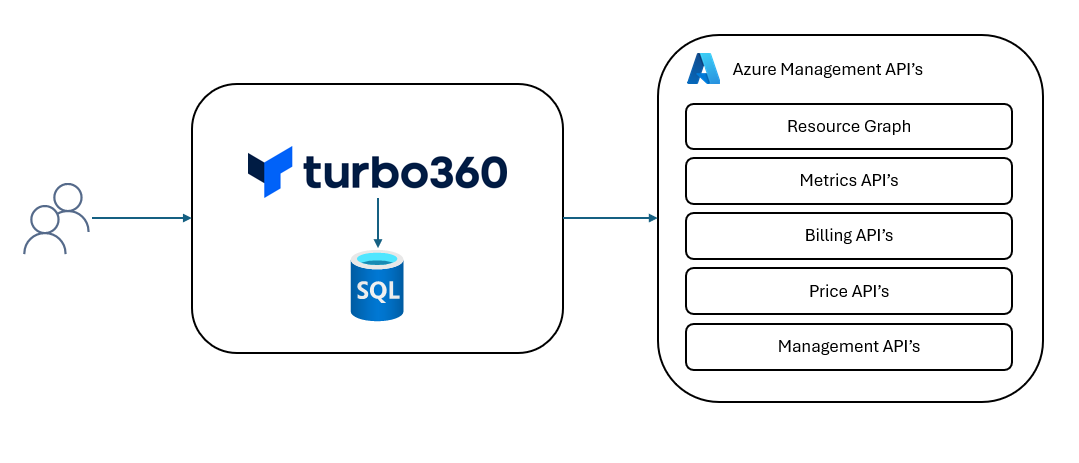
Data Ingestion
Turbo360 will leverage the Azure Management API to conduct imports of billing data from Azure. This data is imported into the Turbo360 database which then allows us to efficiently use this billing data in a number of different ways to support the functionality within Turbo360. The data imports will initially import historical data for 12 months and then import new data as it is made available by Azure.
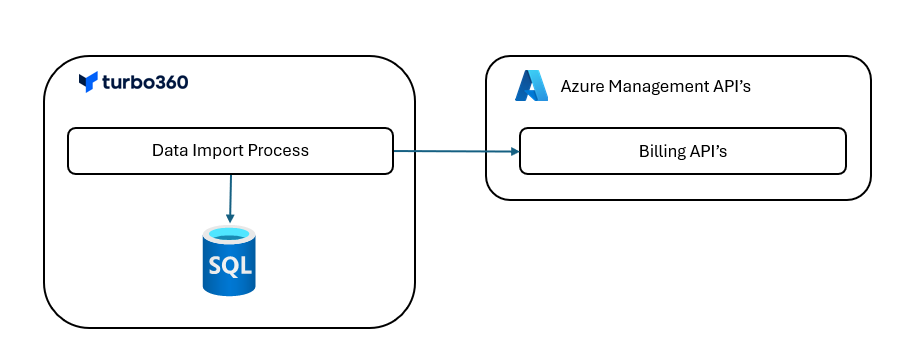
In order to authenticate with Azure an App Registration is registered in Turbo360 and then this is used to interact with the Azure Management API’s for all operations.
Data Visualization
Once the data is imported into Turbo360 then the user is able to use the Turbo360 interface to create scopes within which to query data. An example of this is using a scope to focus on costs just for a specific team, department or customer.
Using the Turbo360 interface a user can view graphs and charts showing the billing data they are interested in.
Monitoring
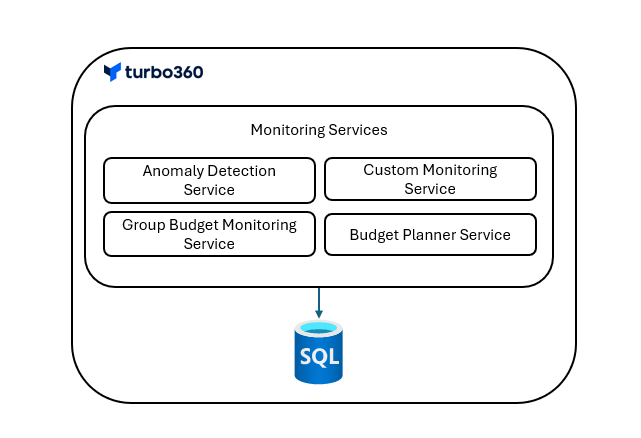
Once all of the data is imported into the Turbo360 internal database there are a number of monitoring services that are available for users to use. These services will protect your investment in Azure. These will run as background processes which look for anomalies, check you are within your budget.
Optimization
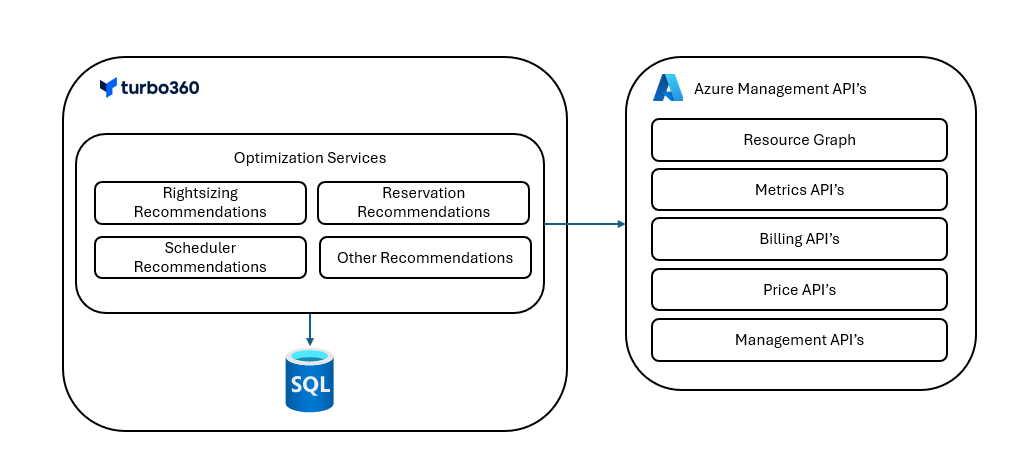
Turbo360 has a number of different optimization capabilities. These capabilities operate as background services which leverage Azure Management API’s and the billing data which is imported into the Turbo360 database and they will execute custom Turbo360 logic and algorithms to decide their recommendations which are then saved in the Turbo360 database and they are then presented to the user as options they can implement to tune resources for cost optimization and to clean up unused resources.
User Authentication
In Turbo360 user authentication can be done in one of 2 ways. Either using the internal username and password authentication or using SSO with Entra ID. Entra ID is by far the most common authentication scheme used.
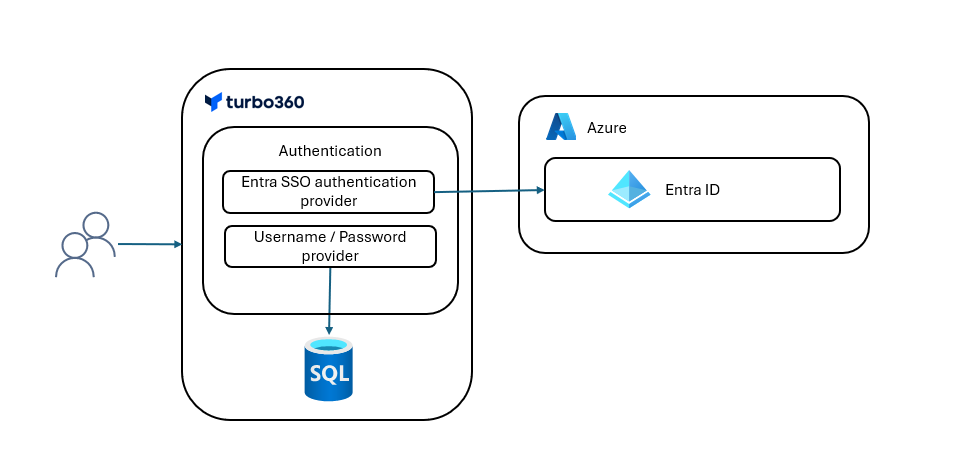
Once users are authenticated and have access to Turbo360 their authorization permissions are managed within Turbo360. Roles can be assigned to users and Entra groups which allow users to be able to use specific functionality and also access control can be provided on the tree view which controls the scope with which users are allowed access to the cost data. This should provide a powerful authorization model if you need it but also minimal maintenance overhead.
Was this article helpful?