

Overview
- 15 Jun 2026
- 1 Minute to read
- Print
- DarkLight
- Download PDF
Overview
- Updated on 15 Jun 2026
- 1 Minute to read
- Print
- DarkLight
- Download PDF
Article summary
Did you find this summary helpful?
Thank you for your feedback!
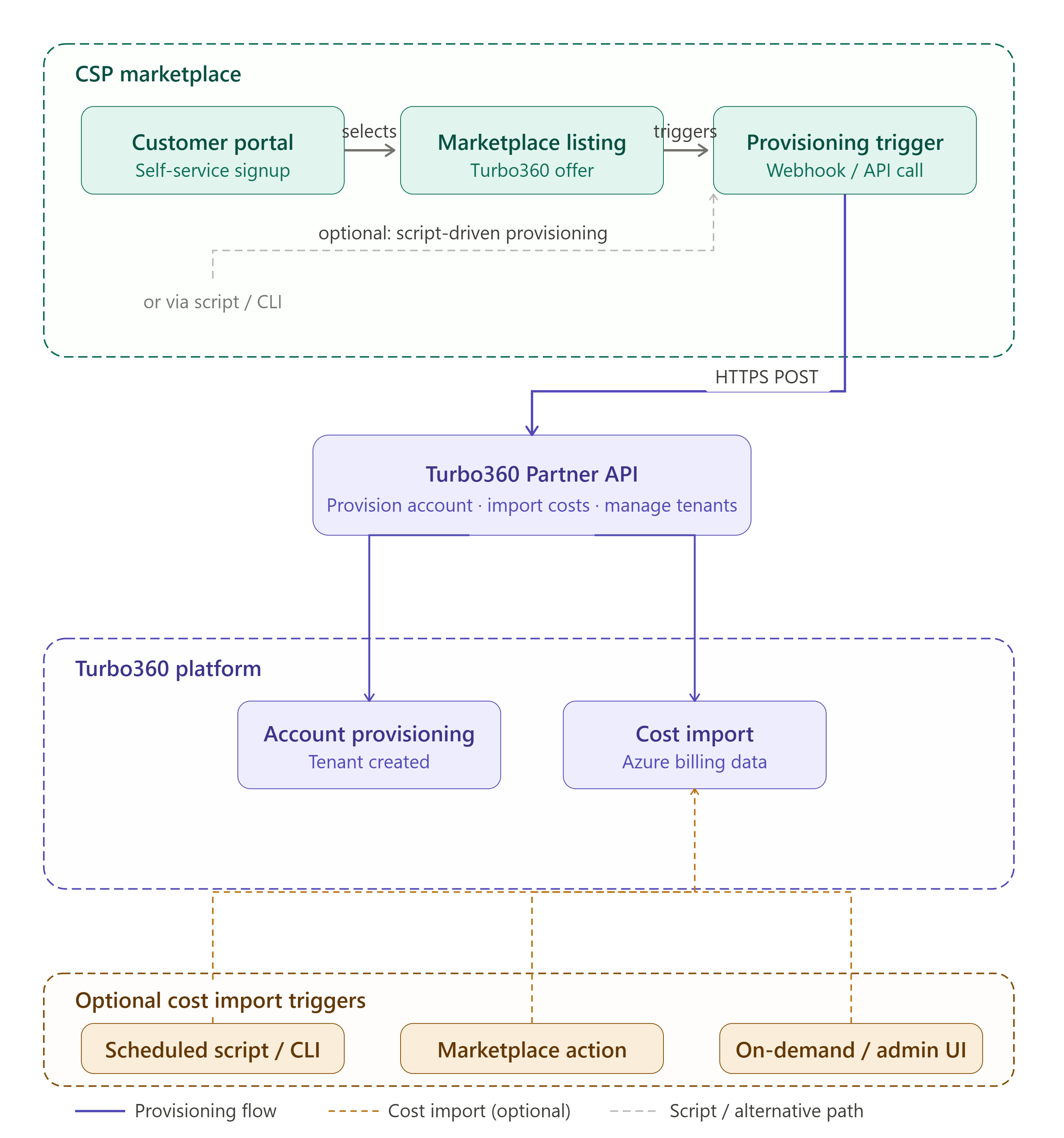
The Partner API is intended to allow CSP/MSP partners who have multiple Turbo360 accounts to manage these accounts at scale. This will support integration into your marketplace so your customers can potentially provision a new Turbo360 account via your marketplace and kick off cost imports for that new account.
Example Scenarios
Below are some of the scenarios you may implement:
Use a Powershell script to provision a new Turbo360 account
Integrate Turbo360 Partner API with your CSP marketplace so customers can provision Turbo360
Below is an example showing what it might look like if you integrate Turbo360 with your marketplace.
Find Partner API
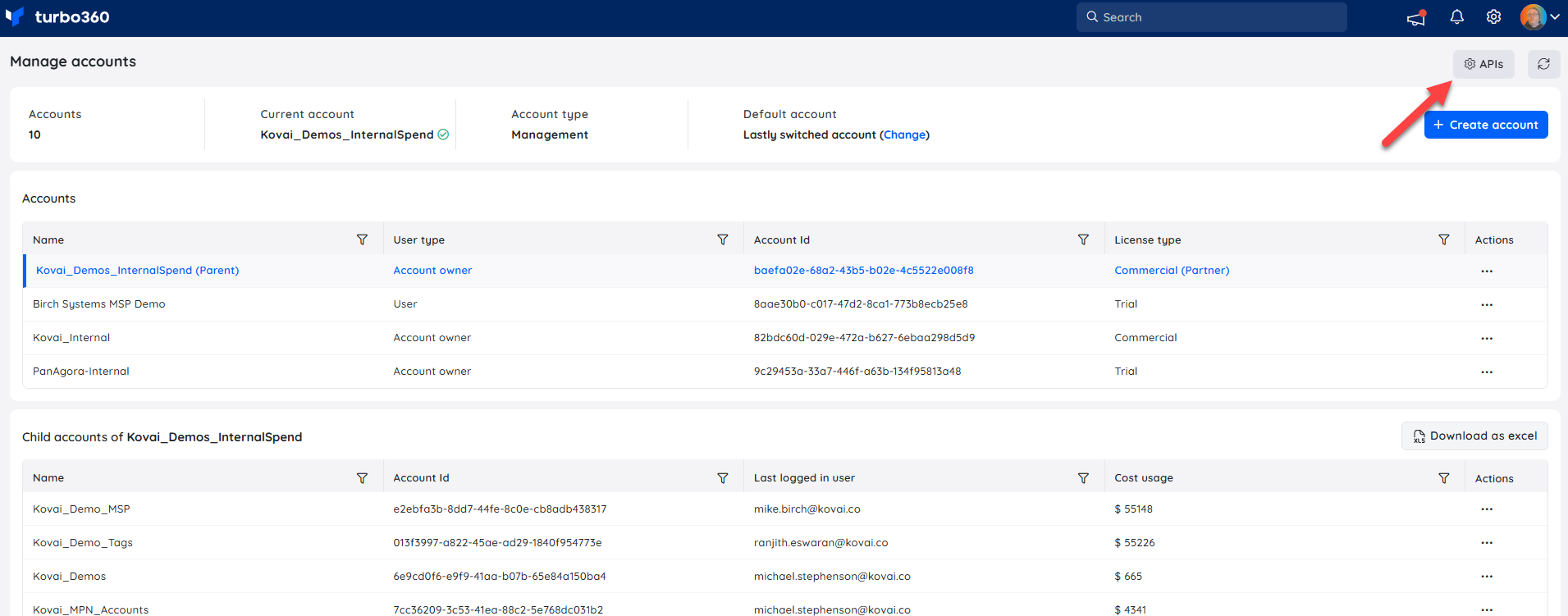
Go to the settings cog in the top right corner
Choose Manage Accounts
Select your “Parent Account”
You should now see the API button as shown below
You can now see info in the OAuth settings which you need to configure with the Partner Management API. Basically you will configure an App Registration and add an API permission for the Turbo360 Partner API and then you add the App Registration info to Turbo360 so we will validate tokens against claims associated with your App Registration.
Read more on authentication Setup here
API Operations
In the below pages you can see some examples showing how to use the Partner API:
More Info
You can read more about partner accounts here
Was this article helpful?