

Recommendations report
- 15 Apr 2026
- 1 Minute to read
- Print
- DarkLight
- Download PDF
Recommendations report
- Updated on 15 Apr 2026
- 1 Minute to read
- Print
- DarkLight
- Download PDF
Article summary
Did you find this summary helpful?
Thank you for your feedback!
Introduction
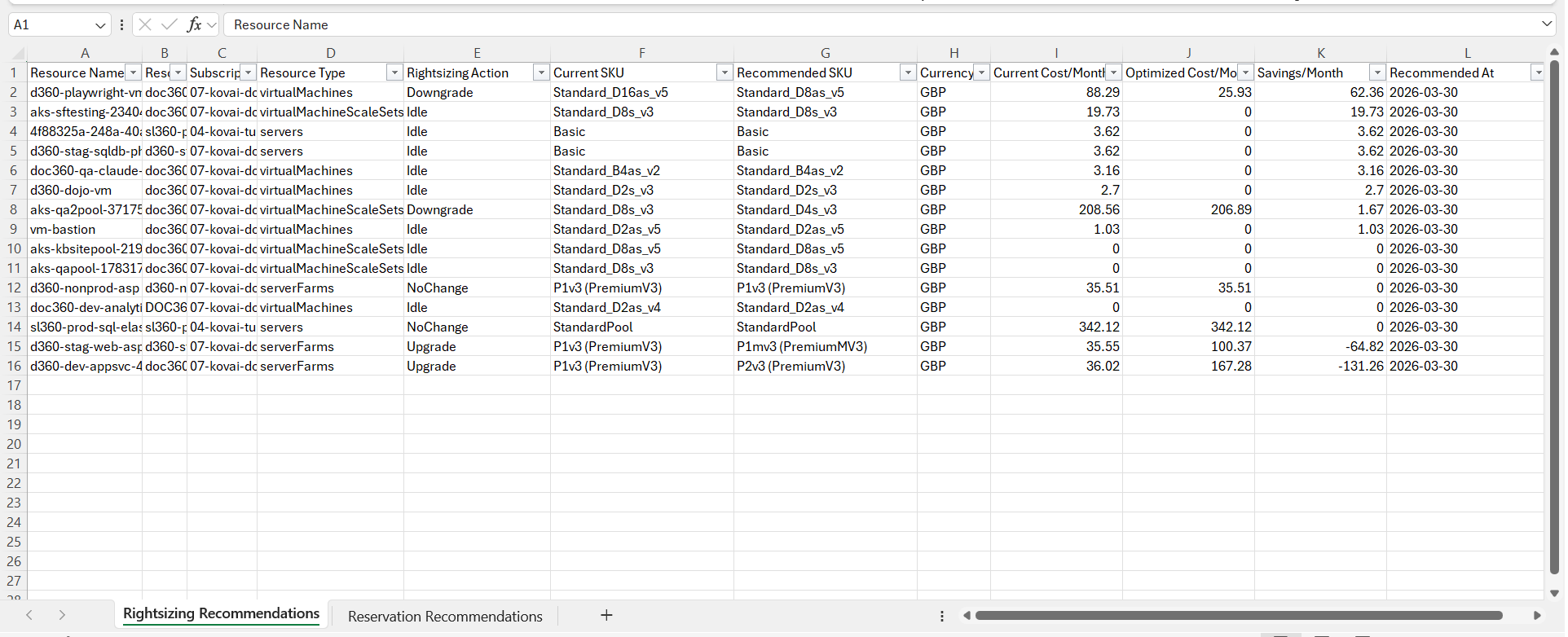
The Recommendations report is a weekly Excel-based report that provides a consolidated view of newly identified and updated recommendations from the past 7 days.
The report includes recommendations from key optimization categories, such as rightsizing and reservations, and presents them in a structured format to support analysis and action.
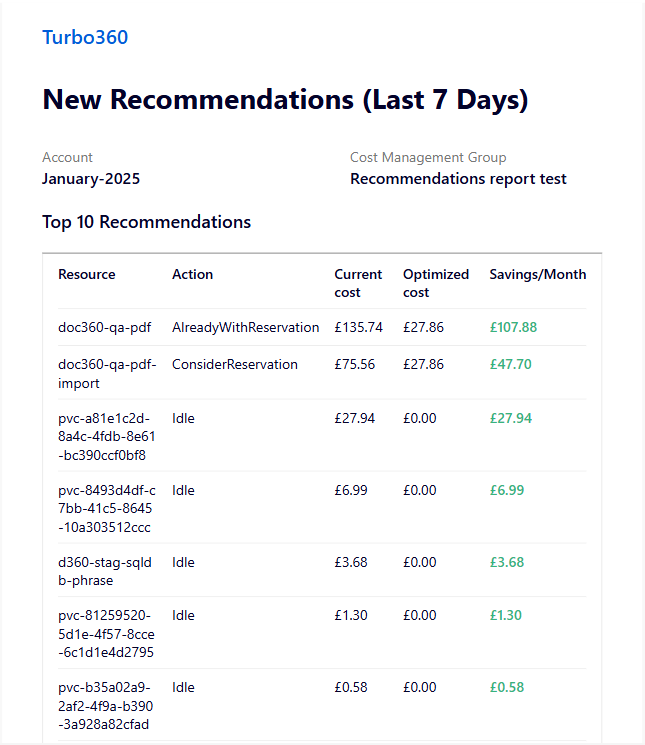
Mail alerts highlight the top 10 recommendations, enabling quick identification of high-impact opportunities.
The image below illustrates a sample mail alert received for recommendations report:
This report is intended to help users track changes in recommendations, prioritize actions, and support ongoing optimization efforts.
Report configuration
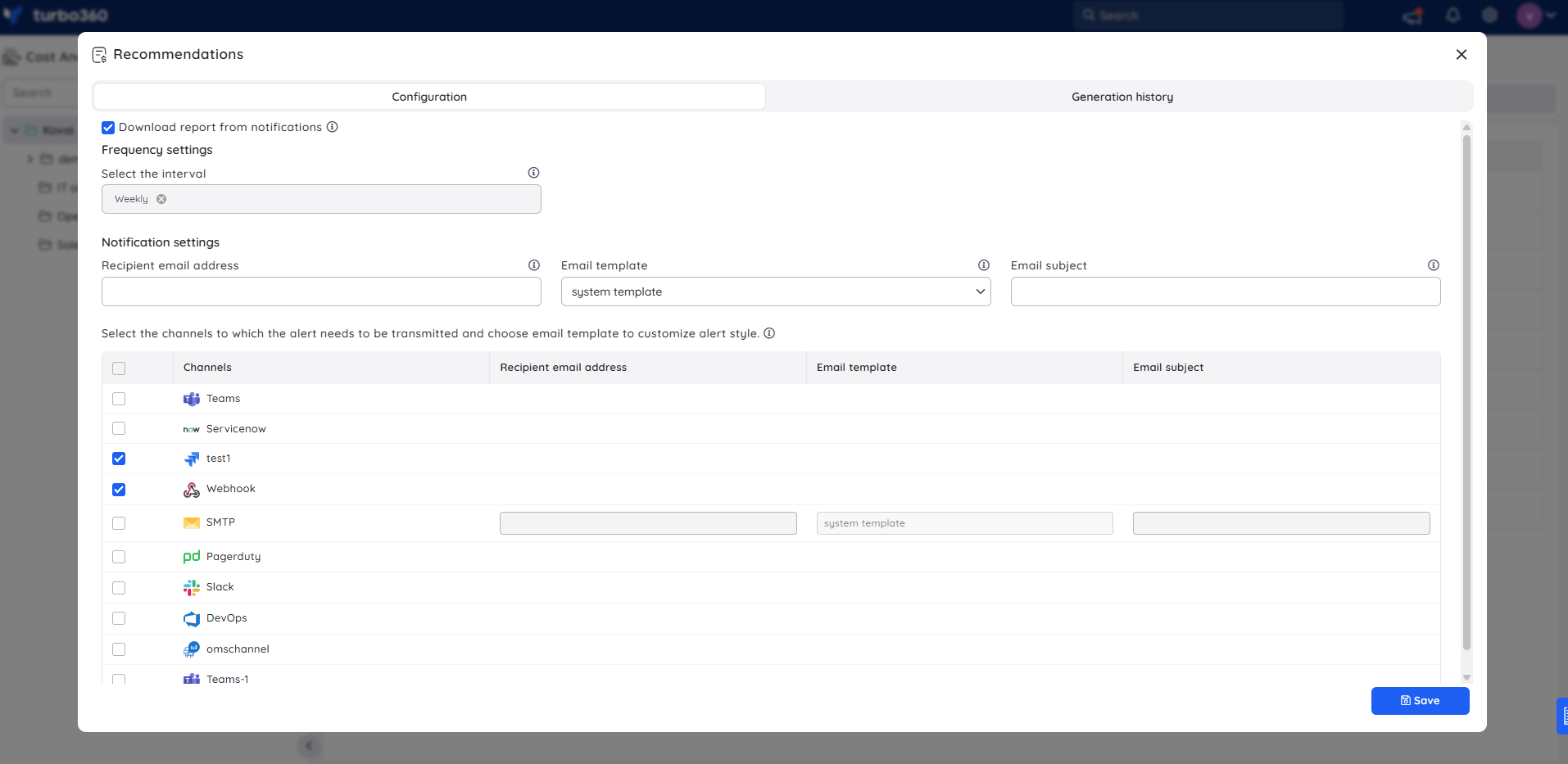
Refer to the steps below to recommendation reports on a weekly basis for the desired cost management group:
- Navigate to the following path: Cost management group -> Reports.
- Click the Edit icon next to the Recommendations report type.
- Check Download report from notifications to allow the report to be downloaded from alerts.
- Choose the desired notification services to receive alerts.
- Click Save to apply the values.
- Enable the Recommendations report type toggle.
Instant reports
On-demand weekly recommendations report can be generated with the help of Generate Now option available in the Actions menu of the relevant report type.
.png)
The toggle should be enabled for the report type in the Reports section and atleast one notification channel should be selected.
Generation history
All triggered reports for the relevant cost management group appear in the Generation history, with a download option provided next to each record for easy access.
.png)
Sample report
The following image illustrates a sample weekly recommendations report downloaded from the Generation history:
Was this article helpful?