

Schedule impacted resources summary report
- 10 Apr 2026
- 1 Minute to read
- Print
- DarkLight
- Download PDF
Schedule impacted resources summary report
- Updated on 10 Apr 2026
- 1 Minute to read
- Print
- DarkLight
- Download PDF
Article summary
Did you find this summary helpful?
Thank you for your feedback!
Introduction
Schedule impacted resources summary report provides a detailed cost analysis of azure resources that are assigned to optimization schedules within a cost management group. This report is designed to help organizations evaluate the financial impact of scheduling actions over a user-defined impact period.
By consolidating monthly cost data for schedule-impacted resources into a single Excel report, users can easily analyze how optimization schedules affect resource costs over time. The report enables comparison of actual and amortized costs, offering clear visibility into cost trends and the effectiveness of applied schedules.
The report includes detailed cost information for each schedule-impacted resource, such as:
- Actual cost for each month within the defined impact period
- Amortized cost for each month within the defined impact period
- Resource name and associated optimization schedule
- Resource type and Cost Management Group association
- Monthly cost trends reflecting the impact of scheduling actions
Report configuration
Refer to the steps below to schedule schedule impacted resources summary reports on a monthly basis for the desired cost management group:
- Navigate to Cost management group -> Reports.
- Click the Edit icon next to the Scheduled resources summary report type.
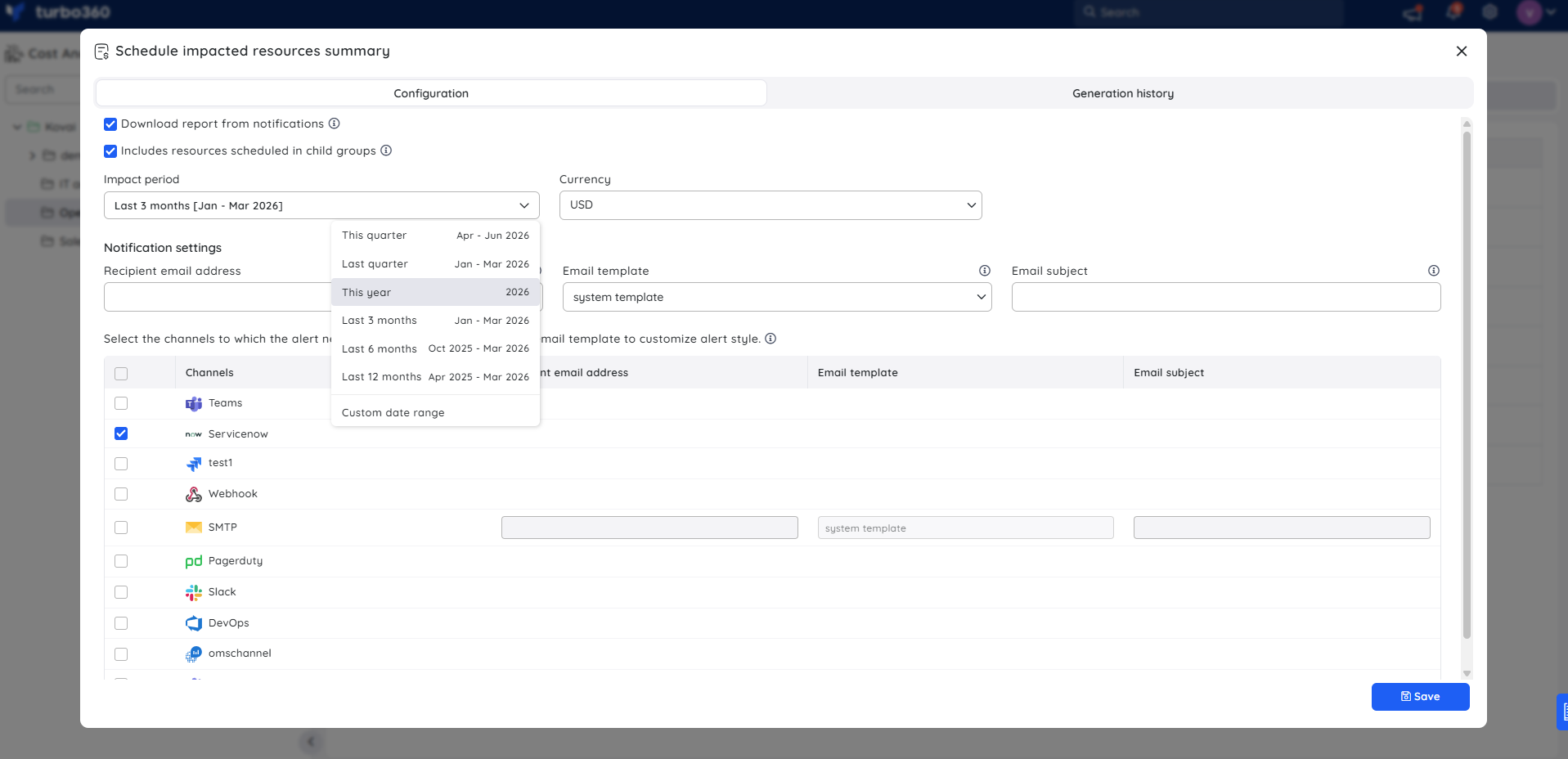
- Configure the report settings:
- (Optional) Enable Download report from notifications.
- (Optional) Select Include resources scheduled in child groups.
- Define the Impact period to determine the timeframe for retrieving cost data.
- Choose USD or Billing currency for cost display.
- Select the preferred notification services.
- Click Save, and enable the Scheduled resources summary report type toggle.
Instant reports
On-demand monthly schedule impacted resources summary reports can be generated with the help of Generate Now option available in the Actions menu of the relevant report type.
.png)
The toggle should be enabled for the report type in the Reports section and atleast one notification channel should be selected.
Generation history
All triggered reports for the relevant cost management group appear in the Generation history, with a download option provided next to each record for easy access.
.png)
Sample report
The following image illustrates a sample monthly schedule impacted resources summary report downloaded from the Generation history:
.png)
.png)
Was this article helpful?