Overview
The push model is one of two data collection approaches in Business Activity Monitoring (BAM). It works by instrumenting your integration solution to actively send business events to Turbo360 via the BAM API. Each event represents a meaningful checkpoint in a business process (for example, an order received, a payment validated, or a shipment dispatched).
You model these events into business processes and transactions in BAM, which assembles them into tracked instances you can monitor, search, and alert on.
Business value
The push model gives you complete control over what gets tracked. Because your solution explicitly emits events at each stage, BAM captures exactly the business-level data you define, not raw Azure telemetry. This means your operations team sees outcomes that matter to the business, not infrastructure metrics, and they see them in real time as events arrive.
How it works
When an integration solution emits an event, it makes an HTTP call to the BAM API with a payload containing the tracked property values for that stage. BAM receives the event, matches it against the configured business process and transaction, and updates or creates the corresponding transaction instance.
The diagram below illustrates this flow at a high level.
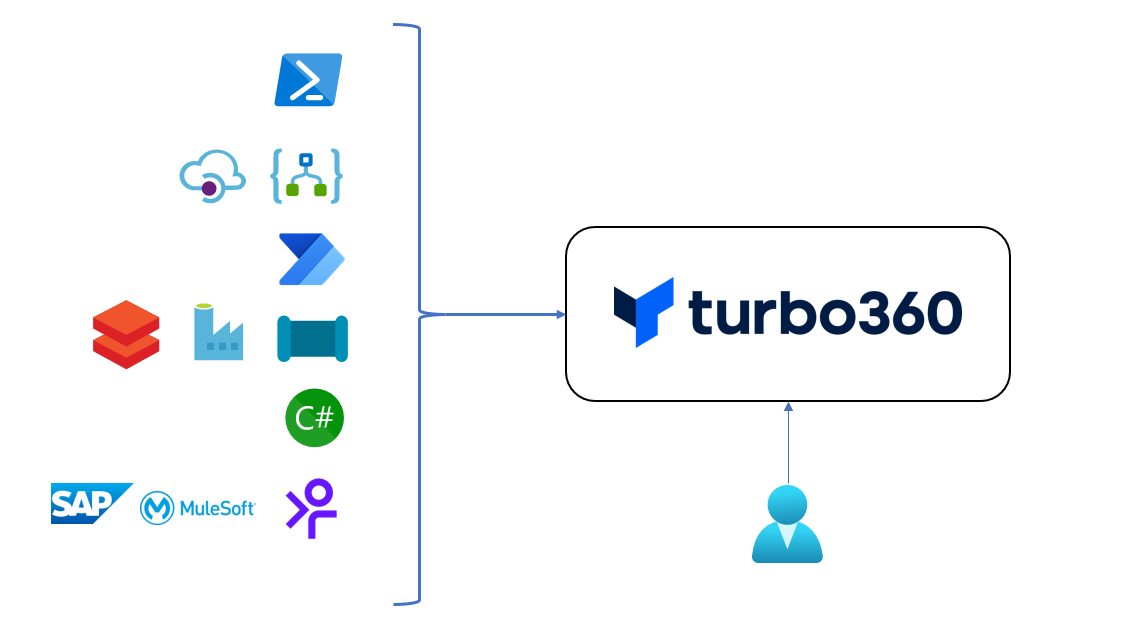
BAM supports a range of Azure integration technologies for emitting push model events. The table below lists the common approaches by technology.
| Technology | Approach |
|---|---|
| Logic App Standard | Logic App Connector, APIM proxy, HTTP connector |
| Logic App Consumption | Logic App Connector, APIM proxy, HTTP connector |
| Azure Functions | NuGet package (C#), HTTP calls (other languages) |
| API Management | Policy fragment with HTTP request |
| Power Automate | Connector |
| Data Factory | Web Activity |
| Custom code | NuGet package (C#), HTTP calls (other languages) |
| PowerShell | HTTP call |
| MuleSoft, Boomi, Frends | HTTP call |
Each approach ultimately delivers an HTTP POST to the BAM API endpoint. The Logic App Connector and NuGet package abstract the HTTP call behind a purpose-built integration, while other technologies make the call directly.
The push model uses the Custom Logging transaction type in BAM. Business processes and transactions must be configured with the Custom Logging type before events can be received.