

Basic recommendations for Reservations
- 16 Feb 2026
- 1 Minute to read
- Print
- DarkLight
- Download PDF
Basic recommendations for Reservations
- Updated on 16 Feb 2026
- 1 Minute to read
- Print
- DarkLight
- Download PDF
Article summary
Did you find this summary helpful?
Thank you for your feedback!
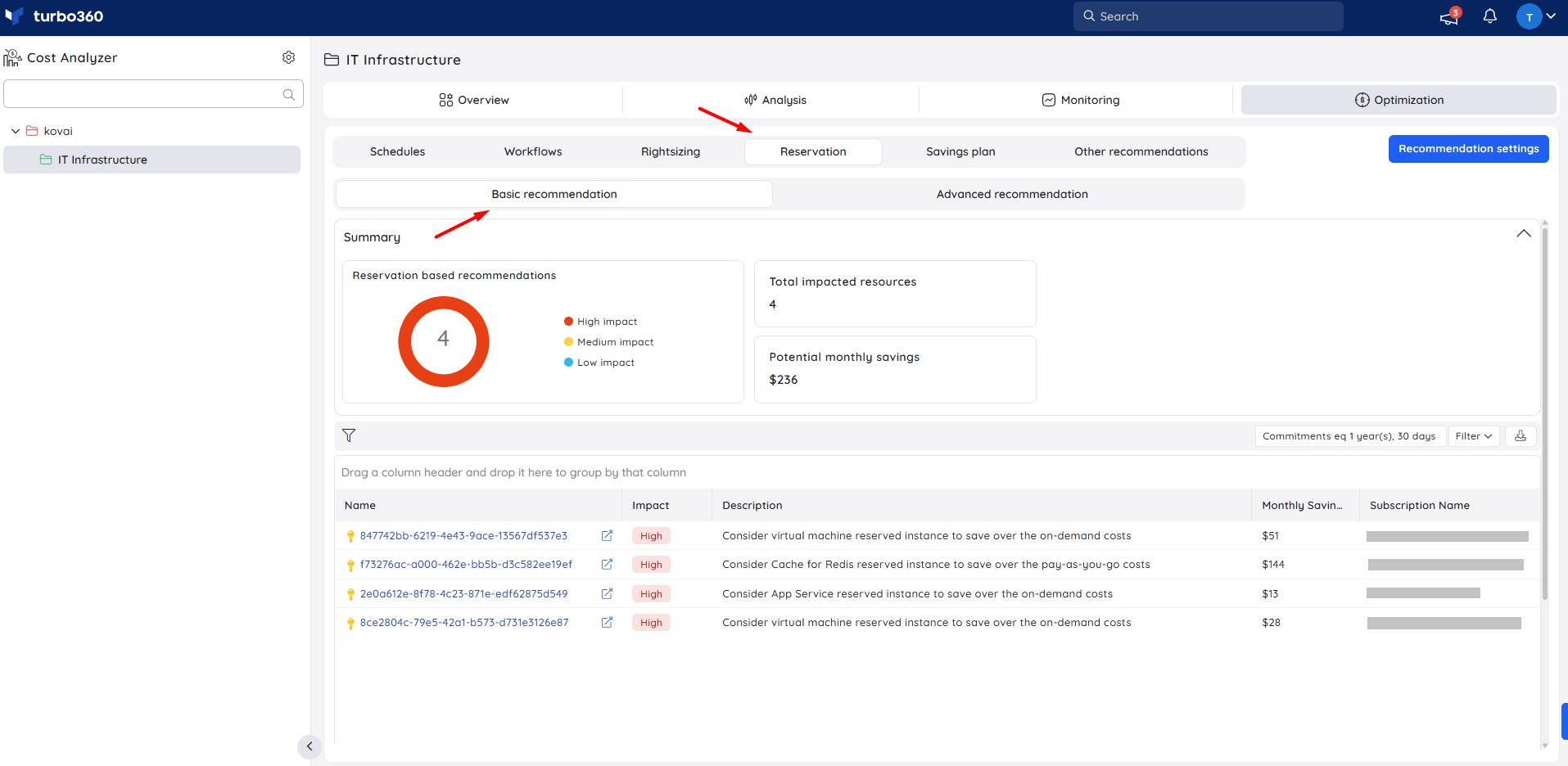
The basic recommendation provides reservation suggestions from Azure Advisor, typically for Reserved Instances (RIs) or similar commitment-based pricing options to optimize costs.
The impacted subscriptions are classified into three recommendation types: high, medium, and low, each with recommended actions to be taken.
Postpone recommendation
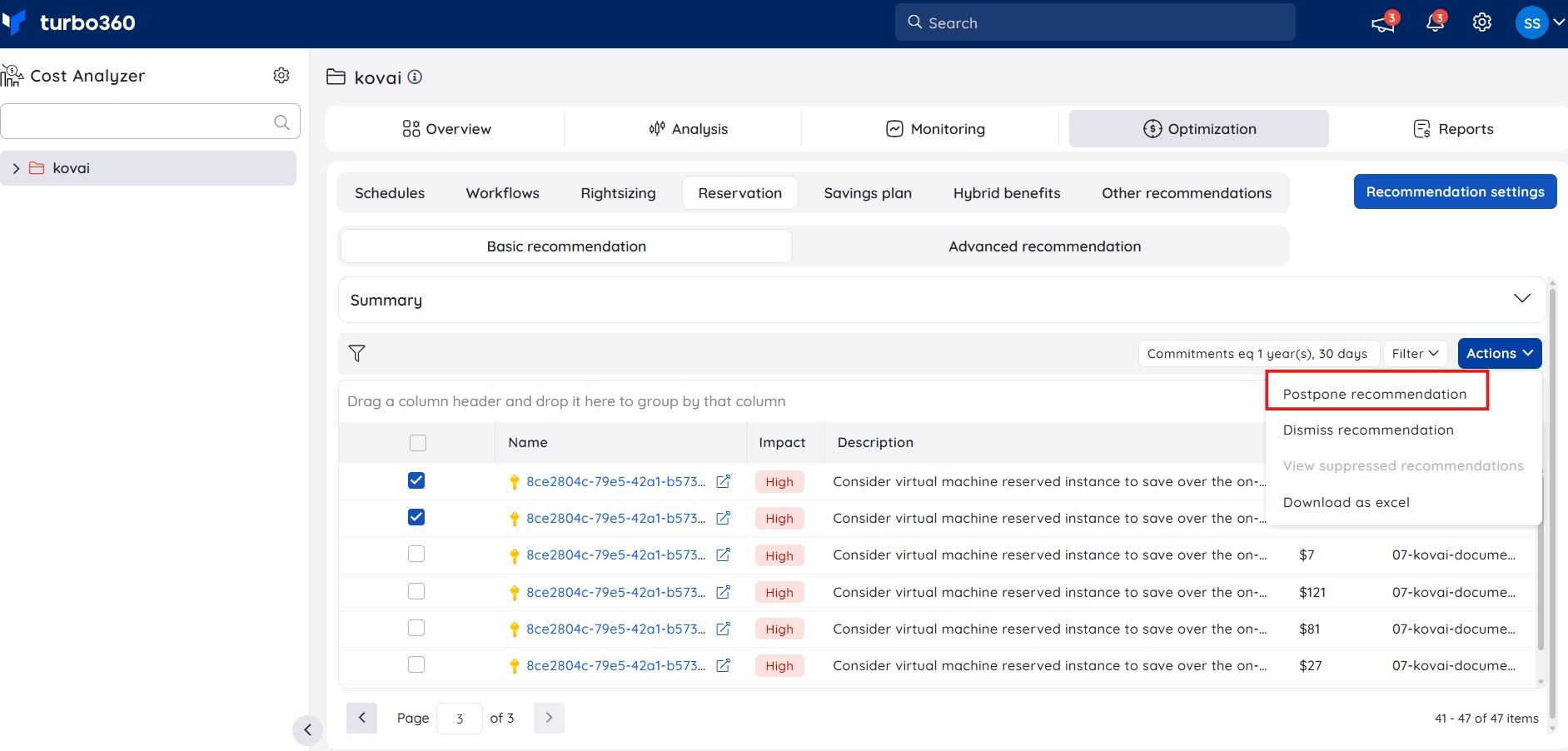
The Postpone Recommendation feature allows users to temporarily suppress Azure Advisor–based basic recommendations for a selected duration. This helps reduce noise from recommendations that are not immediately actionable, while ensuring they automatically reappear after the postponement period.
Steps to postpone recommendation:
Navigate to Basic recommendations within the required cost management group.
Select the recommendation to be postponed.
From the Actions menu, choose Postpone recommendation.
Select the postponement duration (*1 day, 1 week, 1 month, or 3 months**) and confirm.
Outcome
The postponed recommendation is removed from the Basic recommendations section and suppressed in Azure Advisor.
All postponed recommendations are available under the Suppressed recommendations section and user can Activate the recommendation if required.
After the selected period expires, the recommendation is automatically restored to Basic recommendations.
Dismiss recommendation
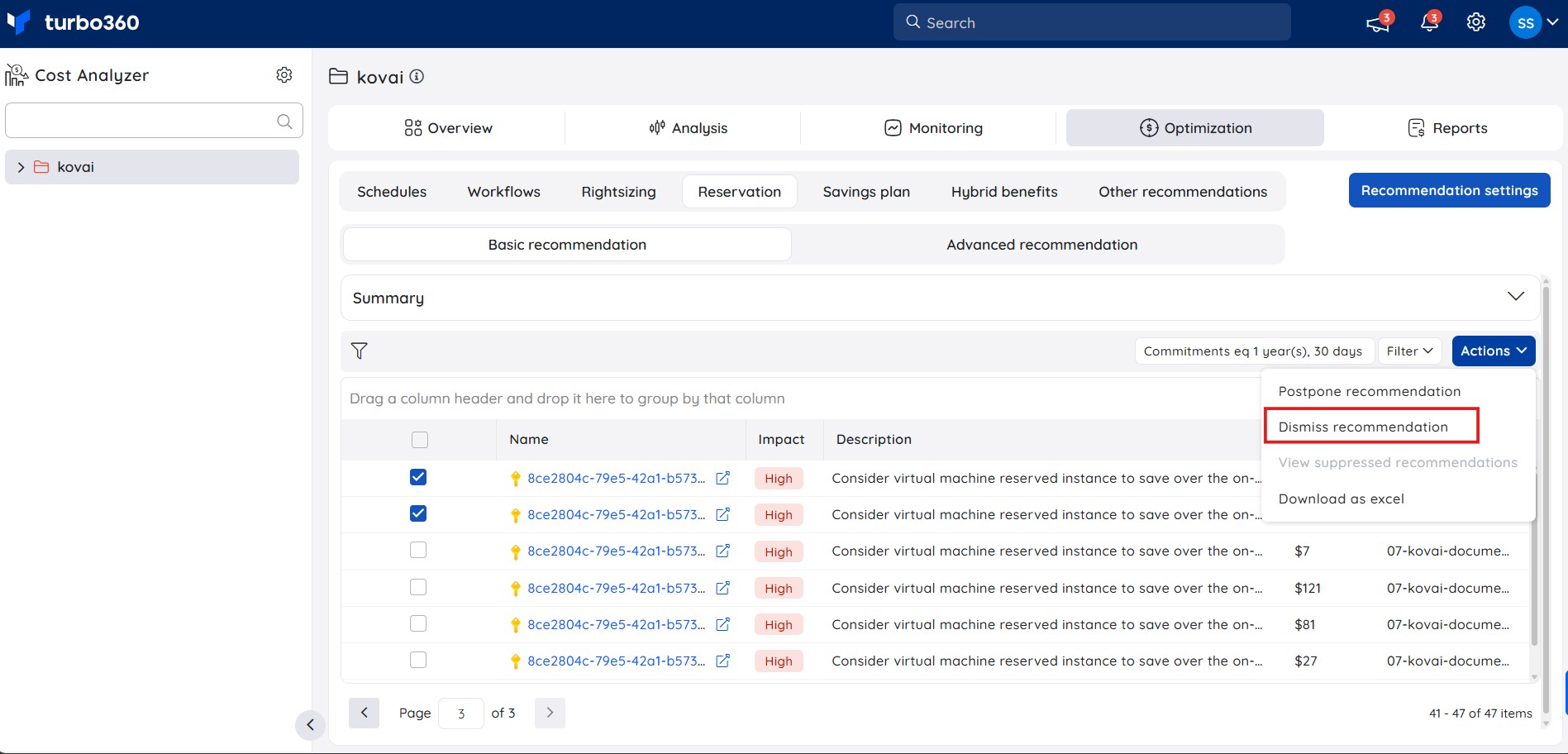
The Dismiss recommendation feature allows users to permanently suppress selected Azure Advisor–based basic recommendations that are not relevant or actionable. This helps users maintain a cleaner recommendations view while retaining the option to restore dismissed items if needed.
Steps to dismiss recommendation:
Navigate to the Basic recommendations within the required cost management group.
Select the recommendation to be dismissed.
From the Actions menu, choose Dismiss recommendation.
Confirm the dismissal.
Outcome
The dismissed recommendation is removed from the Basic recommendations section and suppressed in Azure Advisor.
All dismissed recommendations are listed under the Suppressed recommendations section.
From the Suppressed recommendations blade, users can select a dismissed recommendation and activate it to restore the recommendation back to the Basic recommendations section.
Was this article helpful?