

Private Offer - Direct
- 25 Jun 2026
- 1 Minute to read
- Print
- DarkLight
- Download PDF
Private Offer - Direct
- Updated on 25 Jun 2026
- 1 Minute to read
- Print
- DarkLight
- Download PDF
Article summary
Did you find this summary helpful?
Thank you for your feedback!
If you are purchasing Turbo360 via a direct Private Offer then the Turbo360 team will setup a private offer for you and let you know when it is ready.
At a high level the process is:
You supply your billing account id to the Turbo360 team
Turbo360 team create private offer and publish it in marketplace
Your team will accept the private offer
You will then complete the purchase
Provide your Billing Account ID
Turbo360 partner with We Transact to provide marketplace integration and they have an excellent article on this page which shows how to obtain your billing account id:
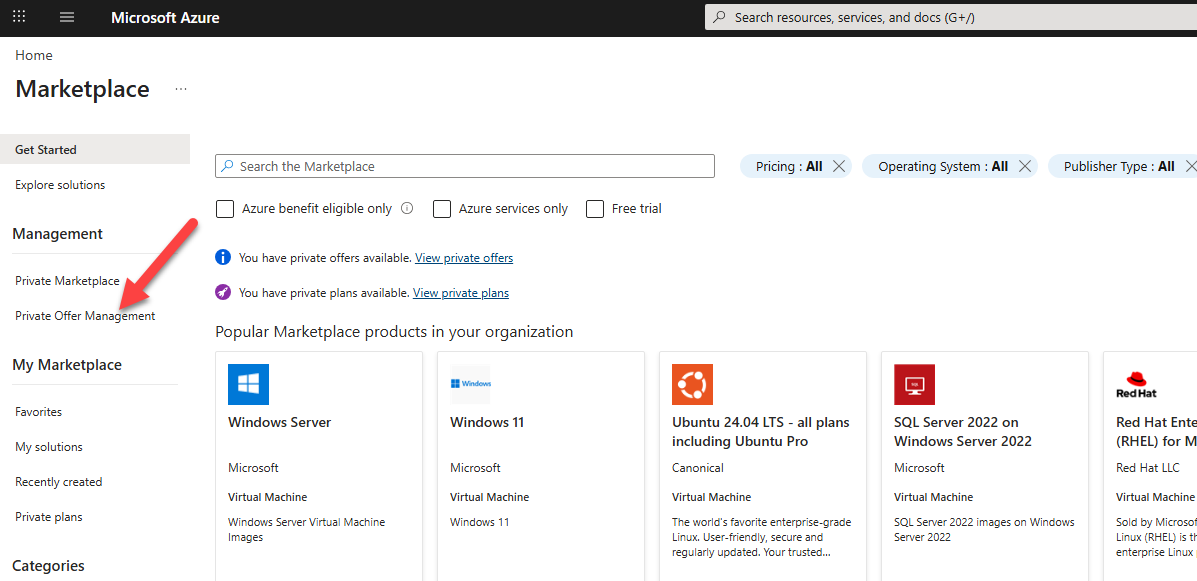
Find your Private Offer
There is a detailed walk through from We Transact here: Click Here
The below picture shows where your private offer will show up.
Accept your Private Offer
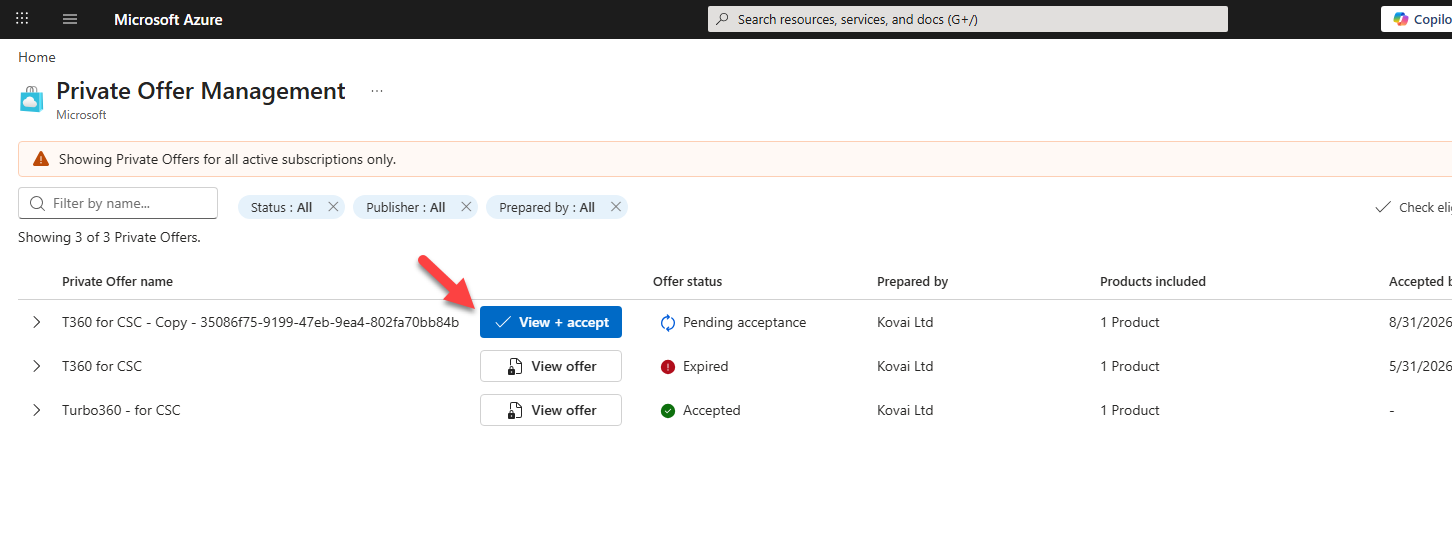
Next you will click to view your offer and follow the wizard to accept it. There is a more detailed walk through from We Transact here: Click Here
Complete Purchase
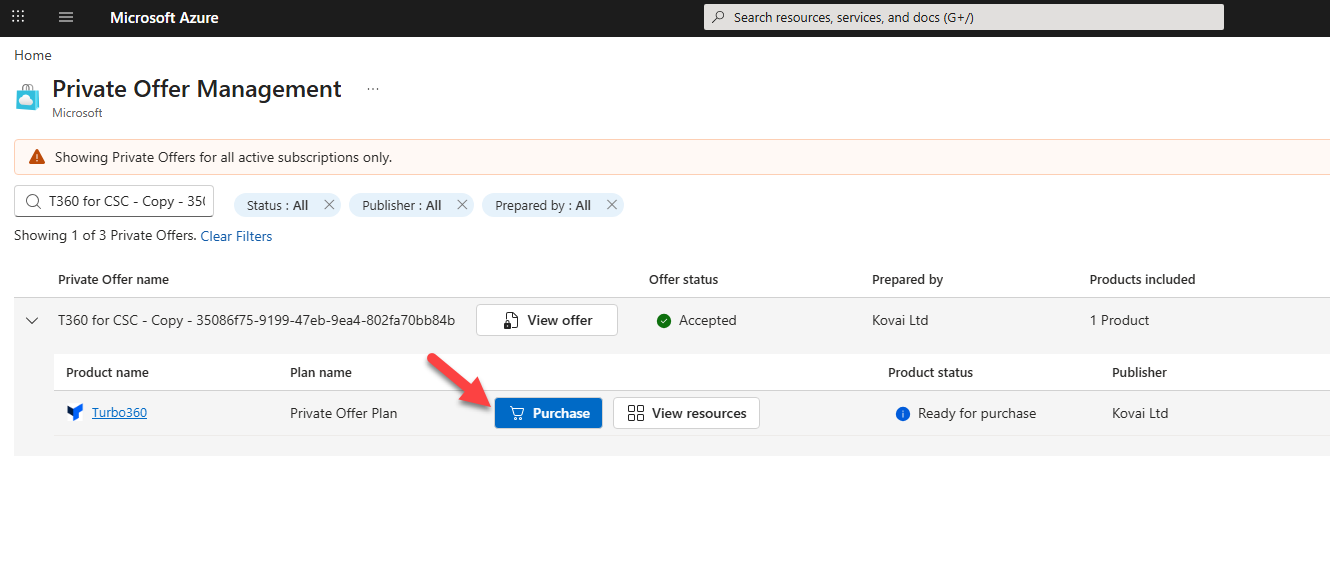
Once you have accepted your private offer you can now complete the purchase for it. Click the button shown below.
Then complete the form with the appropriate subscription to complete the purchase.
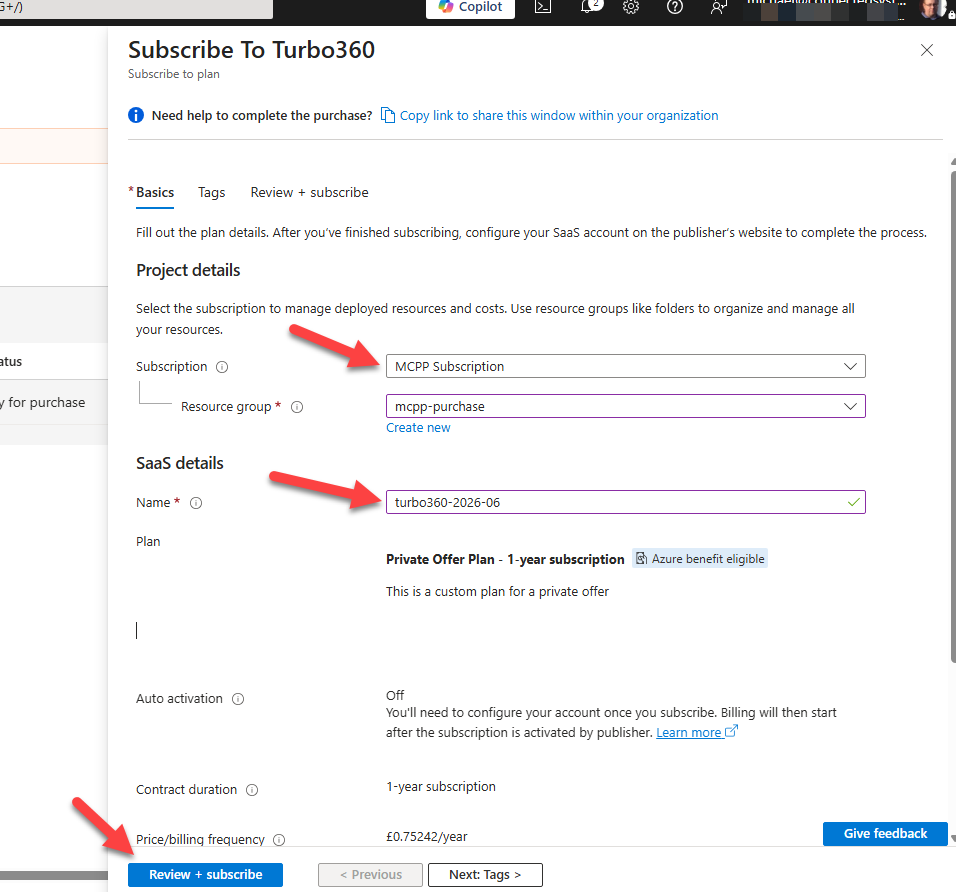
Check the details and click subscribe.
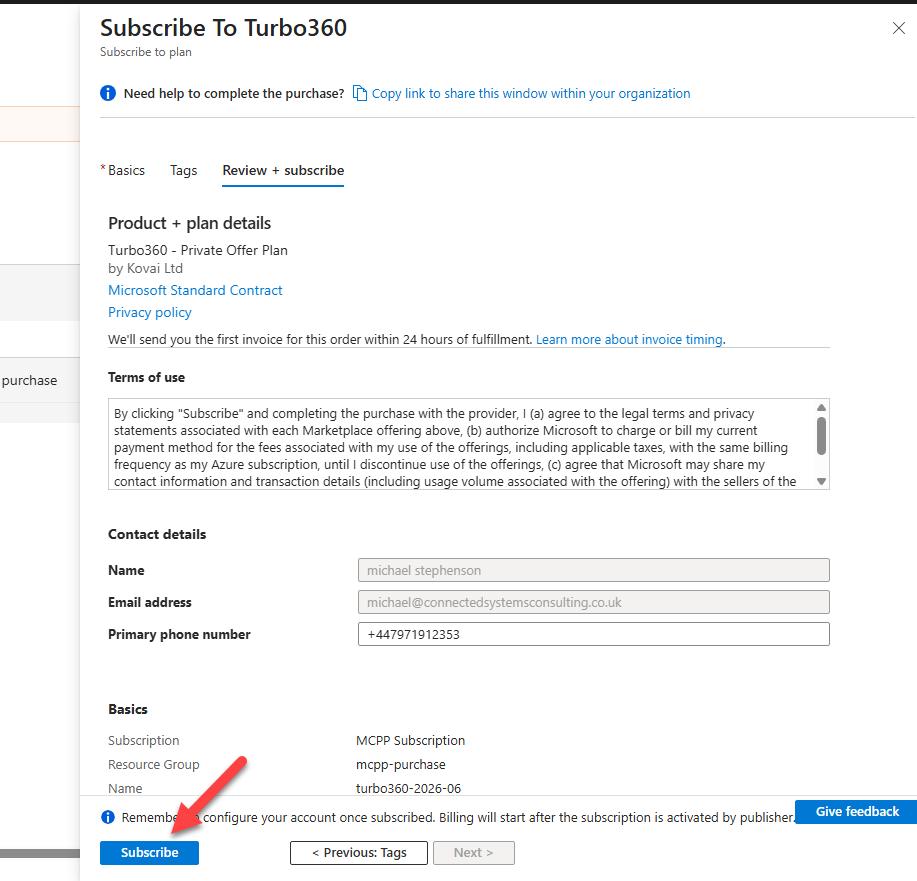
Then wait a minute or so while Azure loads the subscribe form and then click “Configure your account”
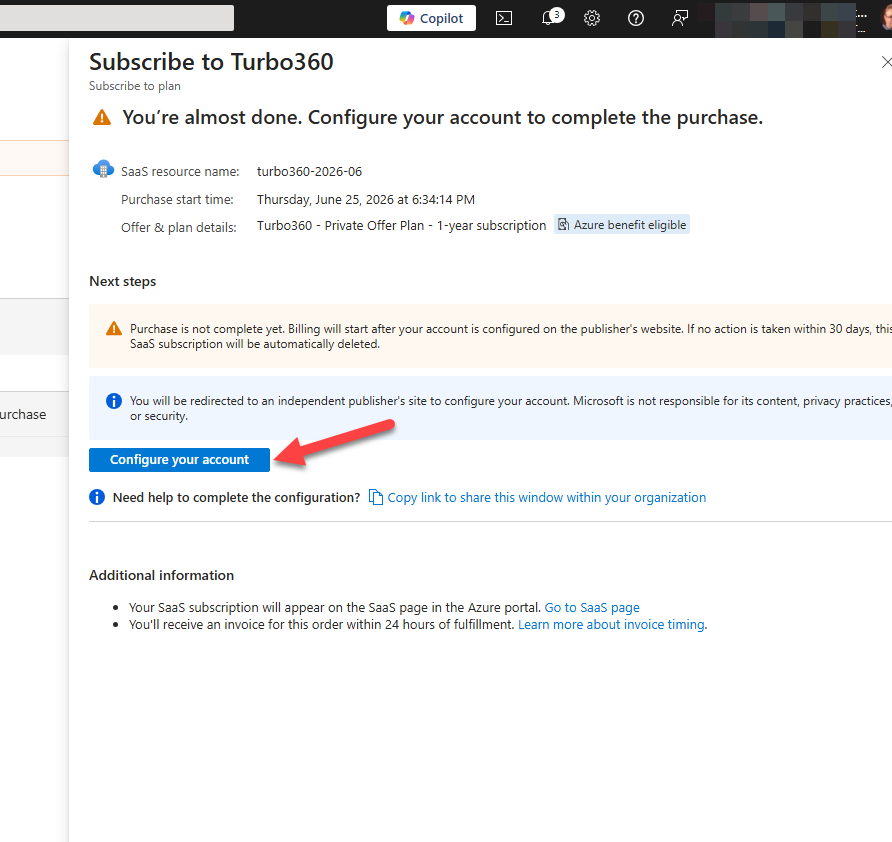
This will call out to the We Transact portal to click the button to finalize the marketplace purchase, also complete your company name. Please note the name here will help us correlate your marketplace purchase to you as a customer so please use your company name if possible. This may require an Entra consent to complete this.
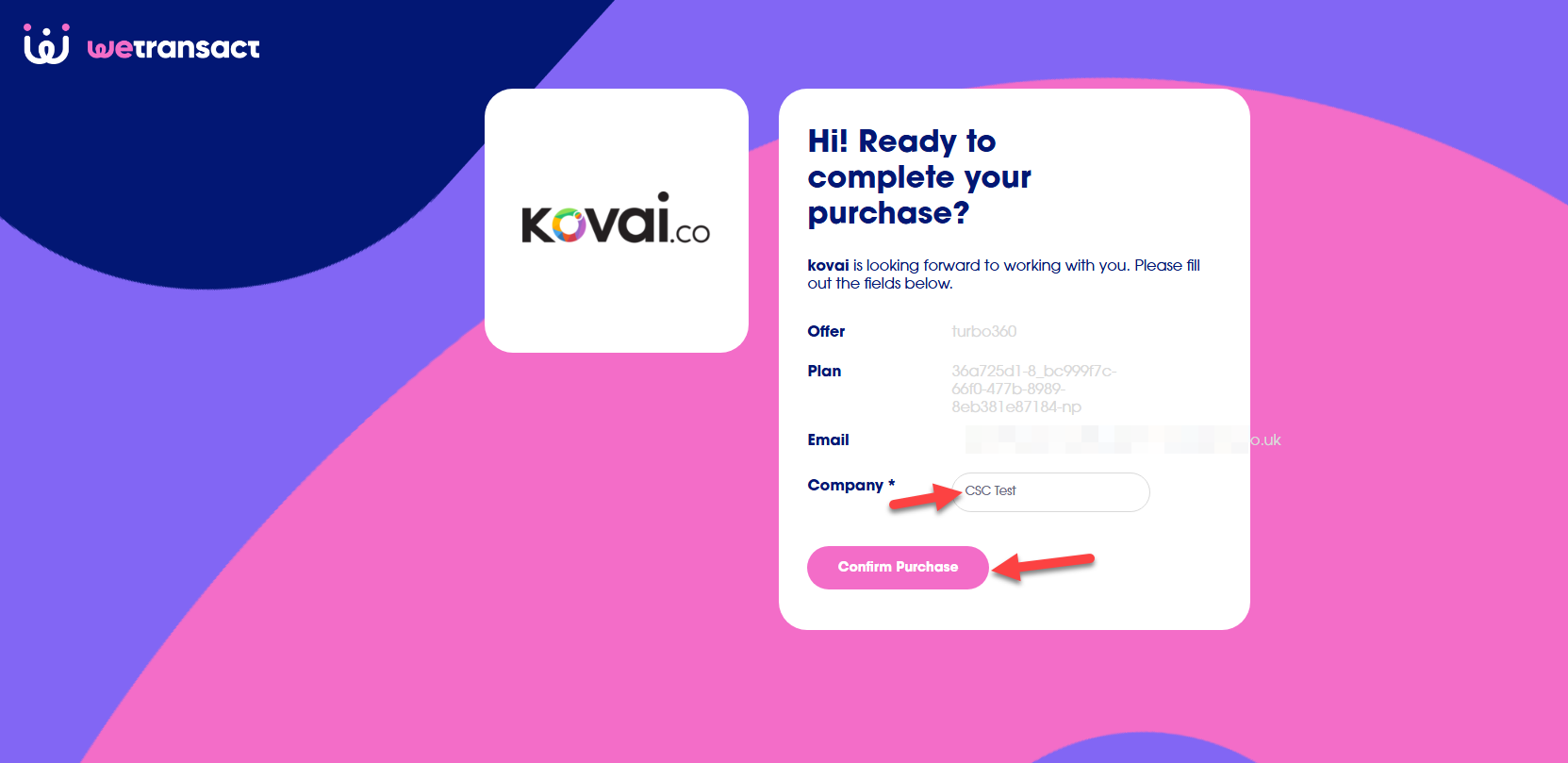
On the Turbo360 side we will now accept the order and that will complete the Azure Marketplace Private Offer purchase.
Was this article helpful?