

App Service Certificate
- 05 Aug 2026
- 2 Minutes to read
- Print
- DarkLight
- Download PDF
App Service Certificate
- Updated on 05 Aug 2026
- 2 Minutes to read
- Print
- DarkLight
- Download PDF
Article summary
Did you find this summary helpful?
Thank you for your feedback!
Overview
App Service Managed Certificate is an Azure resource that secures custom domains with an SSL certificate on Linux and Windows App Service plans. It protects your websites from vulnerabilities by encrypting traffic to your custom domain.
App Service Certificate offers two pricing plans:
- Standard — covers a single subdomain.
- Wildcard — covers multiple subdomains under the same root domain.
Business value
Tracking certificate expiry through Turbo360 ensures your App Service custom domains remain secure without interruption. Proactive alerts give your team time to renew certificates before they expire, preventing downtime caused by invalid SSL certificates.
How it works
Turbo360 monitors the expiry date of App Service Certificates for individual app services. When a certificate is approaching its expiration date, Turbo360 sends an alert based on your configured threshold, prompting you to renew it in time.
Permissions
Turbo360 uses role-based access control to restrict what users can do with App Service Certificate resources. Permissions are assigned per resource type when configuring roles under User management.
| Permission | Access granted |
|---|---|
| Read | View the App Service Certificate resource and its monitoring configuration |
| Manage | Configure and save expiry monitoring rules for the App Service Certificate |
Monitoring
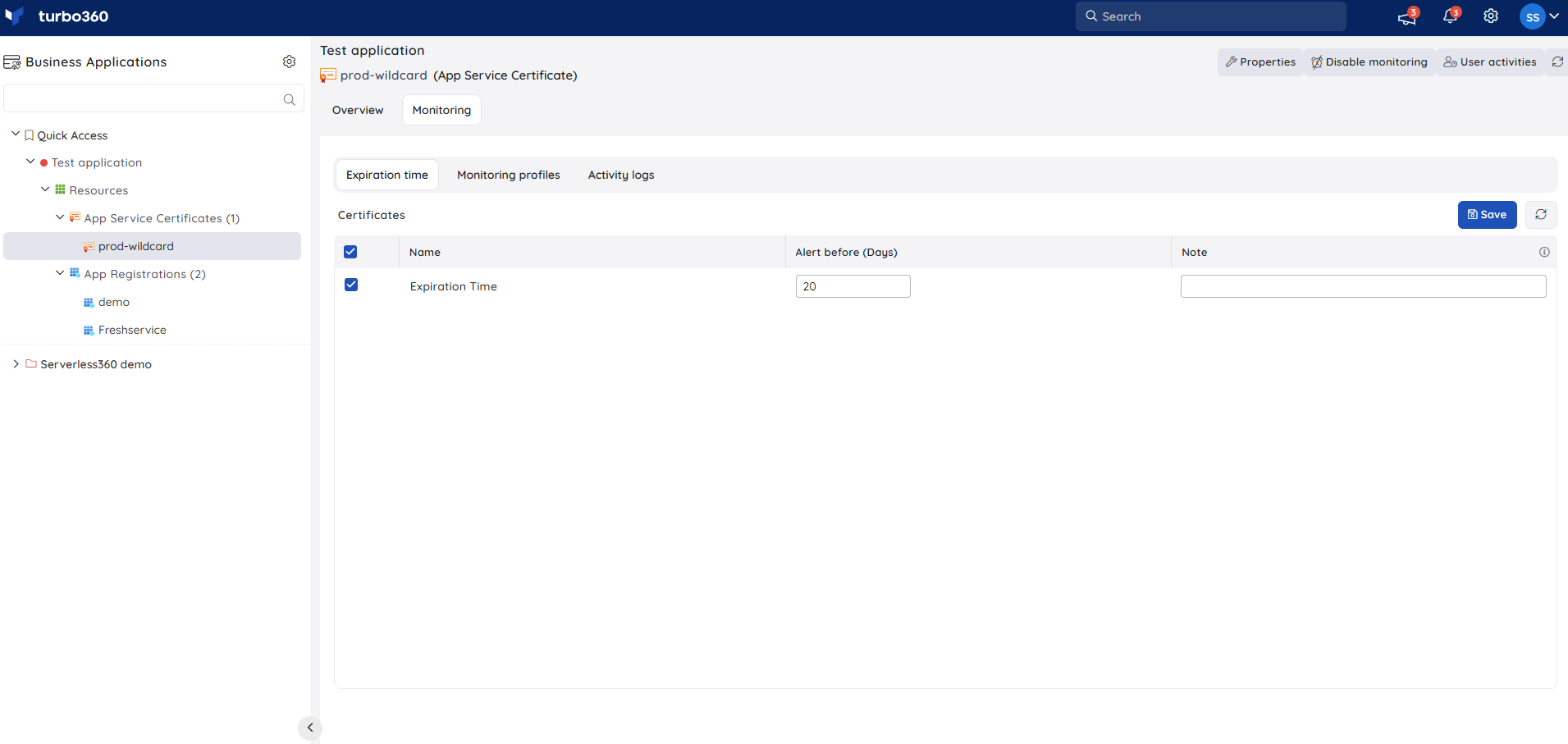
App Service Certificate supports certificate expiry monitoring. Navigate to App Service Certificate > Monitoring to configure the rule.
Note:
The monitoring state updates after every monitoring cycle once the rule is saved.
Certificate expiry monitoring
Certificate expiry monitoring tracks the remaining validity of the SSL certificate securing your custom domain. Use this rule to prevent browser security warnings and service interruptions before they reach your users — for example, configure an alert 30 days before expiry so your operations team has time to renew the certificate through Azure, import it, and update the binding without any downtime.
- Specify the number of days before expiry at which you want to receive the alert.
- Click Save.
Troubleshooting
Alert not received before certificate expiry
Cause: The alert threshold is set to fewer days than the time remaining before expiry, or the notification channel is not configured.
Fix: Verify the threshold value under App Service Certificate > Monitoring and confirm that your Turbo360 notification settings are active.Monitoring rule does not appear after saving
Cause: The save action may not have completed, or the page has not refreshed.
Fix: Re-open App Service Certificate > Monitoring, re-enter the threshold, click Save, and refresh the page to confirm the rule is saved.Certificate monitoring not triggering for a specific app service
Cause: The App Service Certificate may not be associated with the app service resource in Turbo360, or the user does not have the Manage permission for App Service Certificate.
Fix: Verify that the app service is added to your Business Application, that the certificate is linked to the correct custom domain, and that the user's Turbo360 role includes Manage for App Service Certificate.
Related articles
Was this article helpful?