

Use cases
- 05 Aug 2026
- 3 Minutes to read
- Print
- DarkLight
- Download PDF
Use cases
- Updated on 05 Aug 2026
- 3 Minutes to read
- Print
- DarkLight
- Download PDF
Article summary
Did you find this summary helpful?
Thank you for your feedback!
Overview
Business Applications supports a wide range of operational scenarios where Azure resources need to be monitored, managed, and communicated as cohesive business services. This article covers the most common real-world use cases for the module.
Business value
Understanding where Business Applications fits your organisation helps you prioritise how to structure your Azure environment and monitoring strategy. Each use case below reflects a scenario where service-level visibility directly improves operational outcomes.
How it works
In each use case, Business Applications works by grouping the relevant Azure resources under a named business application, applying monitoring rules and escalation policies at the service level, and surfacing health and alert data in a unified view. The same core capability — resource grouping, monitoring, and alerting — applies across all use cases; the difference is how teams choose to organise their business applications to reflect their operational domain.
Use cases
E-commerce order processing
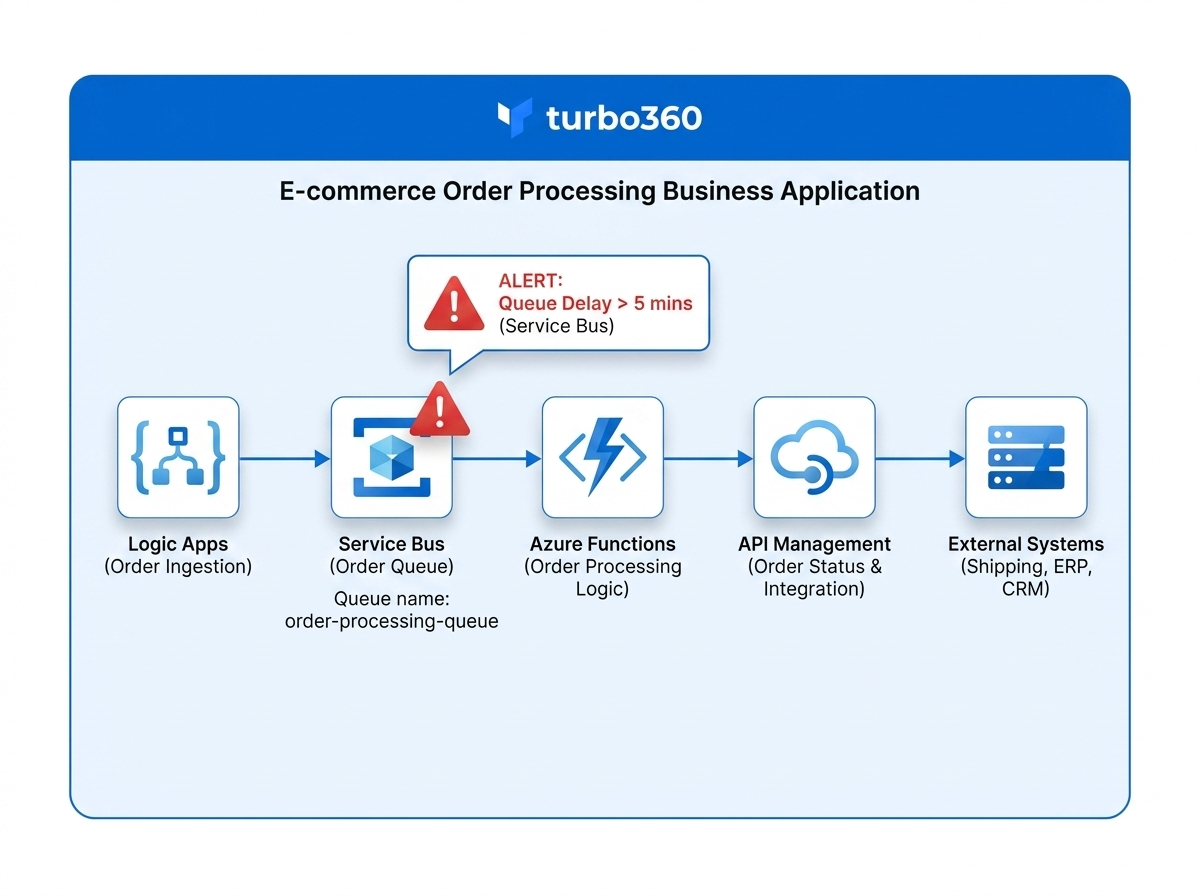
An e-commerce platform relies on a chain of Azure services — Logic Apps for order orchestration, Service Bus for message queuing, Azure Functions for payment processing, and API Management for storefront integration. Without Business Applications, a failure in any one of these resources generates isolated alerts that do not communicate the business impact.
With Business Applications, all these resources are grouped under a single "Order Processing" application. When a Service Bus queue delay occurs, the alert surfaces in the context of Order Processing — immediately communicating the business impact and triggering the correct escalation path.
SaaS application health monitoring
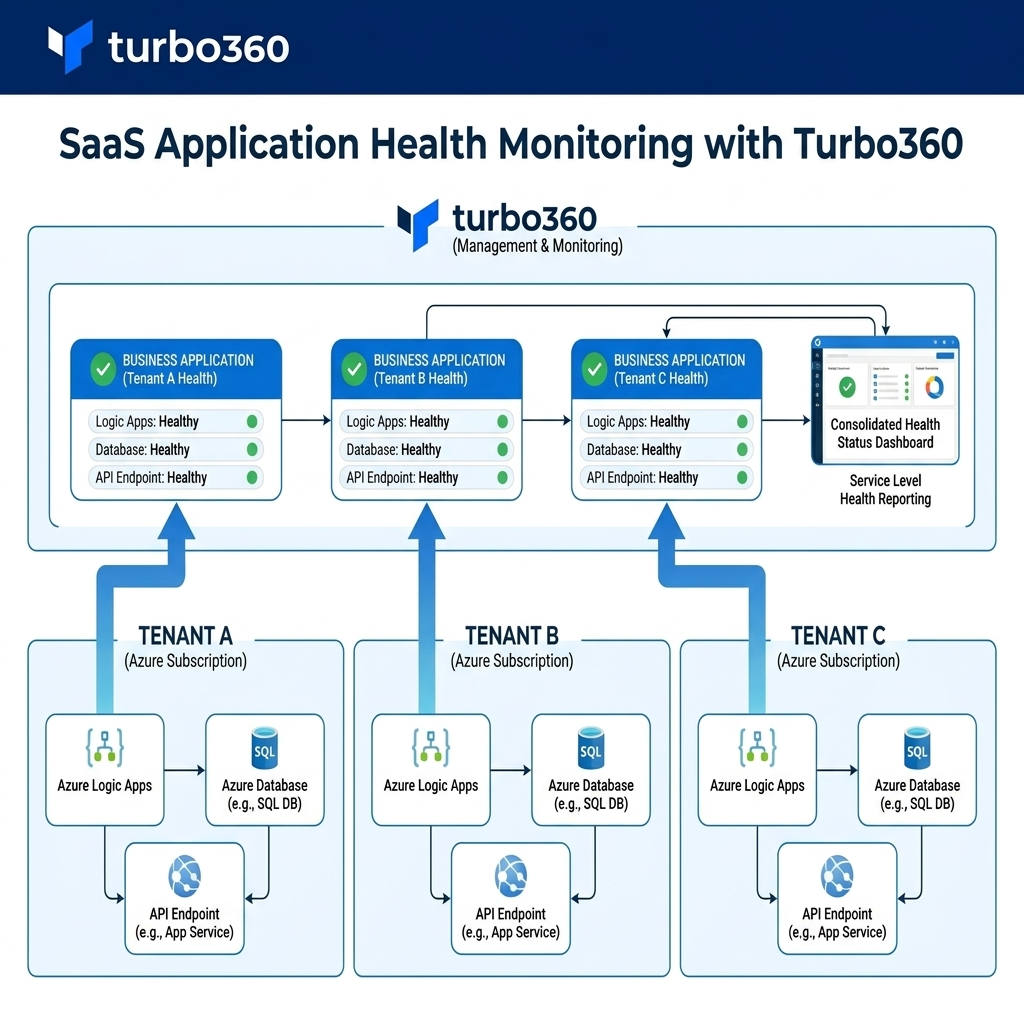
A software company hosts multiple tenants on Azure, each with its own set of Logic Apps, databases, and API endpoints. Monitoring each resource independently makes it difficult to assess the health of a specific tenant's service.
Business Applications lets the operations team create one business application per tenant. Monitoring rules applied at the business application level ensure consistent coverage across all tenants, and health status is reported at the service level — making it straightforward to respond to tenant-specific incidents and communicate status to account teams.
Integration platform operations
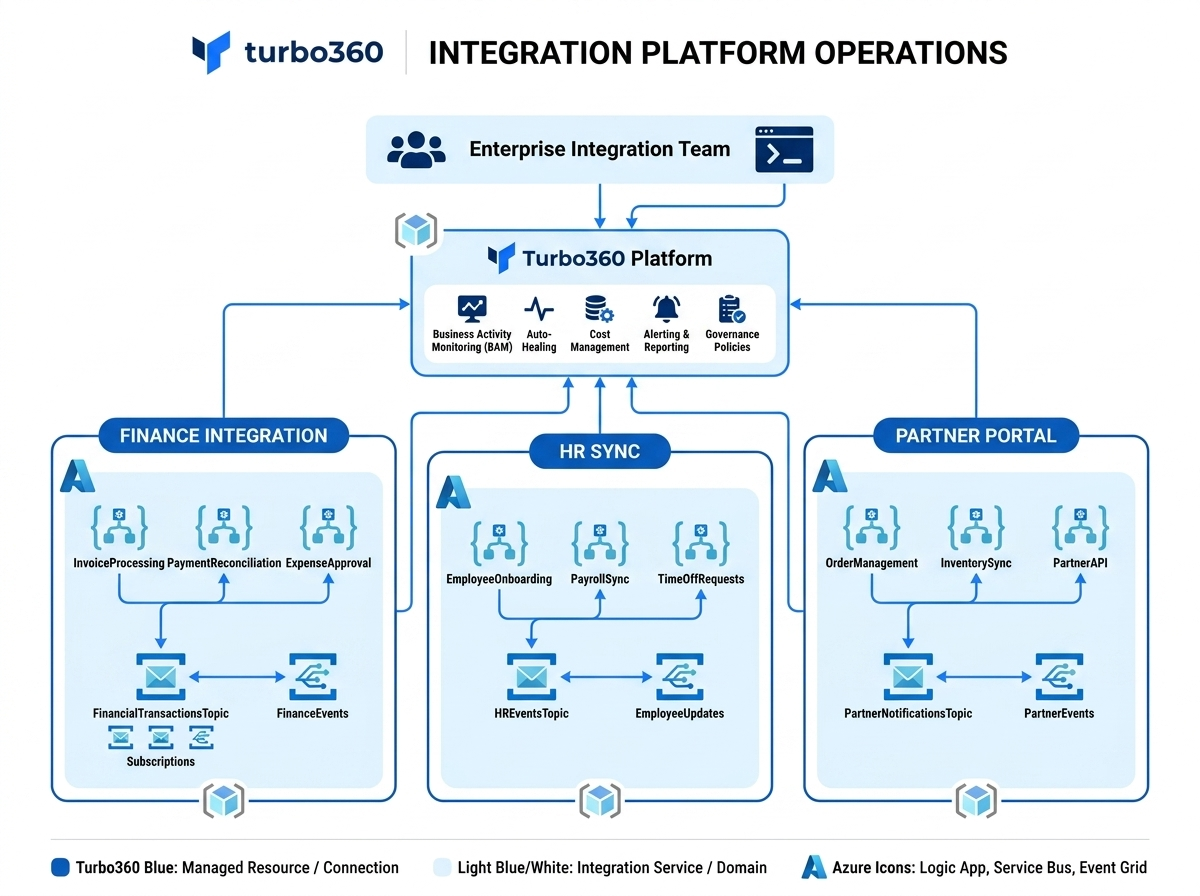
An enterprise integration team manages dozens of Logic Apps, Service Bus topics, and Event Grid subscriptions that connect internal systems and external partners. Tracking which integrations are healthy requires correlating data across many individual resources.
By grouping integrations into business applications by domain — for example, "Finance Integration", "HR Sync", "Partner Portal" — the team gains a service-level view of each integration domain. Failures are immediately contextualised, and on-call engineers know which business domain is affected without manual investigation.
Business process continuity monitoring
An operations team runs critical business processes — invoice approval, procurement workflows, employee onboarding — on Azure. Each process spans multiple Azure resources. When a process stalls, the team needs to identify which step failed and which business process is affected.
Business Applications maps each business process to a named application containing its constituent Azure resources. Monitoring rules enforce SLA thresholds, and escalation policies ensure the right team is notified when a process exceeds its expected duration or encounters an error.
Multi-environment service management
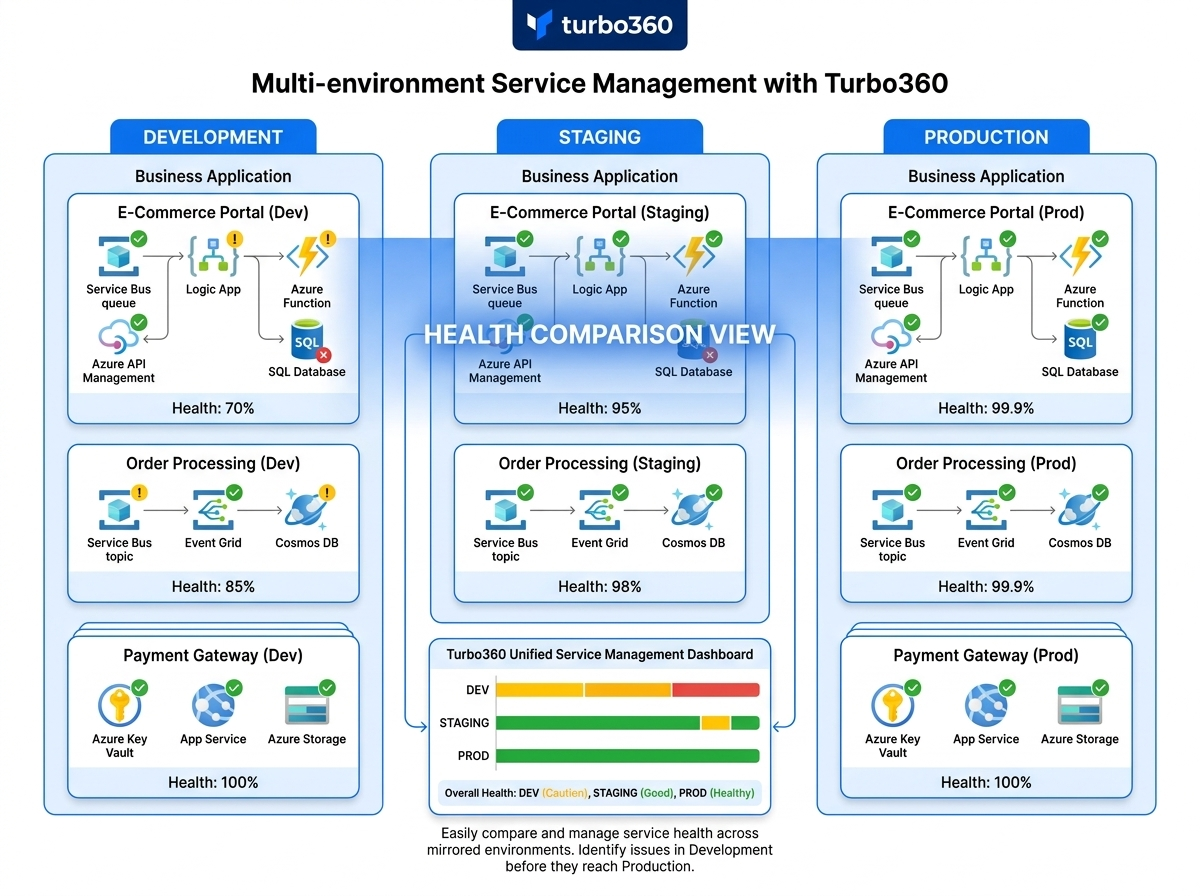
A development team manages separate Azure environments for development, staging, and production. Each environment contains the same logical services but different resource instances.
Business Applications lets the team mirror their service structure across environments — creating parallel business applications for each environment. This makes it straightforward to compare health across environments, validate staging before promotion, and isolate production incidents from development activity.
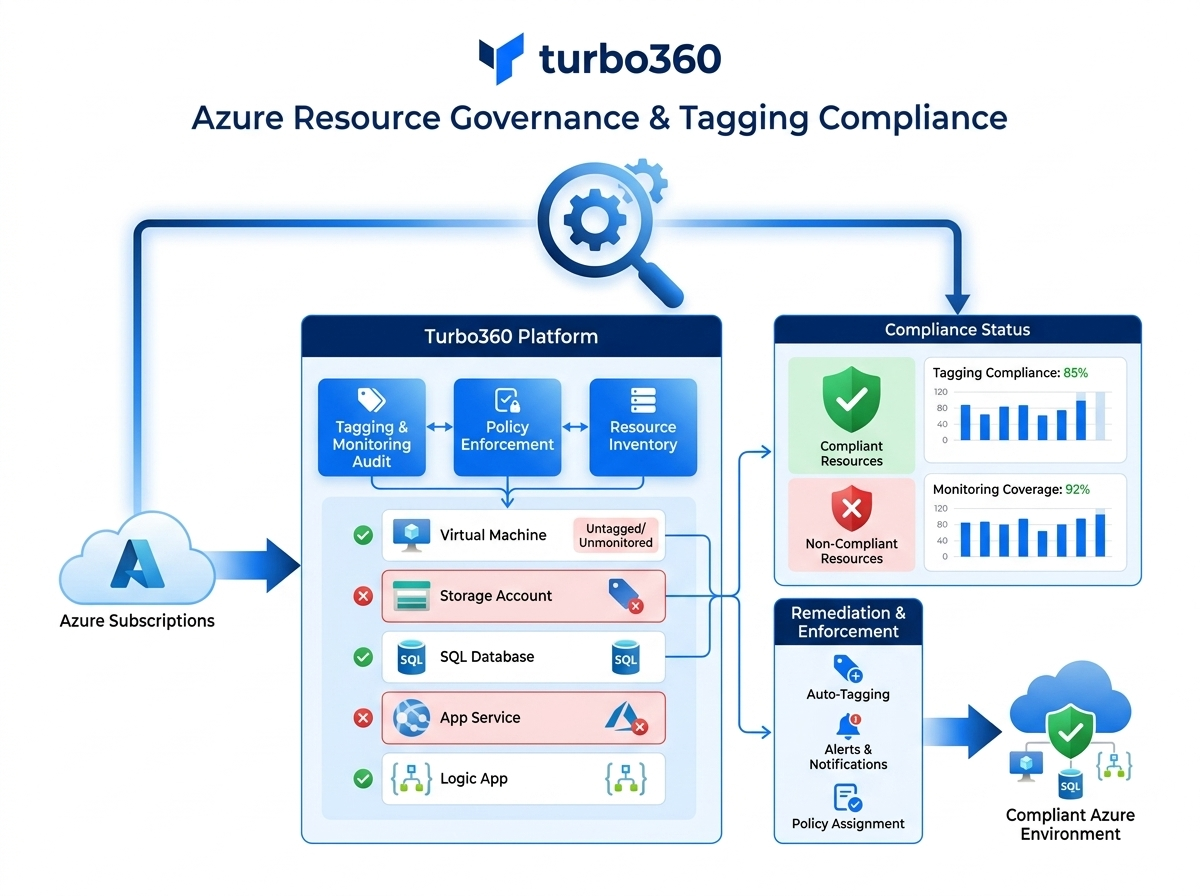
Azure resource governance and tagging compliance
An operations team responsible for Azure governance needs to verify that all resources supporting critical services are correctly tagged, monitored, and owned.
Business Applications provides a service-level inventory of resources. By reviewing which resources belong to each business application, the team can identify untagged or unmonitored resources, enforce ownership assignments, and maintain an auditable record of which resources support which services.
Related articles
Was this article helpful?