

Escalation policies
- 11 Aug 2026
- 2 Minutes to read
- Print
- DarkLight
- Download PDF
Escalation policies
- Updated on 11 Aug 2026
- 2 Minutes to read
- Print
- DarkLight
- Download PDF
Article summary
Did you find this summary helpful?
Thank you for your feedback!
Overview
An escalation policy is a set of ordered rules that control how a Turbo360 alert is escalated across notification channels when it goes unacknowledged. Each rule in the policy specifies a notification target and a time threshold — if no action is taken on the alert within that time, the next rule fires and a new notification is sent.
Escalation policies are mapped to Business Applications at either the Business Application level or the monitoring profile level. They are the mechanism by which Turbo360 ensures that critical alerts reach the right people, even when initial notifications are missed.
Business value
Escalation policies reduce the risk of alerts being overlooked in high-traffic notification channels. By defining a structured escalation path — from a Teams channel to email to an SMS or call — operations teams ensure that alert incidents are acknowledged and acted on within a defined time window, without relying on any single person or channel.
How it works
Policy structure
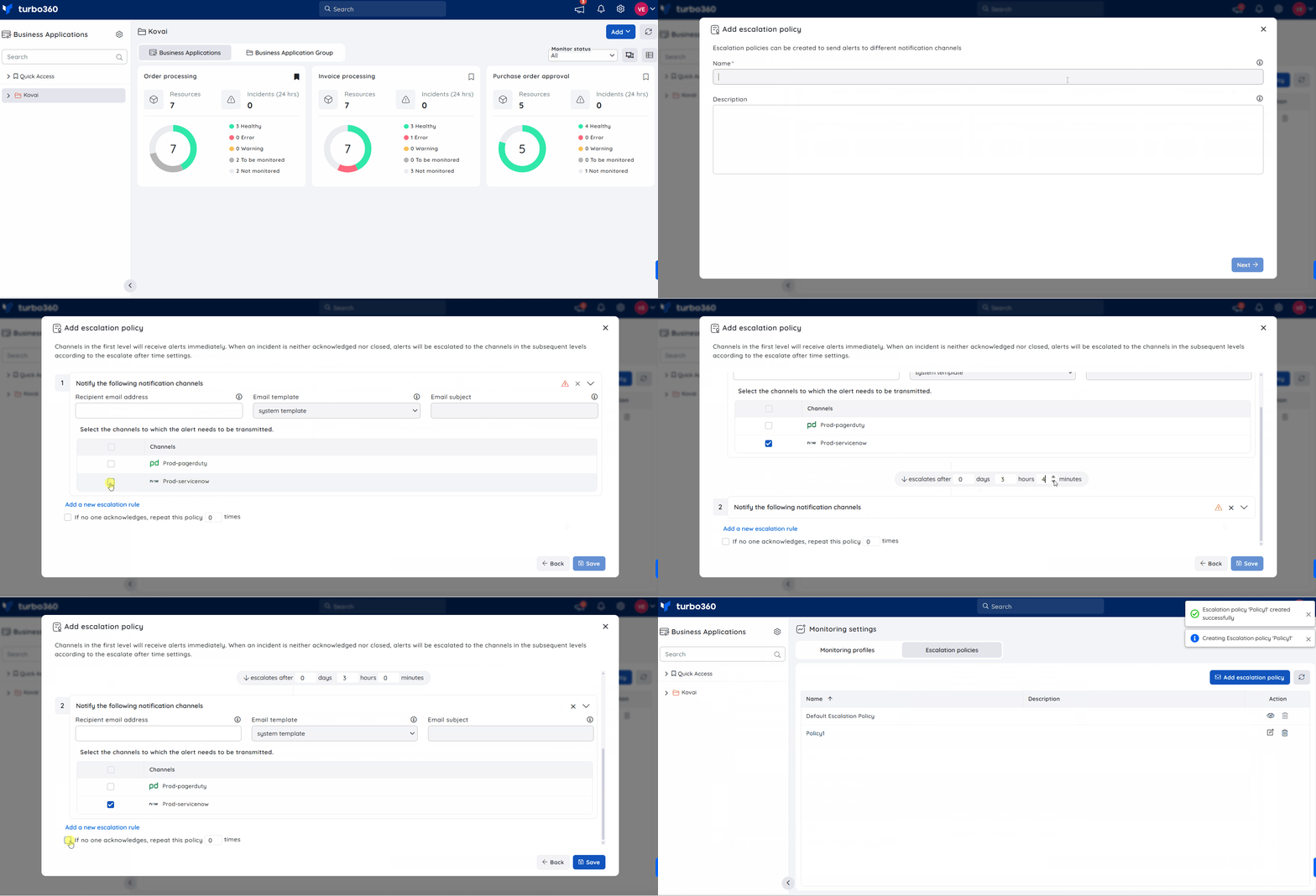
An escalation policy consists of one or more rules. Each rule defines:
- Notification target — the channel or recipient to notify at this escalation level (for example, a Teams channel, an email address, or an SMS recipient).
- Time threshold — how long after the previous rule fires (or after the alert is first raised, for rule 1) before this rule triggers.
Rules fire in sequence. Channels in the first rule receive alerts immediately. When an incident is neither acknowledged nor closed, the alert escalates to the channels in the subsequent rules according to the configured time thresholds.
If no acknowledgement or closure occurs after all rules have fired, the policy can optionally be configured to repeat from the beginning for a specified number of cycles using the If no one acknowledges, repeat this policy option.
Escalation limits
| Constraint | Value |
|---|---|
| Maximum rules per policy | 5 |
| Maximum duration per rule | 60 days |
| Maximum repeat cycles | 5 |
Default policy
Turbo360 provides a system-defined default policy that is pre-configured with all available notification channels. When a user-created escalation policy is deleted from a Business Application's monitoring configuration, the default policy automatically replaces it. The default policy cannot be deleted.
Policy mapping
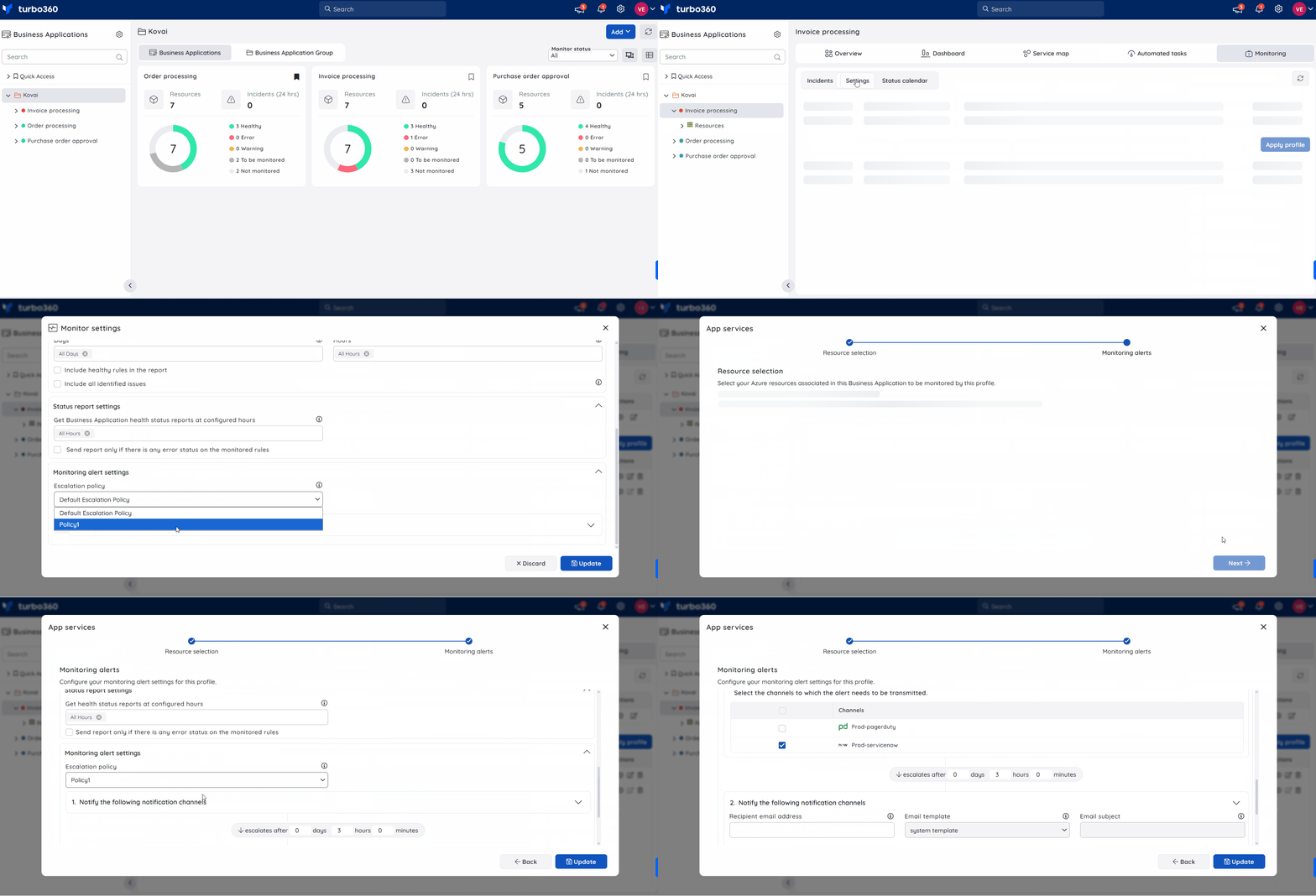
An escalation policy is activated by mapping it to a Business Application monitoring configuration or to a monitoring profile mapping. When mapping, you can customise the notification channels and email configuration for that specific mapping — the same policy can be used across multiple Business Applications with different channel configurations for each.
Stopping escalation
Escalation for an alert incident stops when the incident is either acknowledged or closed from the Turbo360 portal. Dismissing a notification in the notification channel does not stop escalation — the action must be performed within Turbo360.
User access control
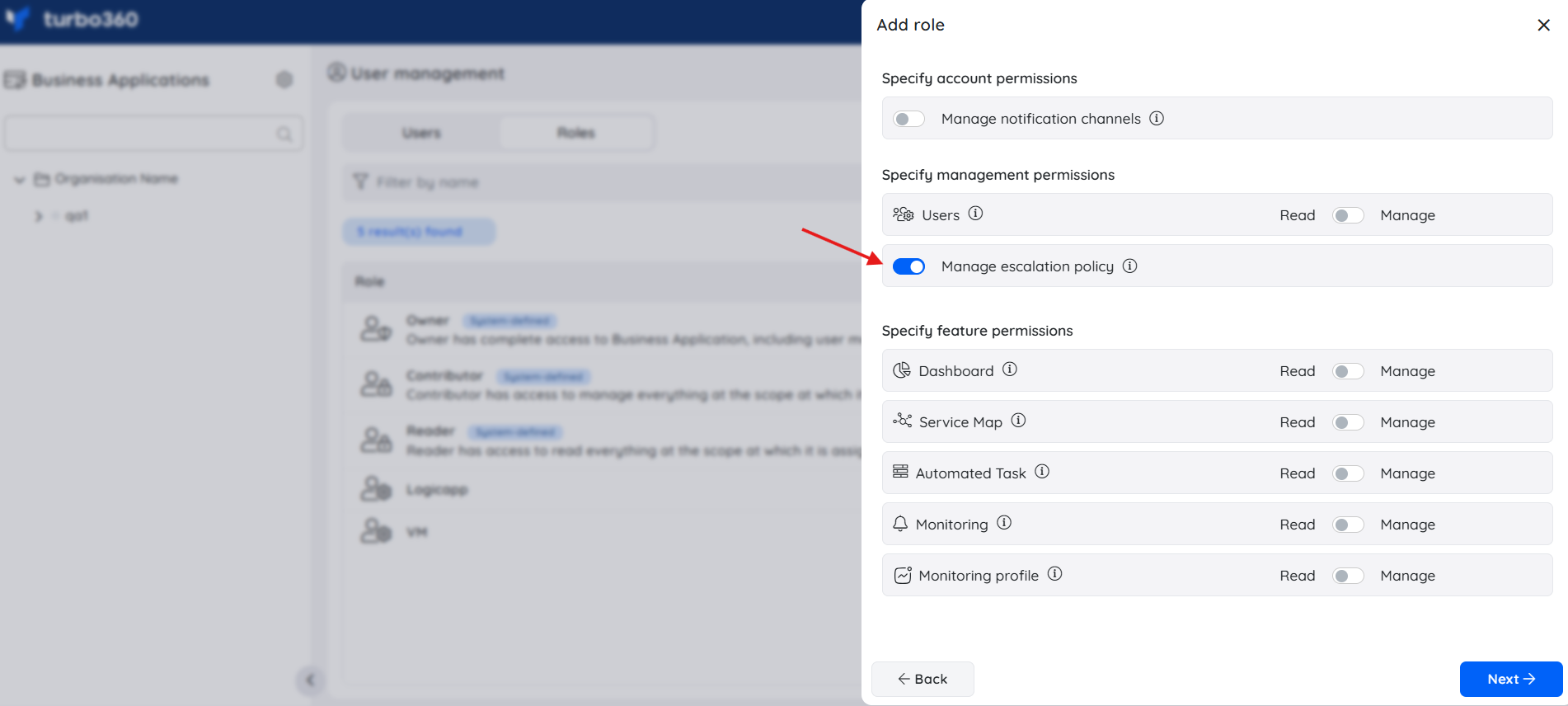
Access to escalation policy management is controlled through user access policies in Business Applications. Custom roles can grant permissions to create, update, and delete escalation policies independently of broader Business Application ownership or contributor rights. This allows teams to delegate escalation policy management to operations staff without granting full application-level access.
Related articles
Was this article helpful?