

Architecture
- 05 Aug 2026
- 3 Minutes to read
- Print
- DarkLight
- Download PDF
Architecture
- Updated on 05 Aug 2026
- 3 Minutes to read
- Print
- DarkLight
- Download PDF
Article summary
Did you find this summary helpful?
Thank you for your feedback!
Overview
Cost Analyzer connects to Microsoft Azure via the Azure Management APIs to import billing data, run background services, and surface cost insights in Turbo360.
Business value
- Understand what data Cost Analyzer accesses and how it is secured
- Set the right permissions for your service principal
- Plan for data availability and sync timing
- Choose the deployment model that fits your organization
How it works
Cost Analyzer is built around five architectural layers: Azure connectivity, data ingestion and storage, processing engine, user access, and deployment. Each layer plays a distinct role in how cost data flows from Azure into Turbo360.
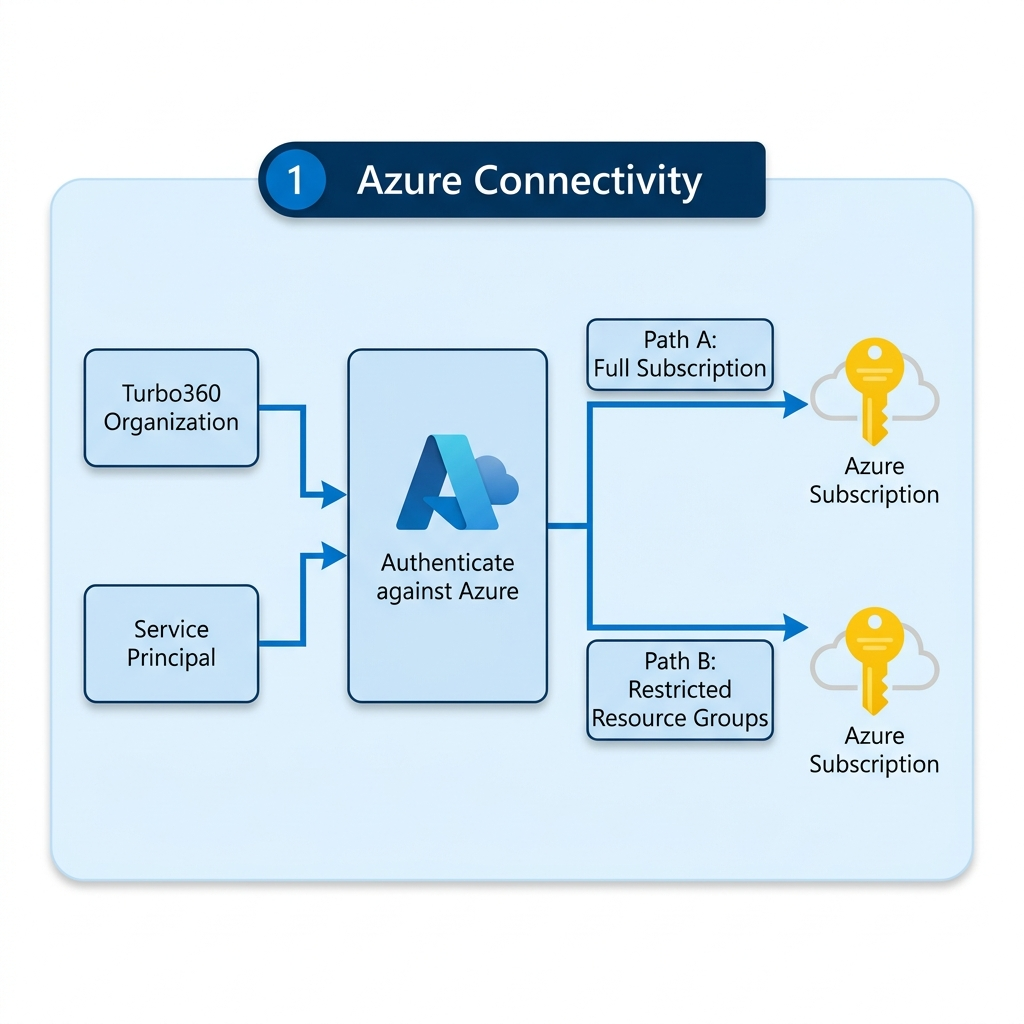
Layer 1 — Azure connectivity
Turbo360 authenticates against Azure using a service principal registered in Microsoft Entra ID. The service principal can be configured in two ways:
- Path A — Full subscription: The service principal has Reader access across the entire Azure subscription.
- Path B — Restricted resource groups: The service principal is scoped to specific resource groups within a subscription, limiting the data Cost Analyzer can access.
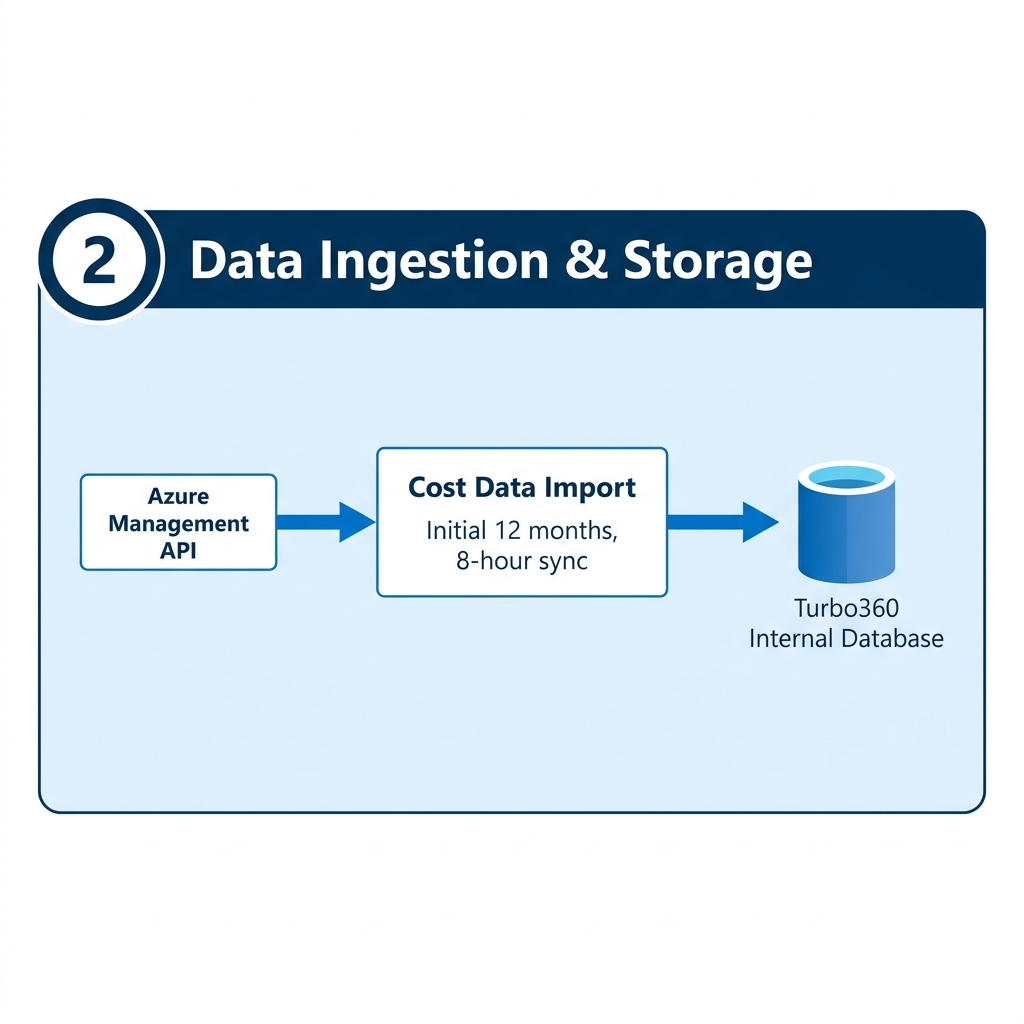
Layer 2 — Data ingestion and storage
Turbo360 uses the Azure Management API to import billing data into the Turbo360 Internal Database. This enables efficient querying and cross-subscription analysis.
- On initial setup, up to 12 months of historical data is imported.
- After setup, data is synced automatically every 8 hours, covering a rolling 40-day window.
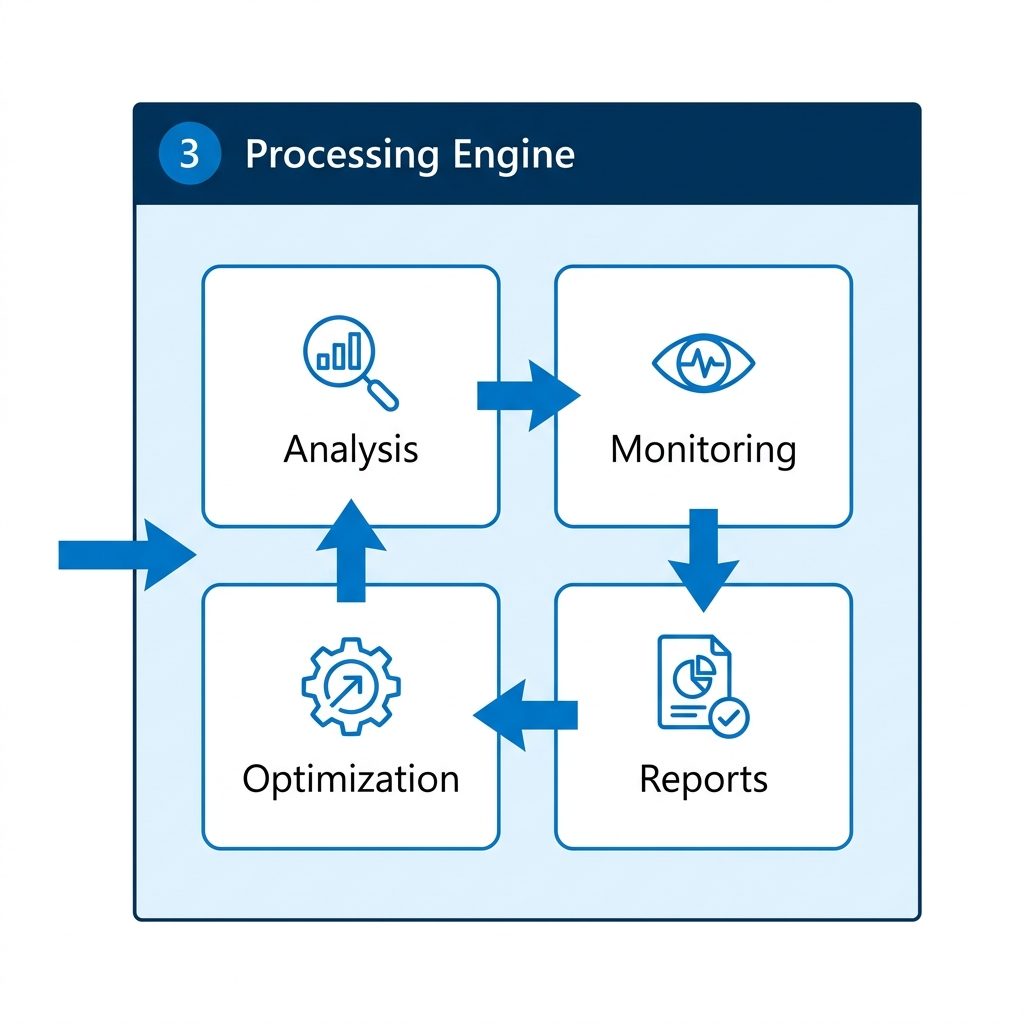
Layer 3 — Processing engine
Once data is in the Turbo360 Internal Database, it is surfaced across four sections in a continuous cycle:
- Analysis — visualize and explore spending patterns
- Monitoring — detect anomalies and check budget thresholds
- Reports — generate and share cost reports
- Optimization — surface recommendations and automate cost-reduction actions
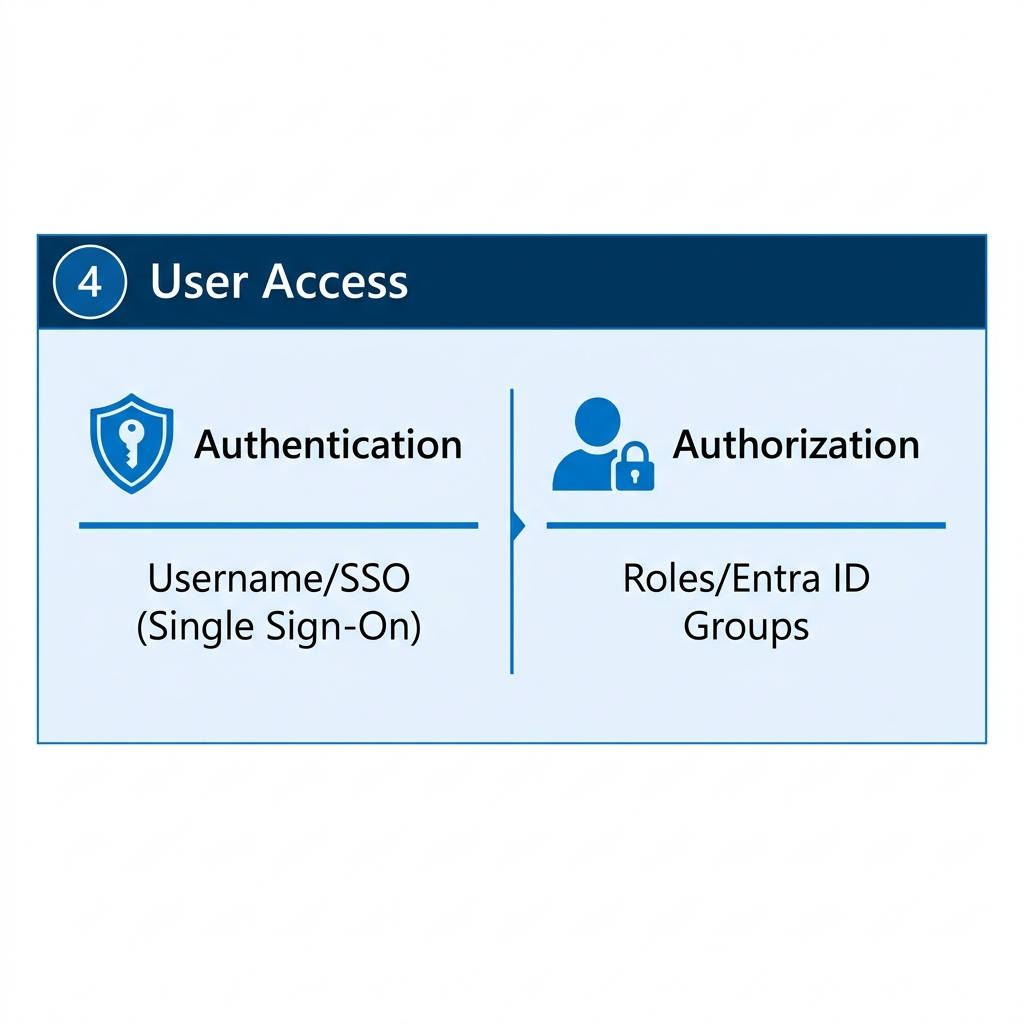
Layer 4 — User access
Turbo360 supports two authentication methods:
- Username/password — Turbo360-managed credentials
- SSO (Single Sign-On) — via Microsoft Entra ID
Authorization is managed within Turbo360. Roles are assigned to individual users or Entra ID groups, and cost group tree view access controls which data each user can see.
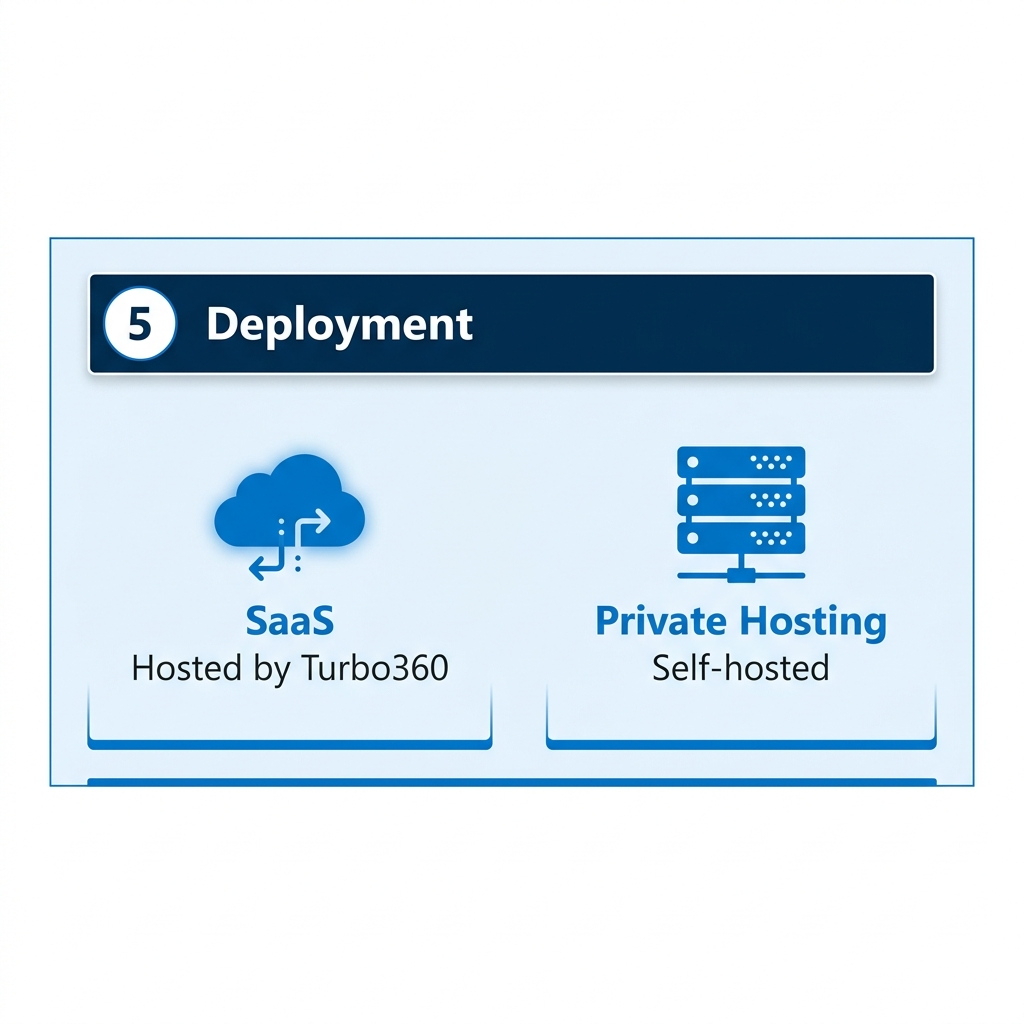
Layer 5 — Deployment
Cost Analyzer is available in two deployment models:
| Model | Description |
|---|---|
| SaaS | Hosted by Turbo360. Azure OpenAI for AI agents is included — no extra configuration needed. |
| Private hosting | Self-hosted. You provide and connect your own Azure OpenAI resource for AI agent functionality. |
Limitations
- Data can be delayed by up to 24 hours due to Azure Cost Management sync cycles.
- Initial import covers up to 12 months of history. Older data is not available and cannot be backfilled.
- Only subscriptions where the service principal has Reader access are included.
Troubleshooting
Cost data is not being imported
Cause: The service principal may lack Reader access on the target subscriptions.
Fix: Verify permissions and confirm the App Registration is configured under Settings > Service principals.Historical data is missing beyond 12 months
Cause: Cost Analyzer imports a maximum of 12 months on setup.
Fix: Older data cannot be backfilled.Cross-subscription data is not showing
Cause: Reader access must be granted per subscription.
Fix: Confirm all target subscriptions are connected with the correct permissions.SSO login is not working
Cause: The Entra ID app registration may not be correctly configured, or the user's account has not been assigned a role in Turbo360.
Fix: Confirm the Entra ID app registration is correctly configured and assign the user a role in Turbo360.AI agents are not available in private hosting
Cause: No Azure OpenAI connection has been configured.
Fix: Configure an Azure OpenAI connection under Settings > OpenAI connection. In SaaS, this is handled automatically.
FAQs
What data does Cost Analyzer access from Azure?
Billing data only, via the Azure Management API. It does not access application data or resource configurations.How is the Azure connection secured?
Via an App Registration (service principal) with minimum required permissions — typically Reader at subscription scope. Credentials are stored securely in Turbo360.Does Cost Analyzer store my billing data?
Yes — in the Turbo360 Internal Database, to support querying, cross-subscription analysis, and background services.What happens if I add a new Azure subscription?
Grant the service principal Reader access on the new subscription and connect it in Turbo360. Cost Analyzer will begin importing data automatically.Is data shared between tenants in SaaS?
No. Each organization has its own isolated data store.
Related articles
Was this article helpful?