

Use cases
- 05 Aug 2026
- 3 Minutes to read
- Print
- DarkLight
- Download PDF
Use cases
- Updated on 05 Aug 2026
- 3 Minutes to read
- Print
- DarkLight
- Download PDF
Article summary
Did you find this summary helpful?
Thank you for your feedback!
Overview
Cost Analyzer supports a wide range of cloud financial management scenarios — from day-to-day spending visibility to automated optimization. This article describes the most common use cases across teams and roles.
Business value
- Understand which Cost Analyzer capabilities apply to your role and responsibilities
- Identify the right features to address your specific cost management challenges
- Accelerate time-to-value by mapping your scenarios to built-in functionality
How it works
Cost Analyzer is used across four primary use cases, each mapping to a core section of the module.
Tracking and understanding Azure spending
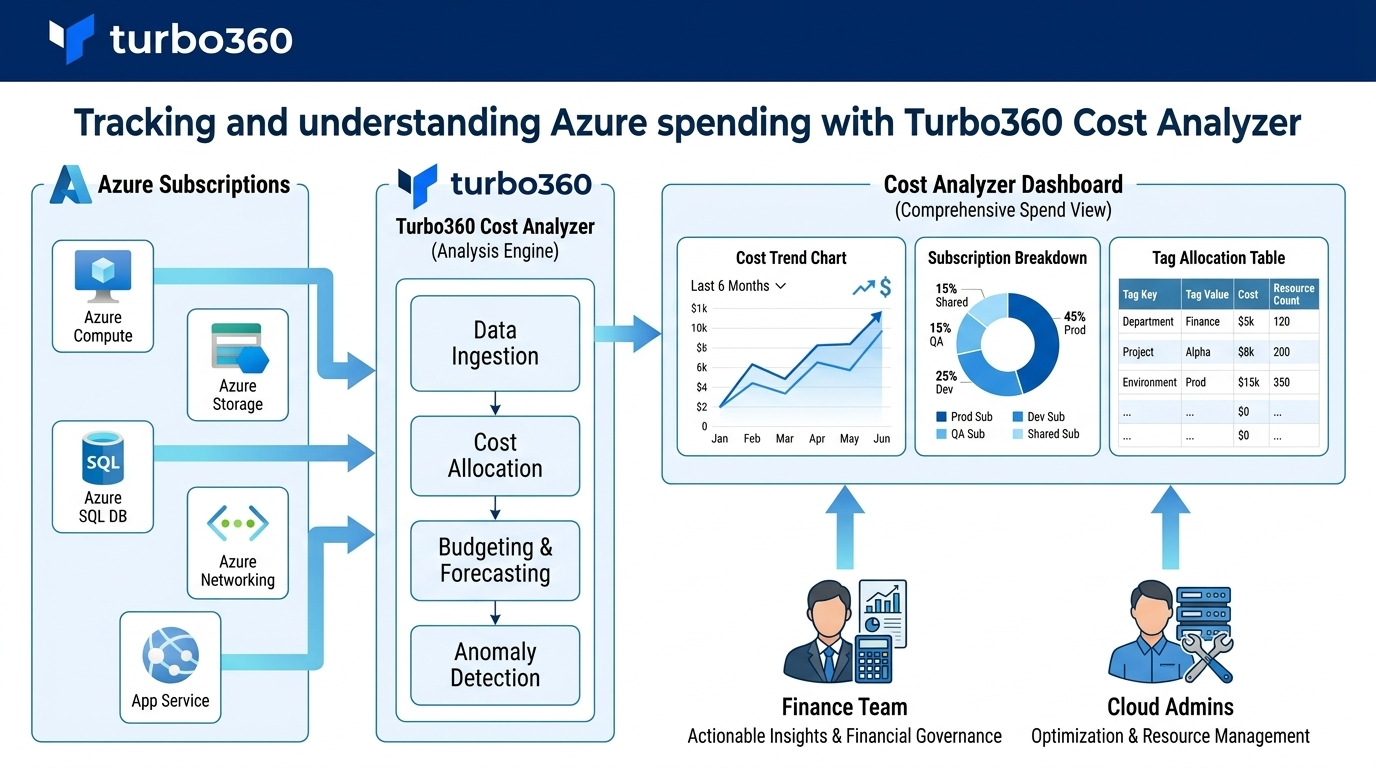
Who it's for: Finance teams, cloud administrators, engineering managers
Organizations use the Analysis section to break down Azure spending across subscriptions, resource groups, resource types, services, locations, and tags. Cost groups allow teams to scope views to their specific area — a department, a team, or a customer — and share a consistent view of costs across stakeholders.
Key scenarios:
- Monthly cost review — compare spending month-over-month to identify trends and anomalies
- Cross-subscription analysis — aggregate and compare costs across multiple Azure subscriptions in a single view
- Tag-based cost allocation — group spending by Azure tags to track costs per project, team, or business unit
- Forecasting — estimate future spend based on current usage patterns to support budget planning
Monitoring budgets and detecting anomalies
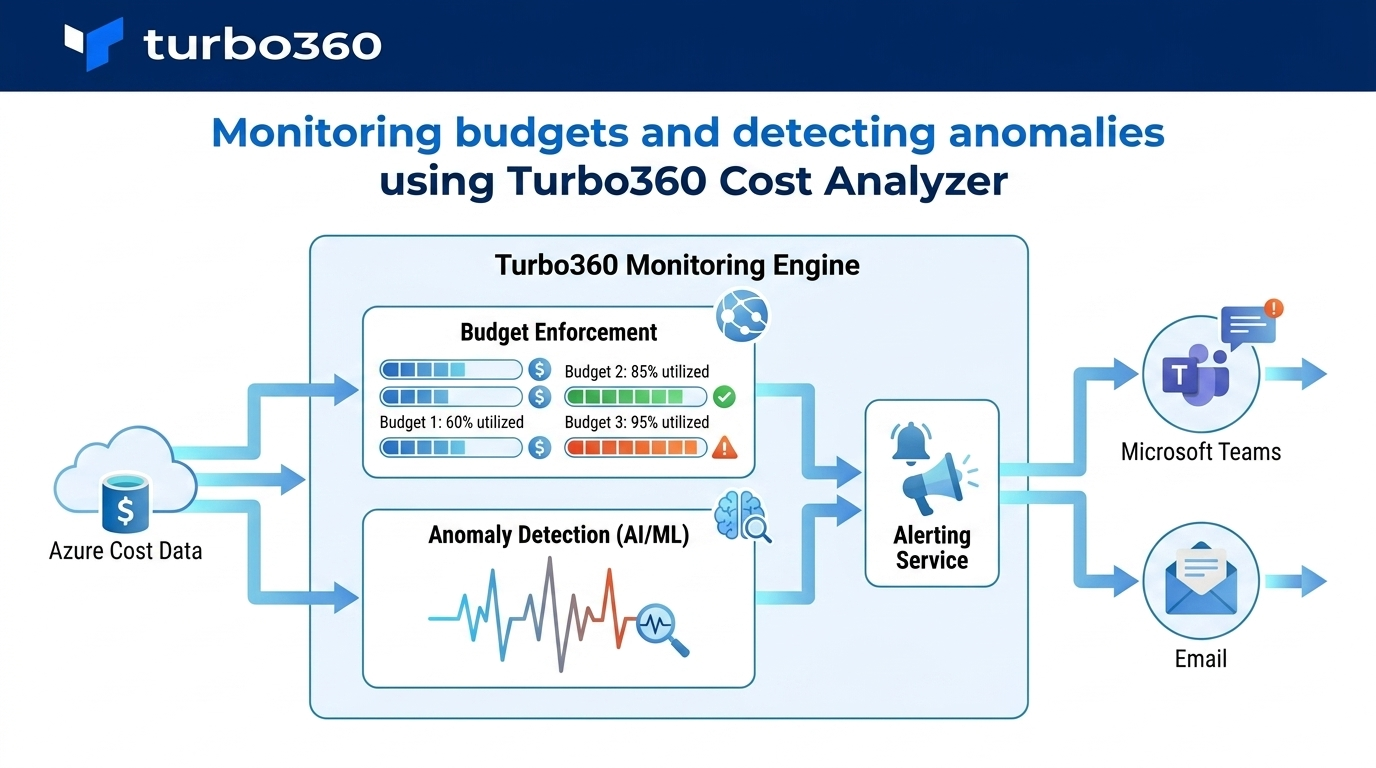
Who it's for: Cloud administrators, FinOps practitioners, team leads
The Monitoring section enables teams to set spending limits and receive proactive alerts before budgets are exceeded. Anomaly detection runs as a background service, automatically flagging unusual cost spikes without manual intervention.
Key scenarios:
- Budget enforcement — define spending limits per cost group or subscription and receive alerts when thresholds are approached or exceeded
- Anomaly detection — automatically detect and investigate unexpected cost spikes before they escalate
- Escalation management — route alerts to the right people at the right time using escalation policies
- Group budget monitoring — track spending across multiple resource groups or teams under a shared budget
Reducing costs through optimization
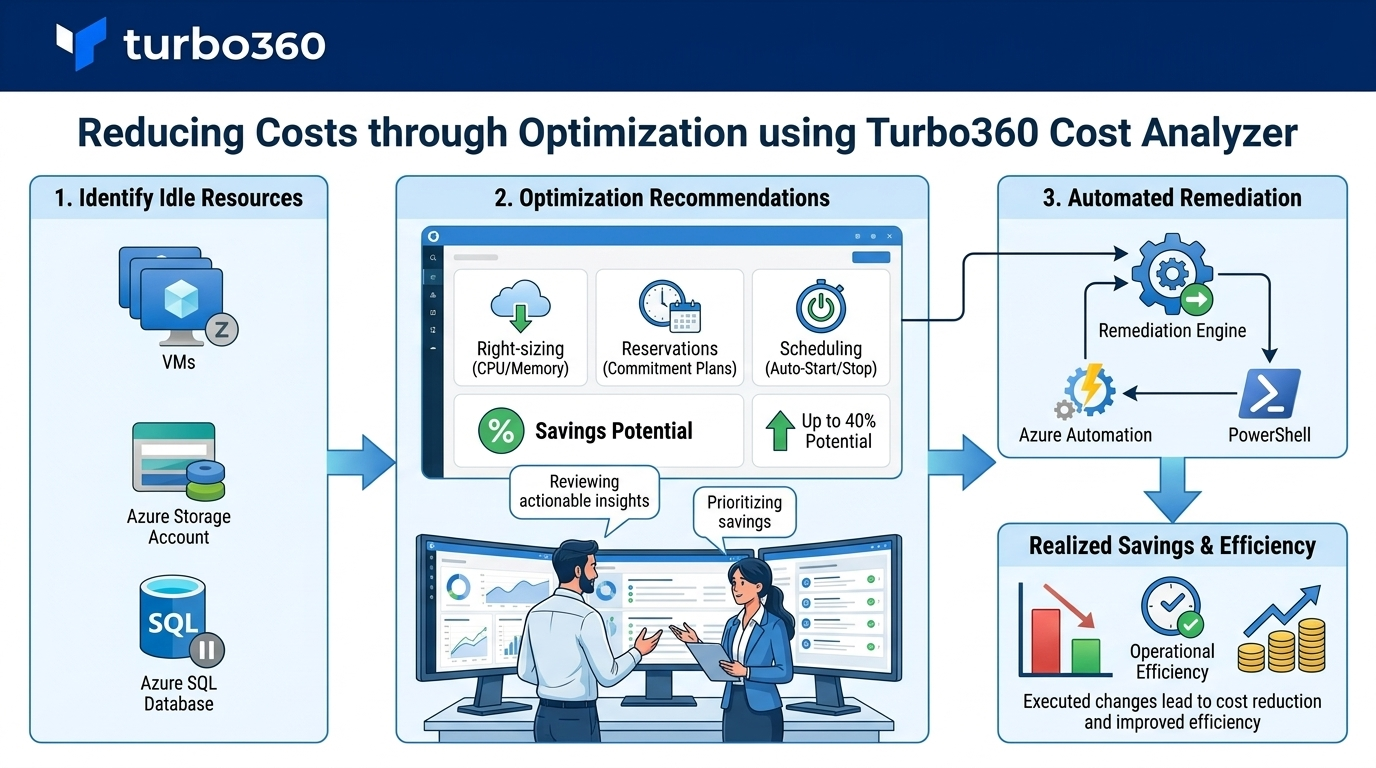
Who it's for: Cloud engineers, infrastructure teams, FinOps practitioners
The Optimization section provides recommendations and automation tools to reduce Azure spend without impacting workload performance.
Key scenarios:
- Rightsizing — identify over-provisioned virtual machines and apply recommended SKU changes to reduce compute costs
- Reservation guidance — act on one-year and three-year reservation recommendations to reduce long-term committed spend
- Schedule automation — shut down VMs and other resources during off-peak hours using automated schedules to eliminate idle spend
- Workflow automation — execute repeatable cost-reduction tasks such as stopping VMs, terminating idle AVD sessions, and purging unused storage blobs
- Savings plans optimization — review savings plan utilization and identify gaps in committed spend coverage
- Azure Hybrid Benefits — identify resources eligible for Hybrid Benefits and track where the benefit has already been applied
- Spot instance visibility — compare Spot VM costs against equivalent on-demand pricing to quantify savings
- Idle resource cleanup — surface idle and underutilized resources across subscriptions and act on grouped recommendations
Reporting for governance and stakeholders
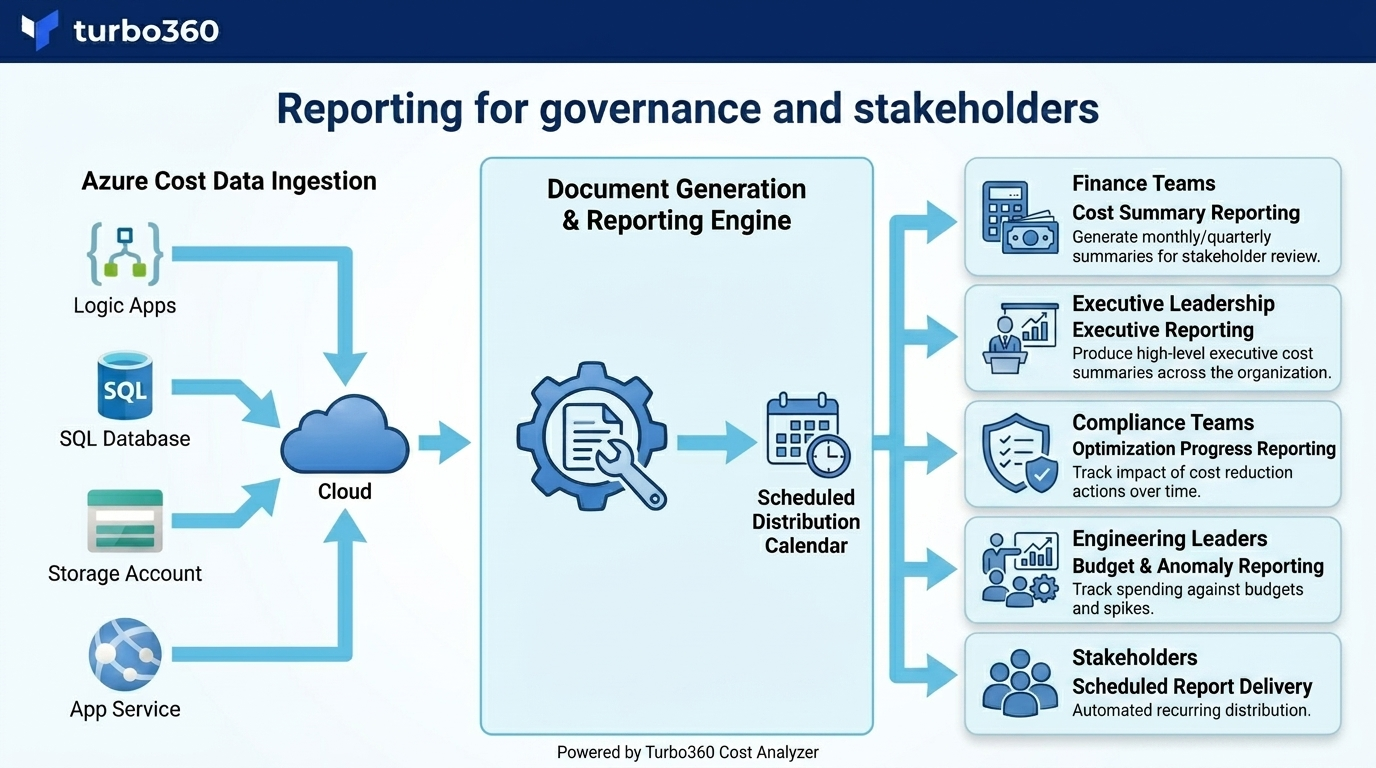
Who it's for: Finance teams, cloud administrators, engineering leaders, compliance teams
The Reports section provides configurable, shareable reports that support internal governance processes and external financial reviews.
Key scenarios:
- Cost summary reporting — generate monthly or quarterly cost summaries for stakeholder review
- Executive reporting — produce high-level executive cost summaries across the organization
- Optimization progress reporting — track the impact of cost reduction actions over time
- Scheduled report delivery — automate report generation and distribution on a recurring schedule
AI-powered cost intelligence
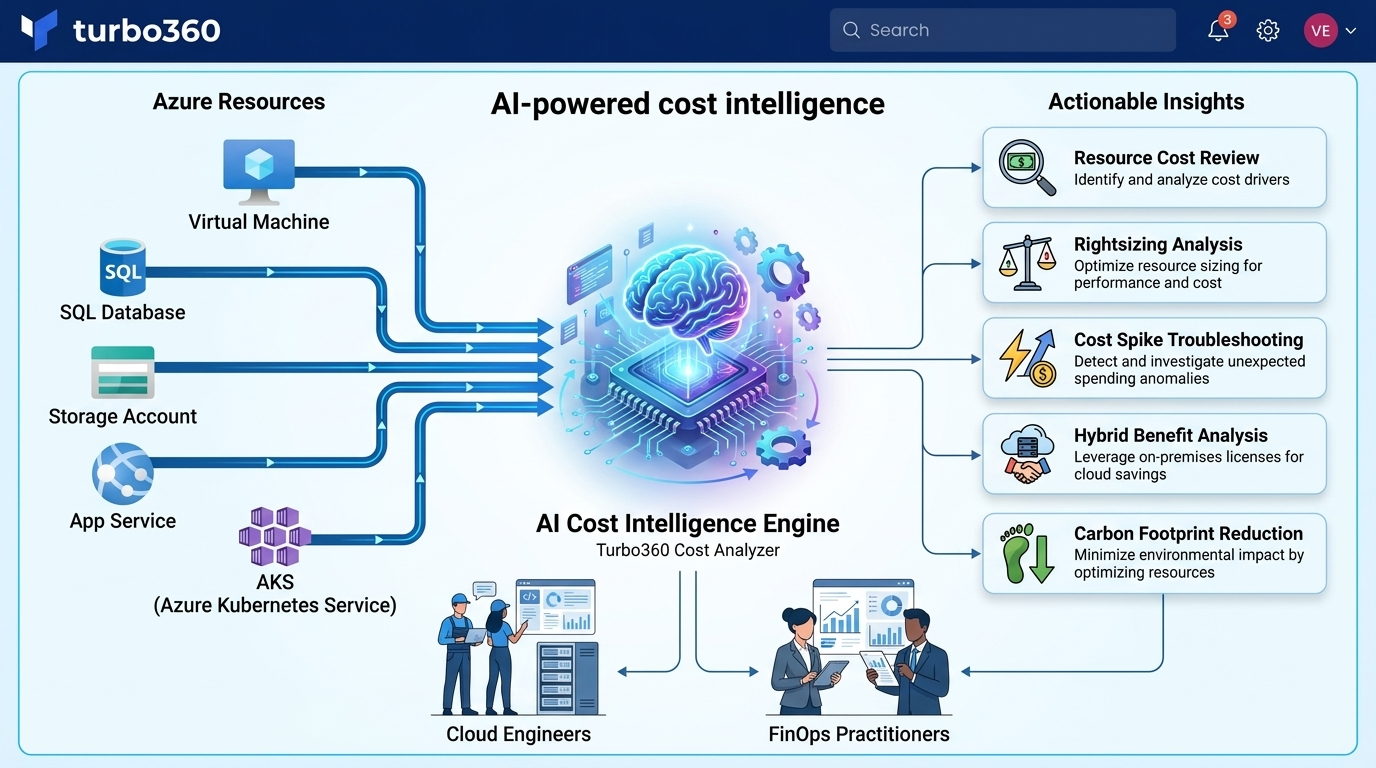
Who it's for: Cloud engineers, FinOps practitioners
The AI agents in Cost Analyzer's Cost Intelligence view automatically analyze individual Azure resources and surface insights across cost trends, rightsizing, reservations, hybrid benefits, carbon optimization, and more — without requiring manual investigation.
Key scenarios:
- Resource cost review — get an AI-generated summary of a resource's cost behavior and utilization
- Rightsizing analysis — receive AI-driven rightsizing recommendations for a specific resource
- Cost spike troubleshooting — investigate anomalous spending with AI-assisted root cause analysis
- Hybrid benefit analysis — estimate savings from applying Azure Hybrid Benefits to eligible resources
- Carbon footprint reduction — identify opportunities to reduce the carbon impact of Azure resources
Related articles
Was this article helpful?