

Cost management groups
- 05 Aug 2026
- 2 Minutes to read
- Print
- DarkLight
- Download PDF
Cost management groups
- Updated on 05 Aug 2026
- 2 Minutes to read
- Print
- DarkLight
- Download PDF
Article summary
Did you find this summary helpful?
Thank you for your feedback!
Overview
A cost management group is a logical container in Cost Analyzer that brings together one or more Azure subscriptions to reflect your organization's structure. cost management groups give teams, departments, or business units a scoped, consistent view of their Azure spending — and can be nested into child groups to mirror hierarchical reporting structures.
Business value
- Organize Azure spending to match your team or organizational structure
- Delegate cost visibility to specific groups without exposing unrelated data
- Apply custom billing adjustments per group for MSP or chargeback reporting
- Monitor group health at a glance using built-in budget alert indicators
How it works
Every analysis view, budget, report, and optimization recommendation in Cost Analyzer is scoped to the cost management group you select. The left panel displays your cost management group tree — the hierarchy of groups and child groups available to you.
Each cost management group has two views:
- Essentials — key cost metrics: previous month spend, average daily cost, and potential savings
- Dashboard — customizable cost widgets grouped by resource type, location, and other dimensions. The dashboard supports two widget types: Default (scoped to specific subscriptions) and Spend per group (visualizes cost data across child groups of the current cost management group).
.png)
Health indicator
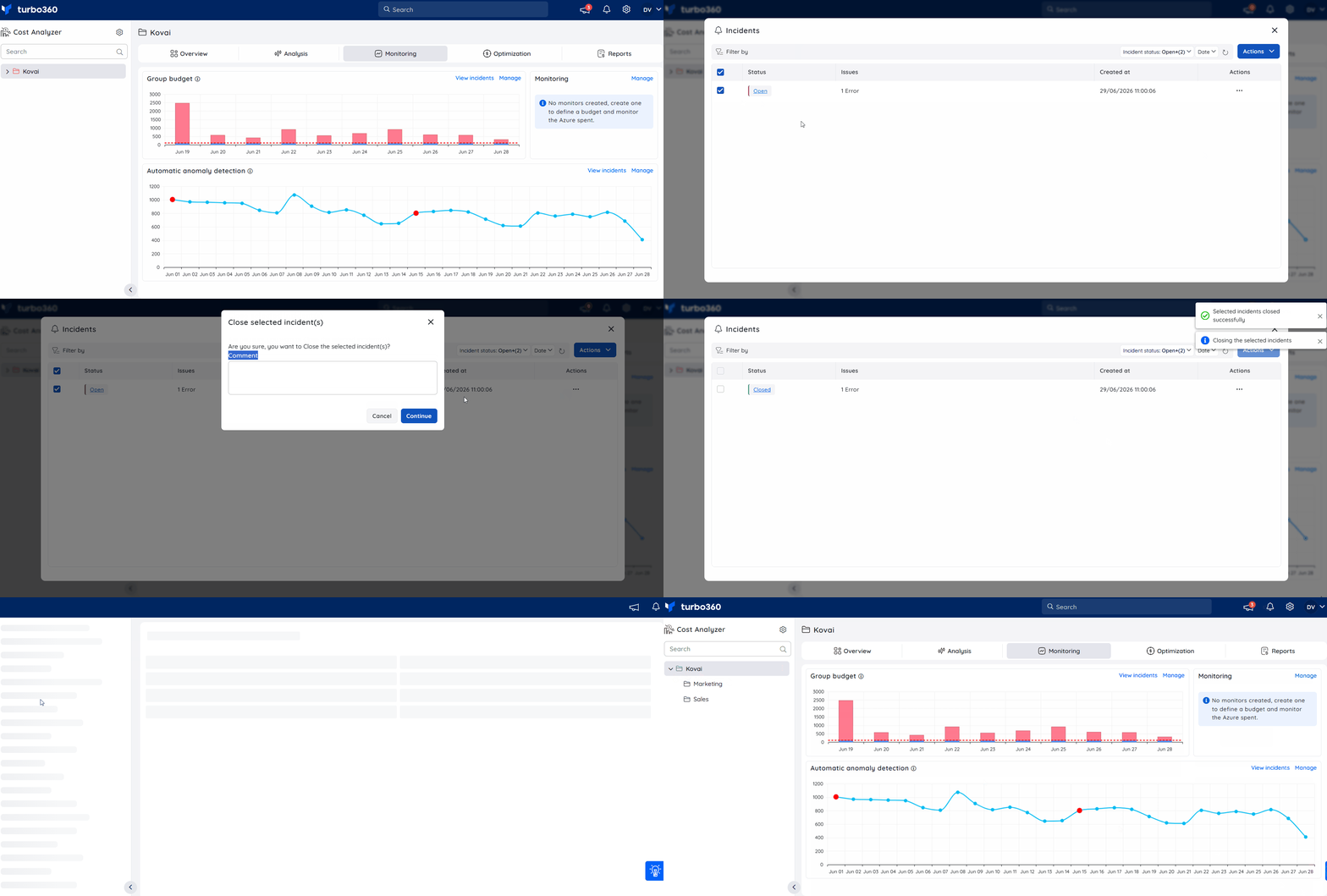
Each cost management group has a health indicator driven by Group budget monitoring alert incidents for the current date. A group is marked healthy when all open budget incidents for today are closed.
Scope
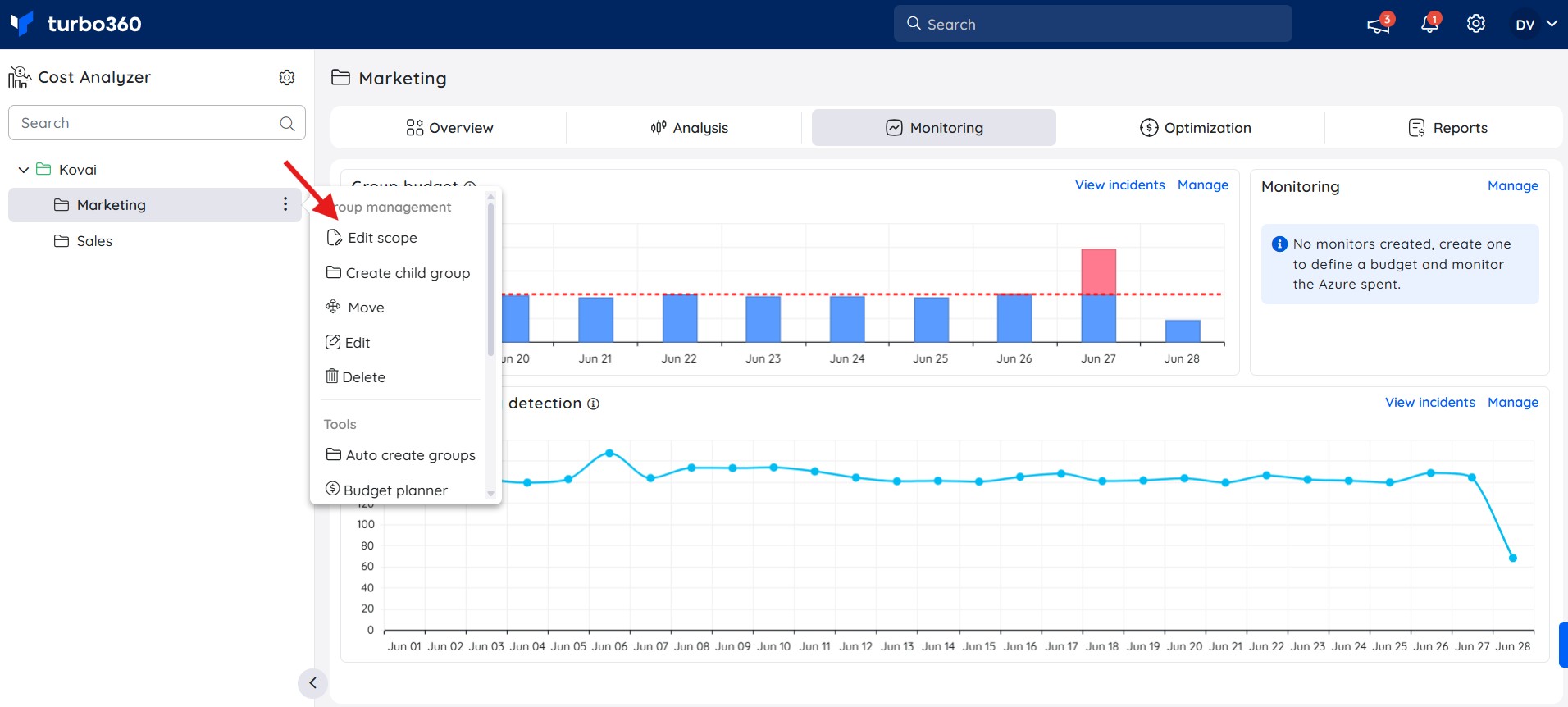
Scope defines which Azure subscriptions and resource groups are visible within a cost management group. Configure scope at any time from the cost management group context menu. Filter down to specific resource groups, tags, resource types, or locations for precise cost tracking.
.jpg)
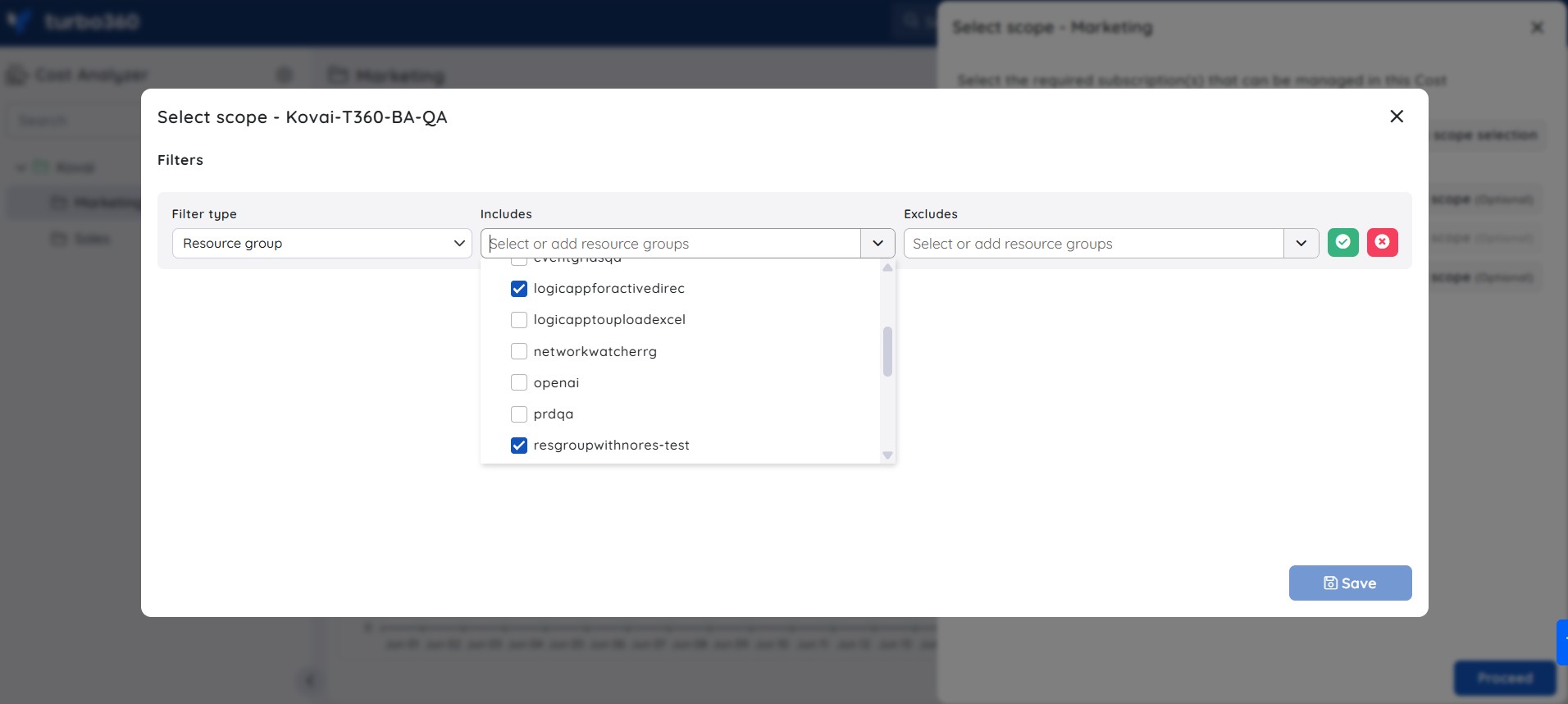
Updating scope selection will only reflect unscheduled resource data by the following day at 12 AM UTC.
Cost adjustment
Cost adjustment applies a custom percentage increase to a group's original spend — used by Managed Service Providers (MSPs) to apply custom billing rates or additional charges. Accessible to Account Owners only. Enabling Apply for child groups overrides cost adjustment settings for all child groups.
.png)
.png)
Cached data
Cost Analyzer caches data to improve performance and resets it automatically each day. To force a manual refresh, click Reset cached data in the Essentials section or dashboard.
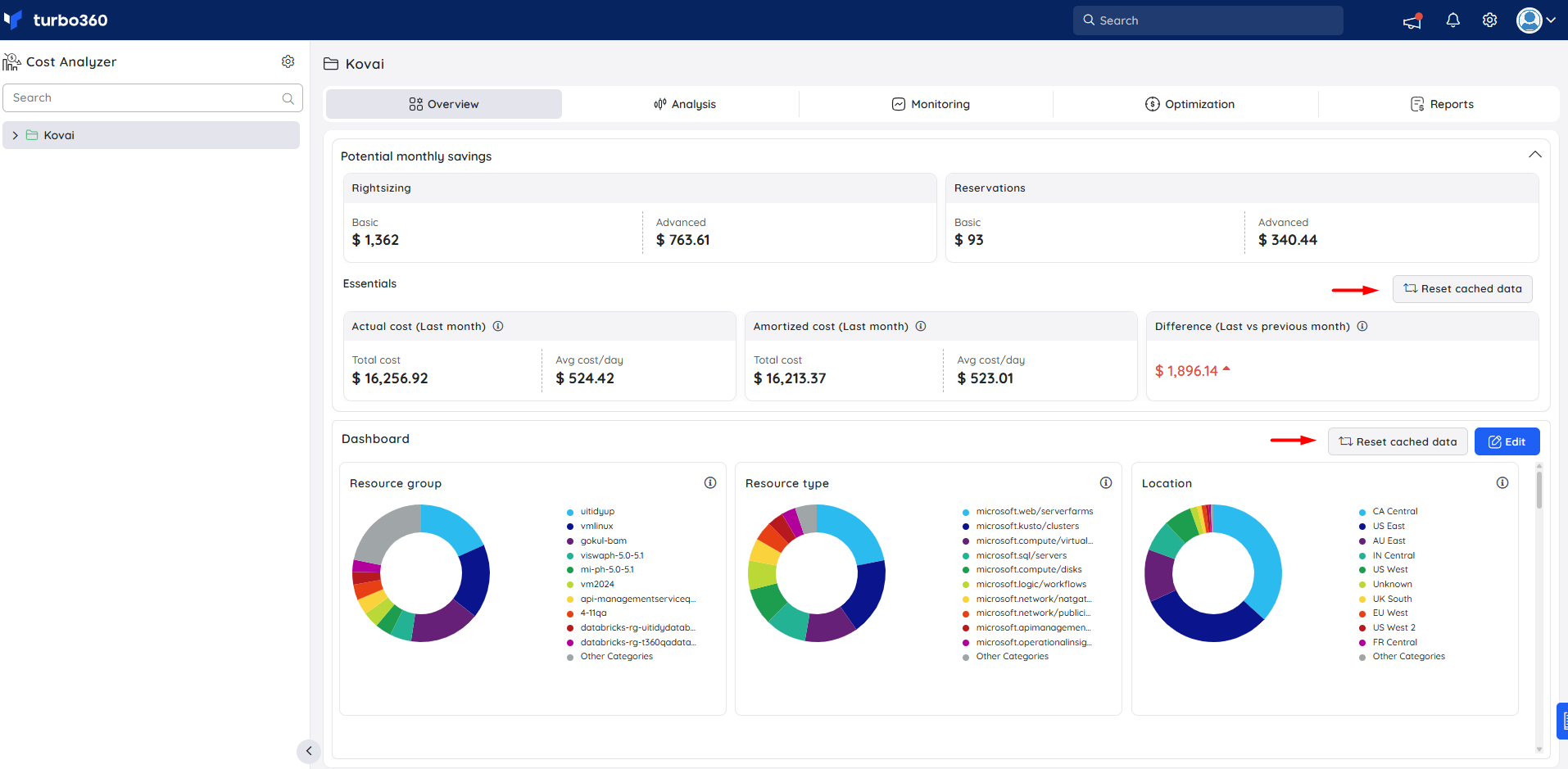
Reset the cache when:
- Cost data appears outdated or inconsistent
- You have updated the cost management group scope
- You encounter data errors or delays in the dashboard
Limitations
- Moving a cost management group immediately replaces its access policies with those of the destination group — this can't be reversed.
- Deleting a cost management group permanently removes it. You must type the group name to confirm.
Related articles
Was this article helpful?