

Potential cost savings
- 05 Aug 2026
- 5 Minutes to read
- Print
- DarkLight
- Download PDF
Potential cost savings
- Updated on 05 Aug 2026
- 5 Minutes to read
- Print
- DarkLight
- Download PDF
Article summary
Did you find this summary helpful?
Thank you for your feedback!
Overview
Potential cost savings provides a strategic overview of cost optimization opportunities across the organization's cloud environment. The report consolidates rightsizing and reservation recommendations and presents them alongside a high-level summary containing key figures such as total recommendations and potential savings. Reports are generated as PDF files and are available for download from Generation history.
Business value
By analyzing usage patterns, performance metrics, and pricing data, this report helps financial, DevOps, and cloud governance teams detect idle resources, right-size workloads, and prioritize optimization actions by potential cost impact — without manually cross-referencing separate rightsizing and reservation views.
Prerequisites
Required permissions
Access to the Potential cost savings report is controlled by the same Reports permission that governs Cost Analyzer's reporting suite:
| Role | Permission level | Access |
|---|---|---|
| Account owner, Owner, Contributor | — | Full access to Reports |
| Custom role | Reports: Read | View all reports |
| Custom role | Reports: Manage | Edit report configuration and generate reports |
When assigning a custom role, grant Read or Manage on Reports under Specify feature permissions.
.jpg)
How it works
- Consolidated recommendations — combines rightsizing and reservation recommendations into one report instead of reviewing them separately.
- High-level summary — surfaces key figures such as total recommendations and total potential savings up front.
- Subscription scope — you can include all subscriptions in the report, or limit it to the top N subscriptions ranked by savings to keep the report focused on the highest-impact areas.
- Scheduled or on-demand delivery — runs automatically on a weekly or monthly cadence, or can be generated instantly outside the scheduled cycle.
- Notification alert — a single combined alert is sent per report cycle, covering both rightsizing and reservation savings. It highlights the top 5 recommendations from each category, along with cost before and after, potential savings amount and percentage, and a direct navigation link to the relevant section in Cost Analyzer. The PDF report attached to or downloadable from the notification contains the complete recommendations data.
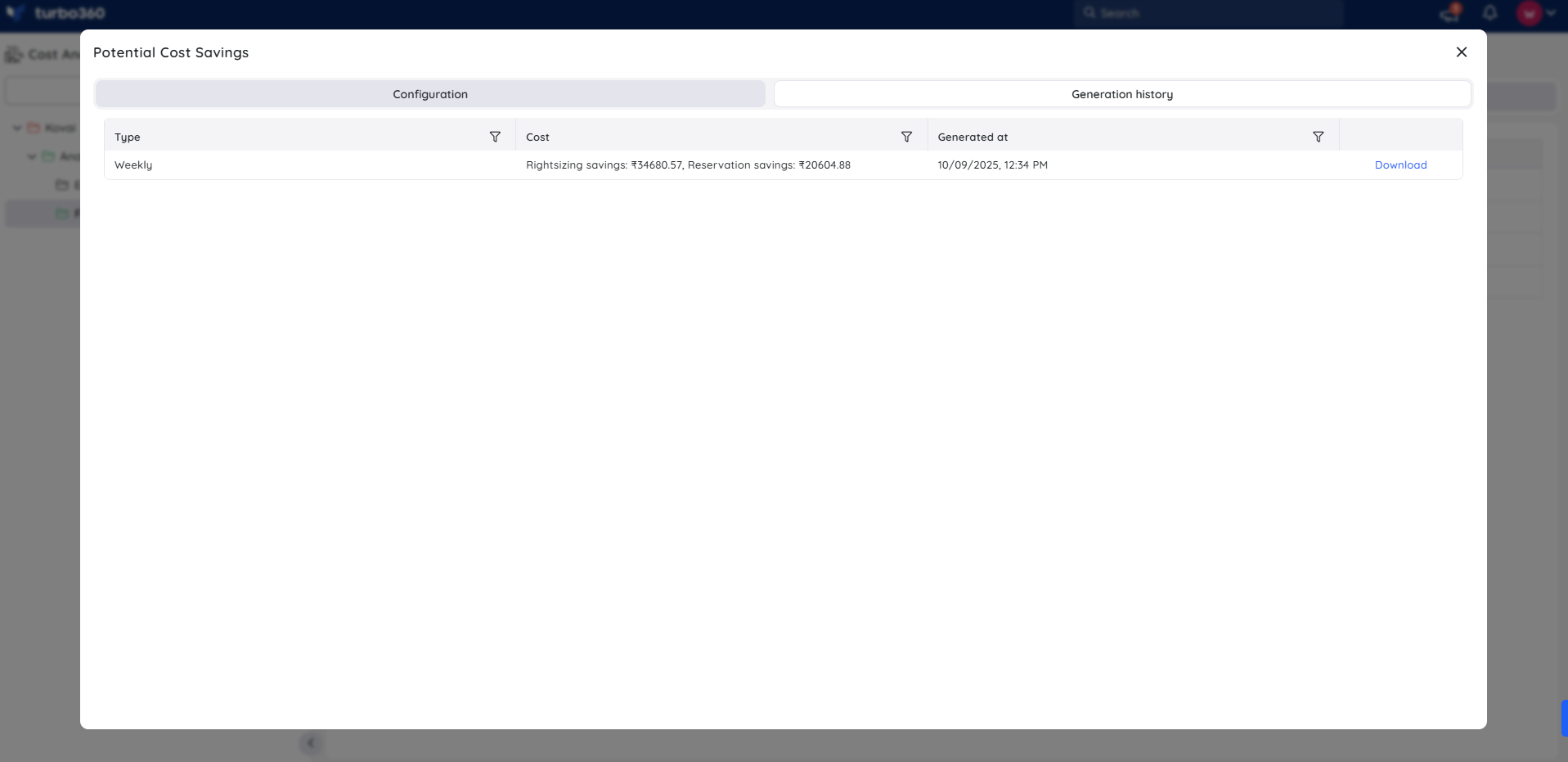
- Generation history — every triggered report is retained per cost management group for later download. Each record displays the rightsizing savings and reservations savings identified at the time of generation.
Steps
Use the following steps to schedule and generate Potential cost savings reports for a cost management group. Navigate to Cost management group > Reports to get started.
Configure and schedule a report
Configuring the report sets the delivery frequency, subscription scope, notification channel, and download options.
- Click the Edit icon next to the Potential cost savings report type.
- Specify the report frequency. You can select either one interval or both intervals at a time.
- Check Download report from notifications to allow the report to be downloaded from alerts.
- Select the subscription scope:
- Process all subscriptions — includes recommendations across all subscriptions in the cost management group.
- Process top N subscriptions (by savings) — limits the report to the top N subscriptions ranked by potential savings. Enter the desired number in the field provided.
- Choose the desired notification services to receive alerts.
- Click Save.
- Enable the Potential cost savings report type toggle.
.png)
Branding settings
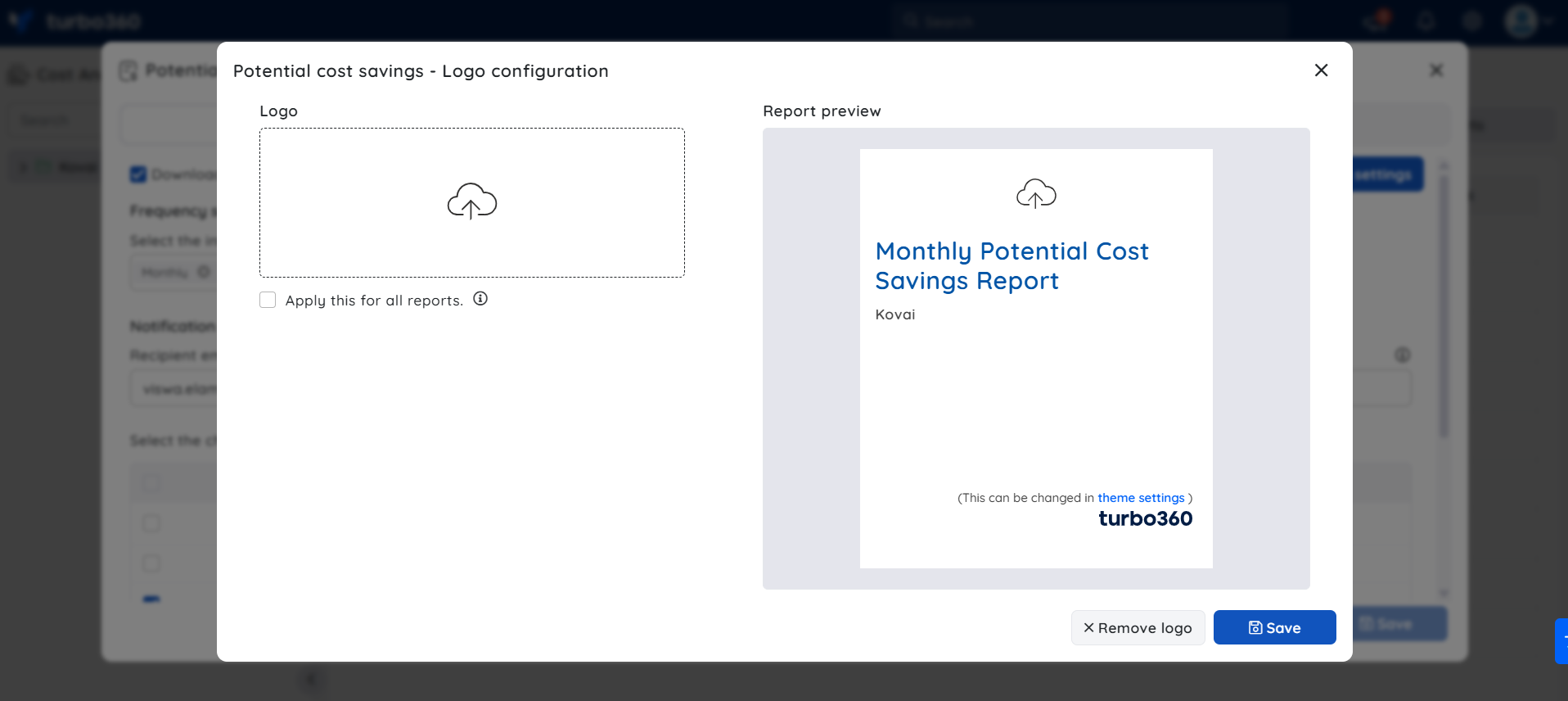
Potential cost savings supports branding customization through the report configuration's Branding settings.
- The uploaded logo appears at the top of the report. The footer logo is derived from the application logo, customizable through Theme settings.
- Selecting Apply this for all reports and saving applies the uploaded logo to all report types that support branding — Cost summary, Potential cost savings, and Executive cost summary.
.png)
Generate a report on demand
Generating on demand produces a monthly Potential cost savings report immediately, without waiting for the next scheduled cycle.
- Open the Actions menu next to the Potential cost savings report type.
- Select Generate now.
.png)
The report type toggle must be enabled in the Reports section, and at least one notification channel must be selected, before Generate now will produce a report.
Generation history
All triggered Potential cost savings reports for the relevant cost management group appear in Generation history. Each record displays the rightsizing savings and reservations savings identified at the time of generation, with a download option next to each entry.
Example scenario
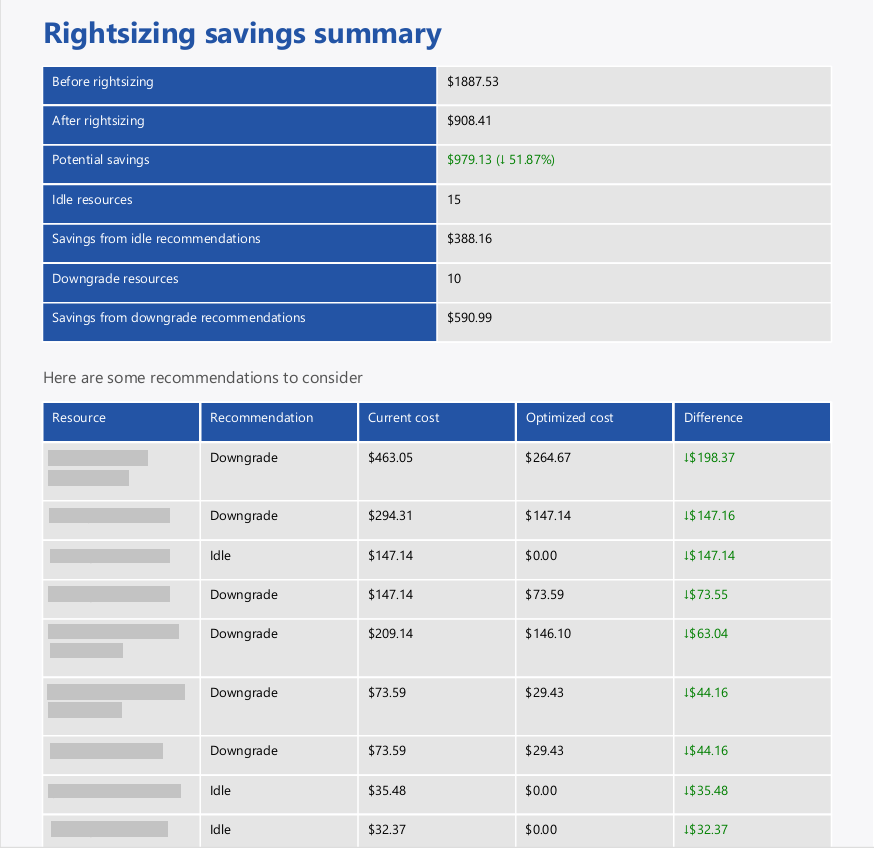
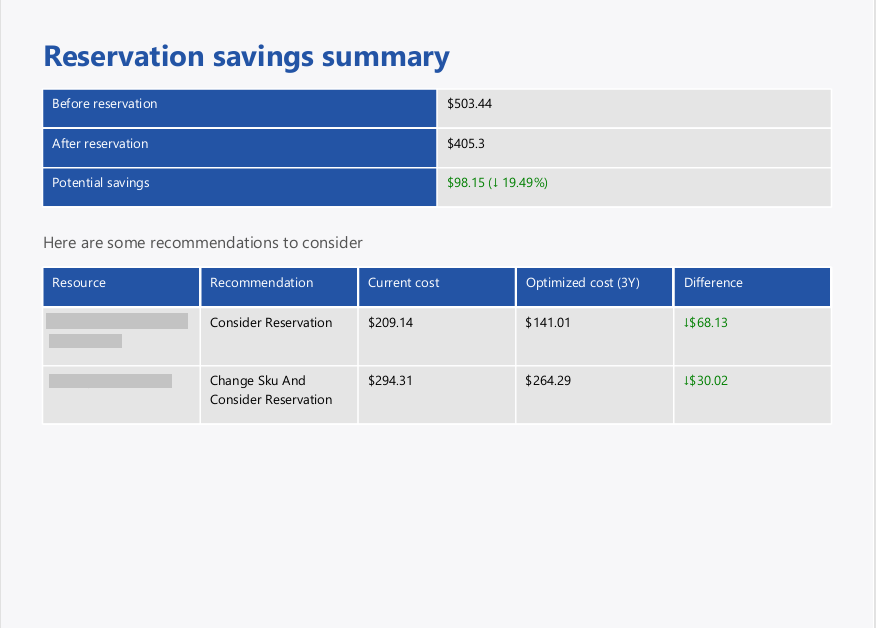
A cloud governance lead schedules a monthly Potential cost savings report for the root cost management group, with Download report from notifications enabled. Each month, a single combined alert is delivered to the configured notification channel — it highlights the top 5 rightsizing recommendations and top 5 reservation recommendations, showing cost before and after alongside potential savings and a direct link to each section in Cost Analyzer. The full PDF report, downloadable from the notification or from Generation history, contains the complete recommendations data across all subscriptions.
The following images illustrate a sample monthly potential cost savings report downloaded from the Generation history:
Limitations
- Branding settings (custom logo) apply only to PDF-based reports, which includes Potential cost savings.
- If both weekly and monthly schedules fall on the same delivery day, only the monthly report is sent — the weekly report for that day is skipped.
- Notification alerts highlight the top 5 rightsizing and top 5 reservation recommendations only. The PDF report contains the complete recommendations data.
Troubleshooting
Generate now produces no report
Cause: The Potential cost savings report type toggle is disabled, or no notification channel is selected.
Fix: Enable the toggle in the Reports section and select at least one notification channel, then retry.Report not appearing in Generation history
Cause: The report has not yet completed generation, or generation failed silently.
Fix: Wait a few minutes and refresh. If the report still doesn't appear, regenerate it using Generate now.Report not received via notification
Cause: Download report from notifications was not checked, or the selected notification channel is misconfigured.
Fix: Reopen the report configuration, confirm Download report from notifications is checked, and verify the notification channel settings.
FAQs
Can I generate a Potential cost savings report outside its scheduled cycle?
Yes. Use Generate now from the report type's Actions menu to generate it on demand.Does the report combine rightsizing and reservation data, or are they separate?
The notification alert delivers both as a single combined message. The PDF report presents rightsizing and reservation recommendations under their own separate sections, alongside a high-level summary of total recommendations and potential savings.Can I schedule both weekly and monthly delivery at the same time?
Yes, but if both fall on the same delivery day, only the monthly report is sent for that cycle.
Related articles
Was this article helpful?