

Understanding Business Applications
- 05 Aug 2026
- 2 Minutes to read
- Print
- DarkLight
- Download PDF
Understanding Business Applications
- Updated on 05 Aug 2026
- 2 Minutes to read
- Print
- DarkLight
- Download PDF
Article summary
Did you find this summary helpful?
Thank you for your feedback!
Overview
A Business Application is a logical container in Turbo360 that groups Azure resources belonging to a single line-of-business solution. It is the foundational unit of the Business Applications module — everything in the module, from monitoring to dashboards to automated tasks, is organised around this concept.
Enterprises build integration solutions using Azure services such as Service Bus, Logic Apps, Azure Function Apps, Event Hubs, and Event Grid. As these solutions grow across multiple Azure subscriptions and resource groups, tracking which resources belong to which solution becomes difficult. A Business Application solves this by letting you define a named, solution-level boundary that cuts across Azure's subscription and resource group silos.
Business value
Business Applications replaces per-resource Azure portal navigation with solution-level visibility. Operations teams gain a single point of management and monitoring for each line-of-business solution, regardless of how the underlying Azure resources are distributed across subscriptions, regions, or resource groups.
How it works
The logical container model
A Business Application is not an Azure resource — it exists only in Turbo360. It acts as a named container that you populate with Azure resources from one or more subscriptions. Once resources are associated, all Turbo360 features — monitoring, dashboards, service maps, automated tasks — operate on the Business Application as a unit rather than on individual resources.
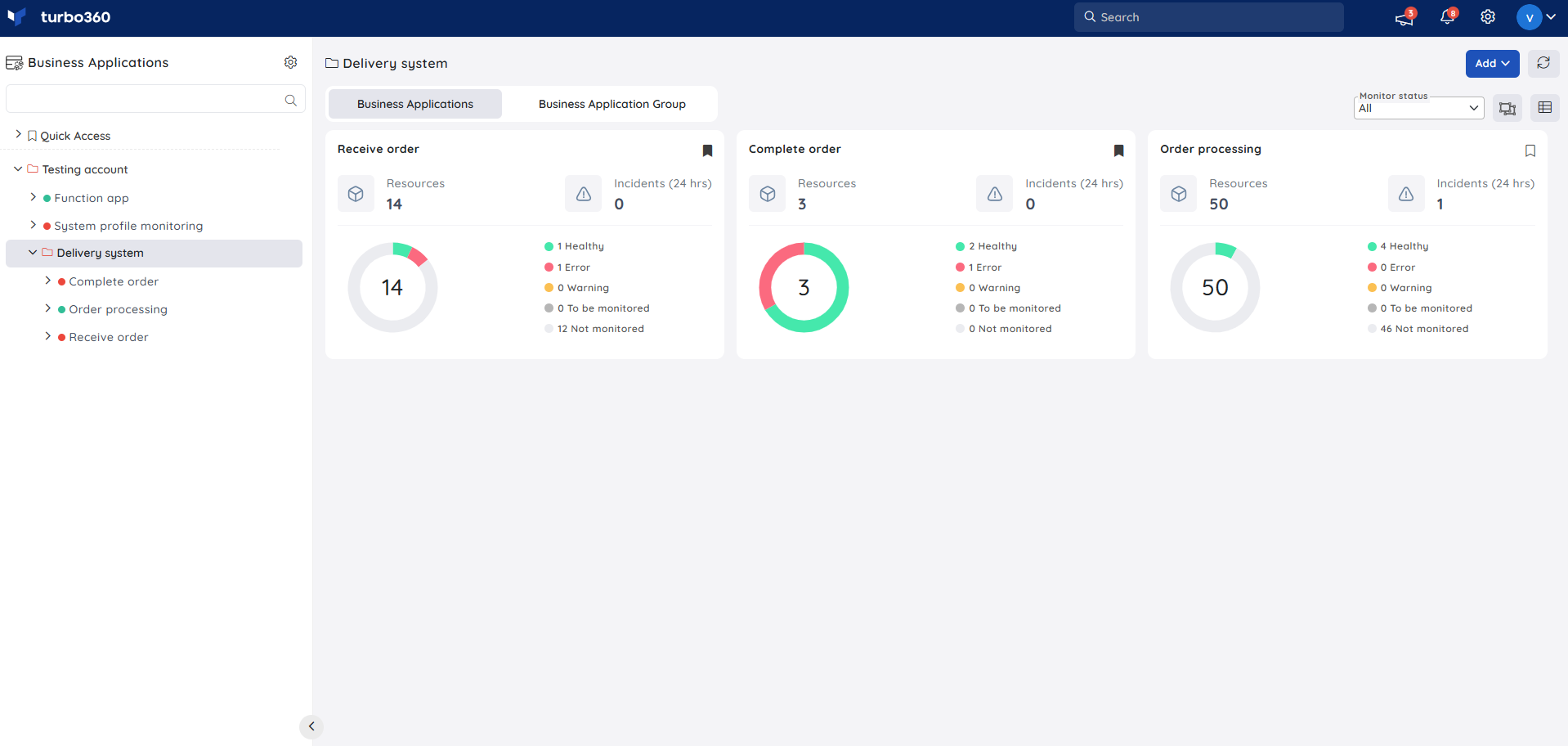
Business Application groups
Business Applications can be organized into groups. A group is a higher-level container that lets you manage and monitor a set of related Business Applications together. Groups are useful when a large enterprise solution is composed of multiple distinct applications that share a common operational context.
Key characteristics
- Cross-subscription scope — Resources from any Azure subscription, region, or resource group can belong to the same Business Application. Azure's subscription boundaries do not restrict membership.
- Solution-level visibility — You view and manage the full solution in one place. Health status, alerts, and activity are aggregated at the Business Application level, not per resource.
- Independent of Azure resource groups — A Business Application does not map to an Azure resource group. It is a Turbo360 concept only, and resources in the same Business Application may come from entirely different Azure resource groups.
- Shared resources — A single Azure resource can belong to more than one Business Application. The licensing count increases only once per unique resource, regardless of how many Business Applications it is added to.
Relationship to other concepts
| Concept | Relationship to a Business Application |
|---|---|
| Resource groups | Azure-native concept. A Business Application draws resources from multiple Azure resource groups and presents them as one unit. |
| Monitoring profiles | Reusable sets of monitoring rules that are mapped to a Business Application to apply rules across all associated resources at once. |
| Escalation policies | Notification escalation rules applied when a monitoring alert goes unacknowledged. Mapped at the Business Application or monitoring profile level. |
| Automated tasks | Scheduled or event-driven operations that run against resources in a Business Application. |
| Service map | A visual diagram of the resources and their relationships within a Business Application. |
Related articles
Was this article helpful?