

What is a service principal?
- 05 Aug 2026
- 3 Minutes to read
- Print
- DarkLight
- Download PDF
What is a service principal?
- Updated on 05 Aug 2026
- 3 Minutes to read
- Print
- DarkLight
- Download PDF
Article summary
Did you find this summary helpful?
Thank you for your feedback!
Overview
A service principal is an application identity within Microsoft Entra ID that Turbo360 uses to access resources in your Azure environment. Access is restricted by the roles you assign to the service principal, so you control exactly which resources it can reach and at what level.
Turbo360 uses the service principal's authentication tokens to manage resources on your behalf. The permissions it holds are scoped to exactly what Turbo360 needs.
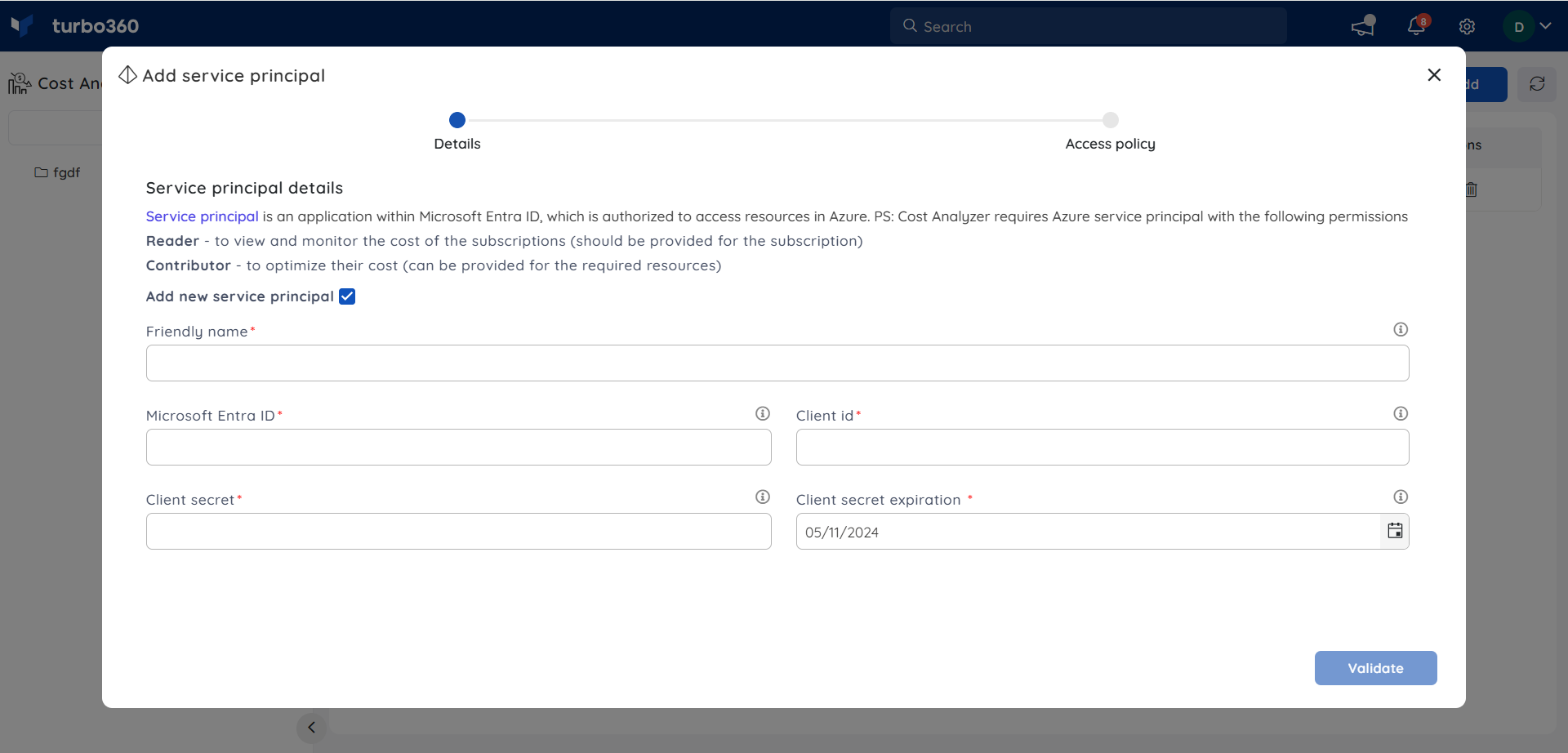
To connect a service principal to Turbo360, you need three values:
- Microsoft Entra ID — the tenant directory ID.
- Client ID — the ID of the service principal object (the app registered with Microsoft Entra ID).
- Client Secret — the application password.
Business value
A correctly configured service principal lets Turbo360 read and manage your Azure cost and resource data automatically, without relying on individual user credentials. This keeps access auditable, scoped, and easy to revoke if it's no longer needed.
Prerequisites
You need access to an Azure subscription and permissions to register applications in Microsoft Entra ID before you set up a service principal.
Required permissions
- Reader access at the Subscription level is required for the service principal so Turbo360 can read your subscription's cost data. Without this, cost data won't be visible.
- Reservation Reader access is required for the service principal to view reservations and reservation-based recommendations.
How it works
Setting up a service principal for Turbo360 involves three activities:
- Create a service principal by registering an application in Microsoft Entra ID.
- Authorize the service principal and assign a role to it at the subscription, resource group, or resource level.
- Permissions are inherited to lower levels of scope. For example, a service principal with the Contributor or Owner role on a resource group can access that resource group and all resources it contains.
Steps
Use the following steps to create a service principal in Microsoft Entra ID, retrieve the values Turbo360 needs, and authorize it to access your subscription. Start in the Azure portal.
Create a service principal
Registering an application in Microsoft Entra ID creates the service principal identity that Turbo360 will use to access your Azure resources.
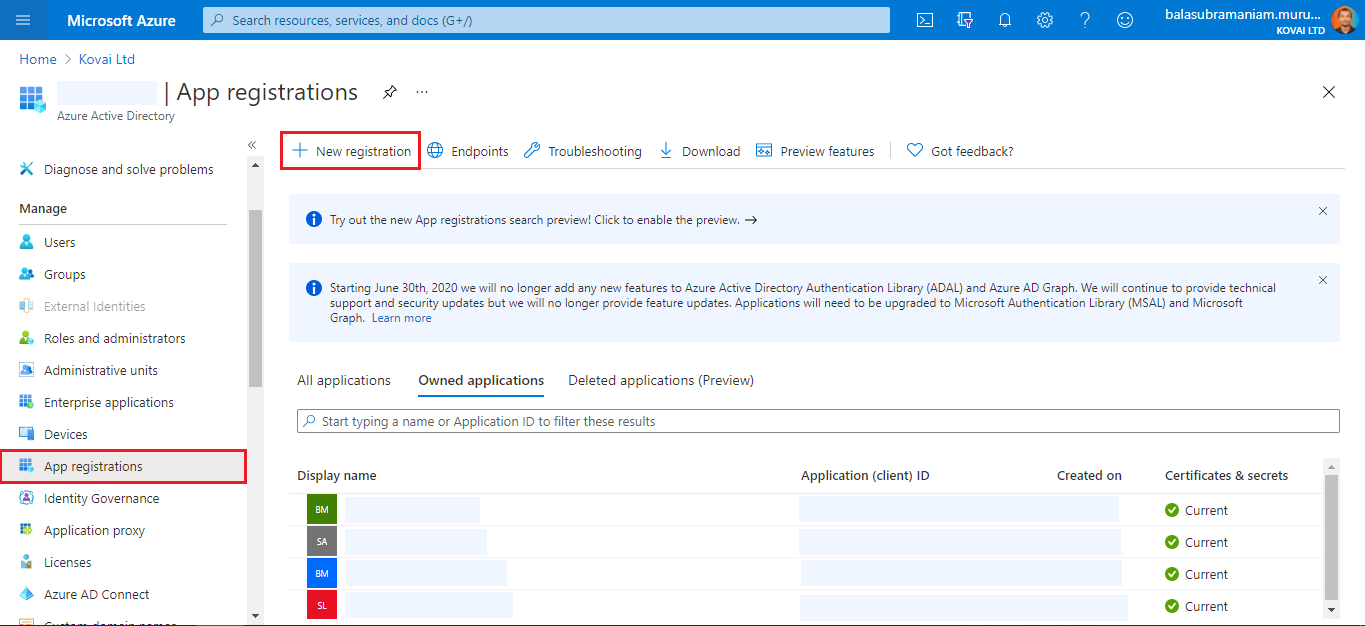
- Navigate to the Microsoft Entra ID tab in the left side menu of the Azure portal and click App registrations.
- Click the New registration button.
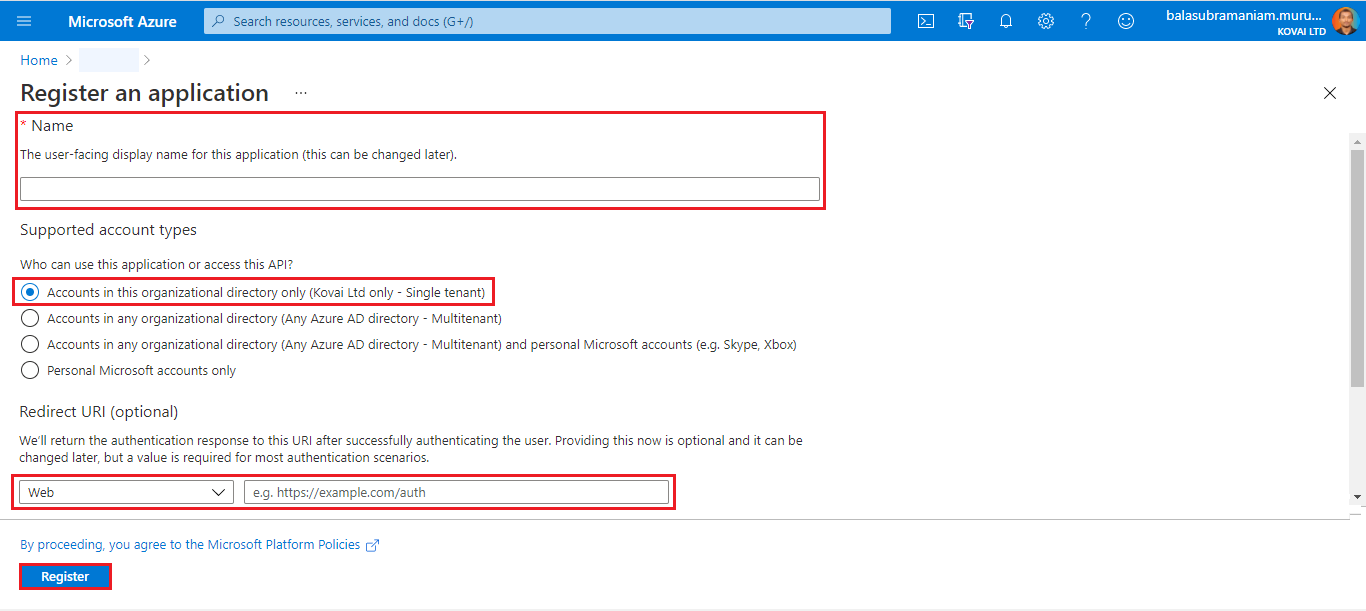
- Provide a Name for the service principal. Select a supported account type to determine who can use the application. Under Redirect URI, select Web as the application type, and enter the URI the access token should be sent to. Click Register.
- Once the service principal is created, it's listed in the App Registration grid.
Get the Azure tenant ID
The tenant ID identifies your organization's dedicated Microsoft Entra ID instance and is one of the three values Turbo360 needs to connect to the service principal.
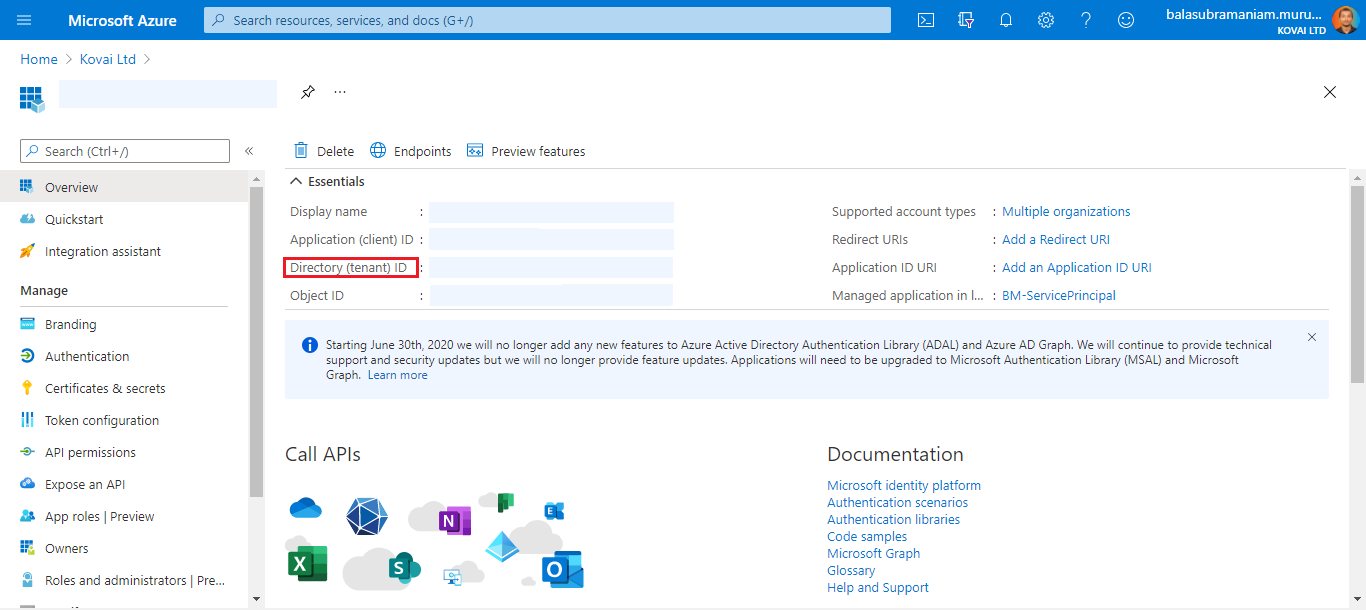
- Click the name of the service principal.
- Copy the Directory (tenant) ID from the Essentials section — this is your Tenant ID.
Get the client ID and client secret
The client ID and client secret authenticate the service principal when it requests access tokens, and are required alongside the tenant ID to complete the Turbo360 connection.
- Click the name of the service principal.
- Copy the Application (client) ID from the Essentials section — this is a 16-character string that identifies the application.
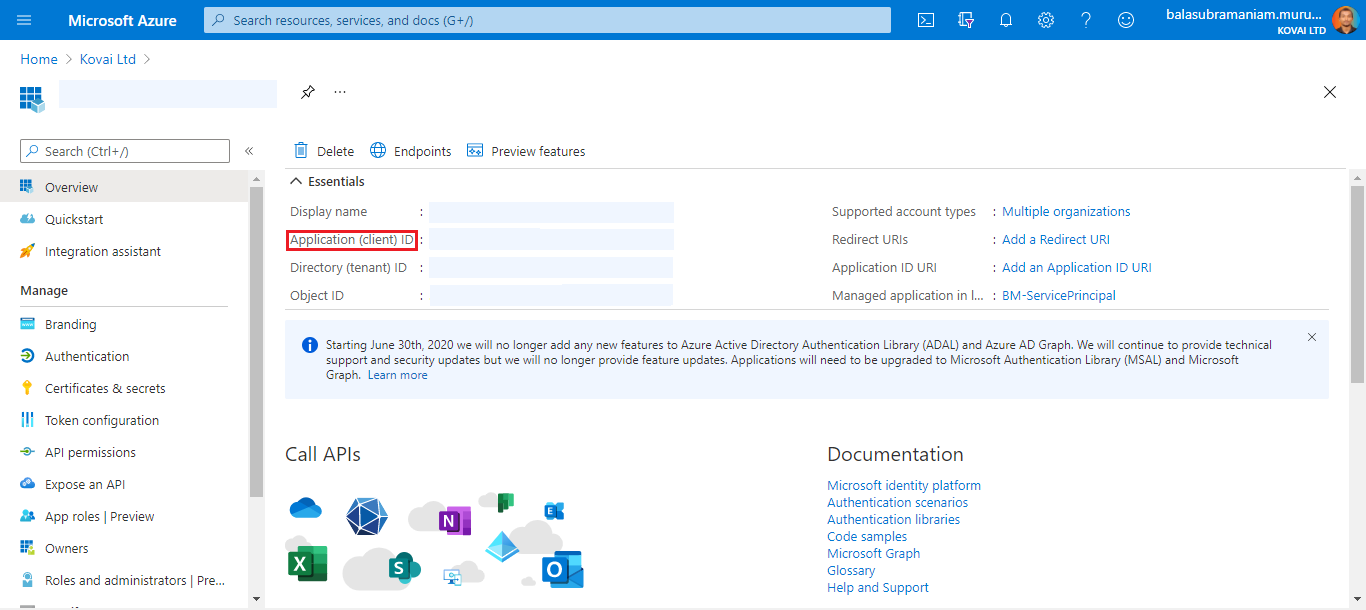
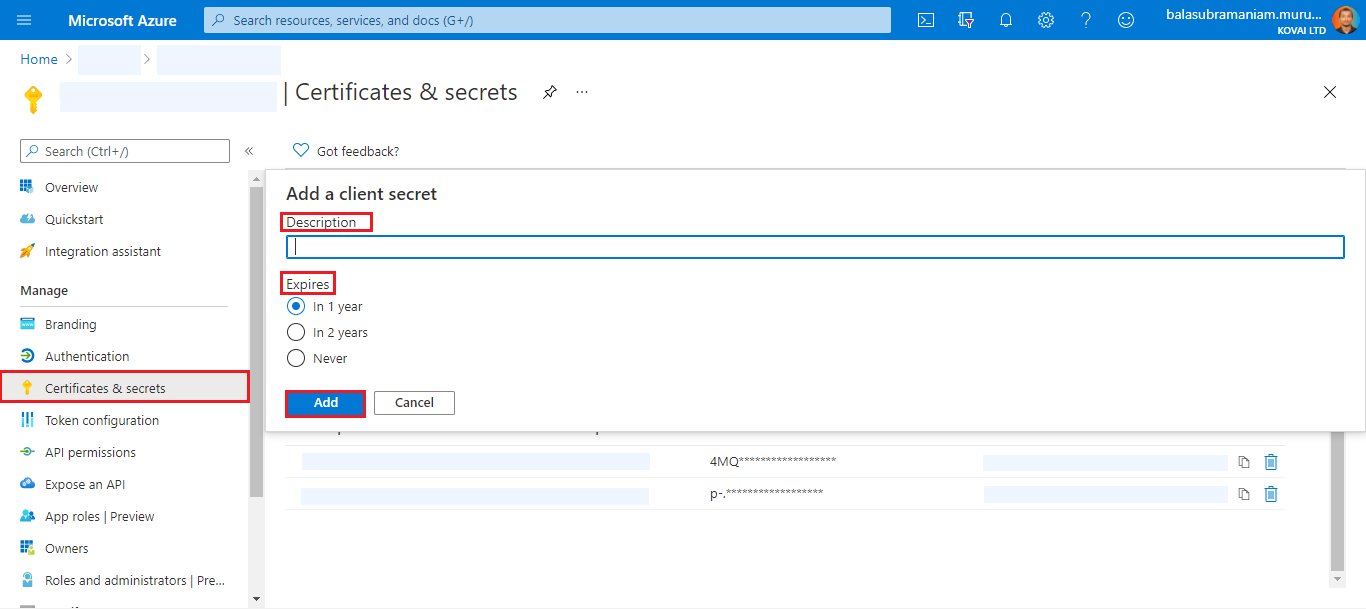
- Click Certificates & secrets under the Manage section in the left pane.
- Click New client secret, provide a Description and Expiry time, and click Add.
- Copy the client secret immediately after it's generated — it's shown only once.
Authorize the service principal and assign a role
Authorizing the service principal at the subscription level grants Turbo360 the access it needs to read cost data and reservation recommendations.
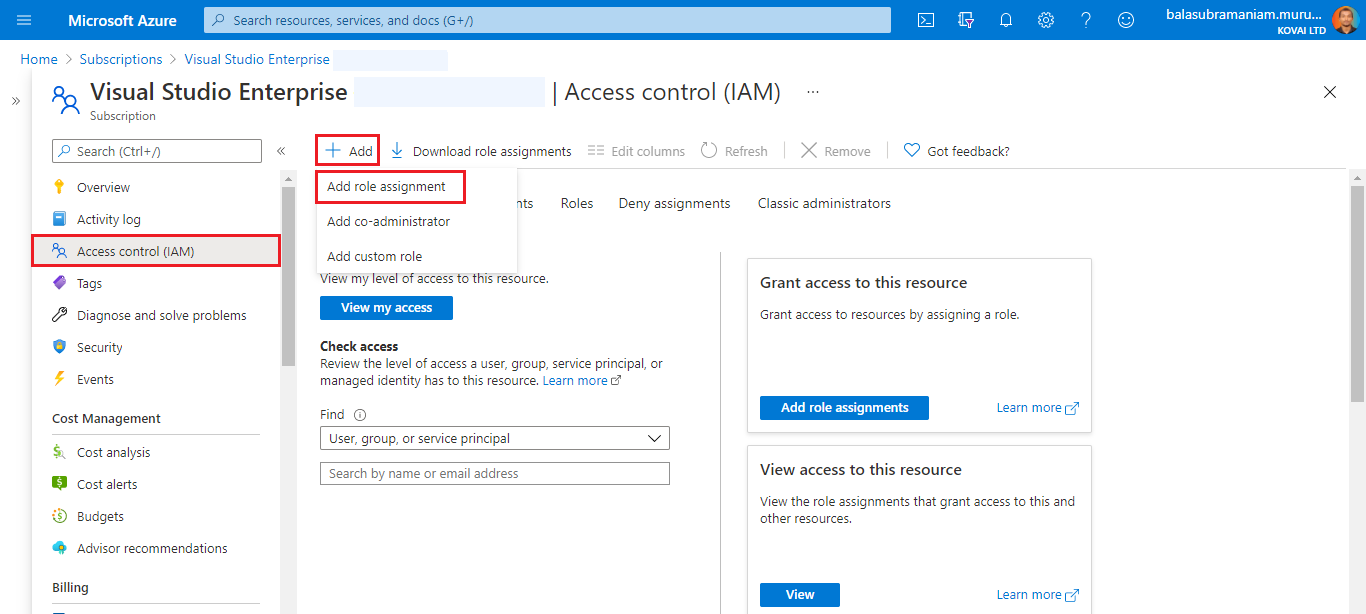
- Navigate to the target Subscription and click Access control (IAM).
- Select Add > Add role assignment.
- Switch to the Job function roles tab and choose Reader.
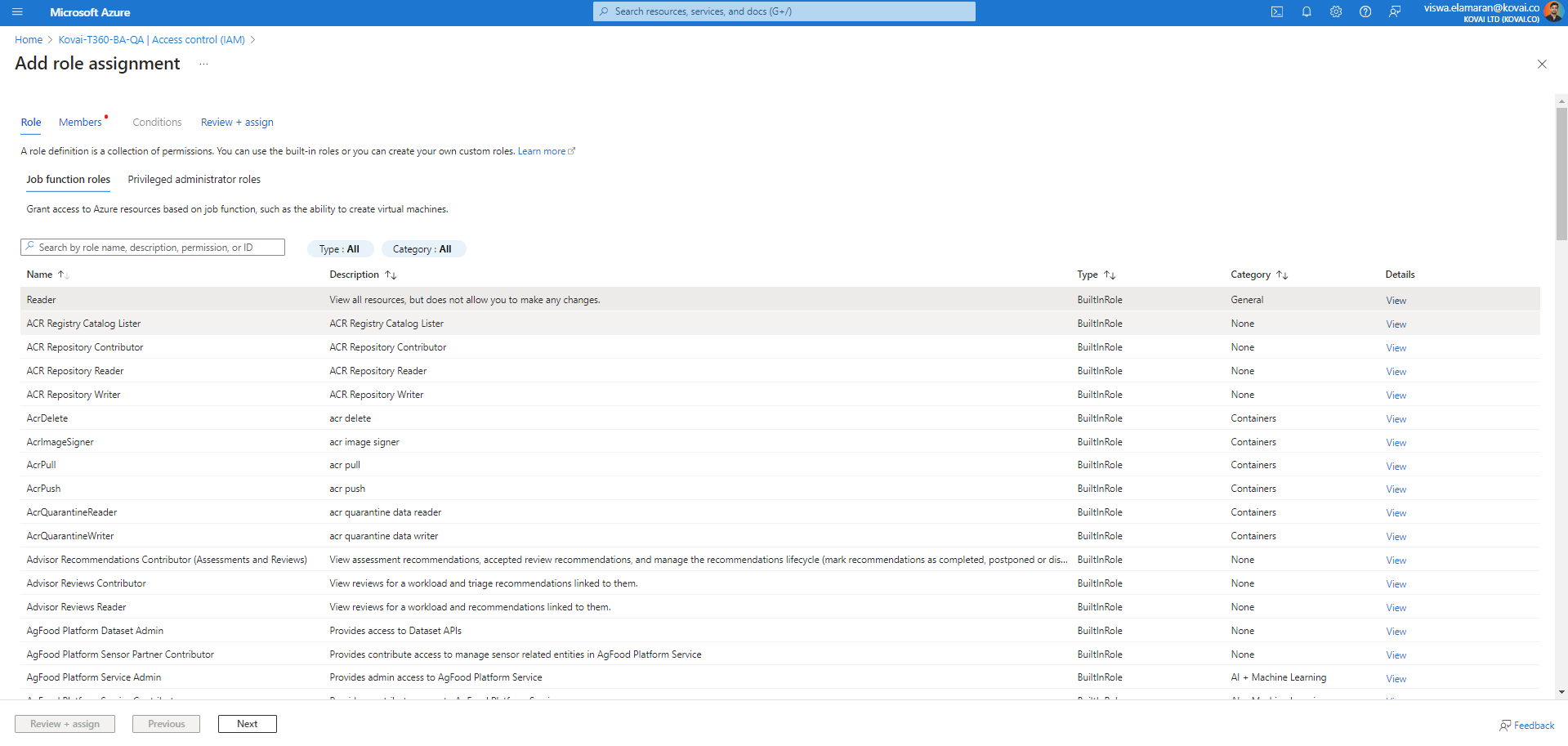
- Click Next, then choose User, group, or service principal for the Assign access to field.
- Select one or more service principals as Members to assign the role to them for this subscription.
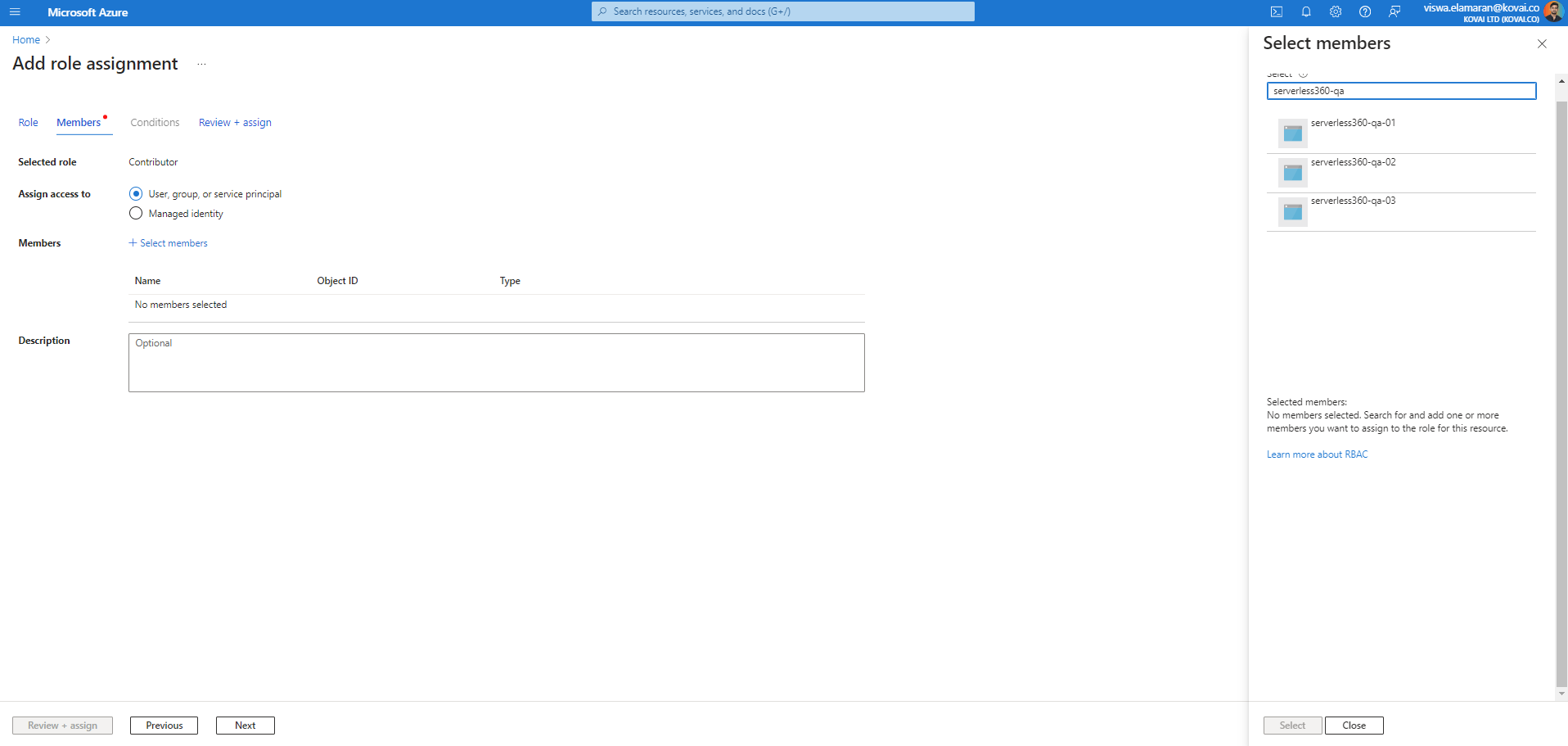
- Click Review + assign to save the role assignment.
Role assignment changes can take some time to take effect.
Related articles
- Managing service principals in Cost Analyzer
- Permissions for service principal
- Additional service principal permissions
To learn more about service principals, see the following Microsoft articles:
Was this article helpful?