

What is Cost Analyzer?
- 05 Aug 2026
- 4 Minutes to read
- Print
- DarkLight
- Download PDF
What is Cost Analyzer?
- Updated on 05 Aug 2026
- 4 Minutes to read
- Print
- DarkLight
- Download PDF
Article summary
Did you find this summary helpful?
Thank you for your feedback!
Overview
Cost Analyzer is a Turbo360 module that gives organizations visibility and control over their Azure cloud spending. It pulls data from Azure Cost Management and breaks down spending across subscriptions, resource groups, services, and time periods — giving finance teams, cloud administrators, and engineering leaders a shared, data-driven view of cloud expenses.
The module is built around four core sections — Analysis, Monitoring, Optimization, and Reports — and includes additional tools and configuration options from the settings menu, such as Budget planner, Cost adjustment, Cost allocation, Savings tracker, Tag manager, and Chart library. It also features built-in AI agents that deliver intelligent cost insights powered by Azure OpenAI.
Setting up Cost Analyzer requires a service principal with Reader access to your Azure subscriptions.
Business value
- Identify cost-saving opportunities before overspending occurs
- Maintain budget accountability across teams and subscriptions
- Automate resource optimization to reduce manual overhead
- Support cost governance with structured, audit-ready reporting
Prerequisites
Required permissions
A service principal with Reader access to the Azure subscriptions you want to analyze. This allows Cost Analyzer to retrieve data from Azure Cost Management.
Dependencies
- An active Azure subscription connected to Turbo360
- Azure Cost Management data available for the target subscriptions
How it works
Cost Analyzer surfaces Azure cost data across four sections, each serving a distinct role in the cost management lifecycle.
Analysis
Visualize Azure subscription costs using customizable chart-based views. Explore spending trends, compare costs, and understand how resources contribute to overall expenses.
.png)
Monitoring
Continuously track Azure spending over time. Monitor budget utilization and cost trends to identify changes in spending patterns and respond before costs overrun.
.png)
Optimization
Identify savings opportunities and automate actions to improve resource efficiency. Optimization includes the following capabilities:
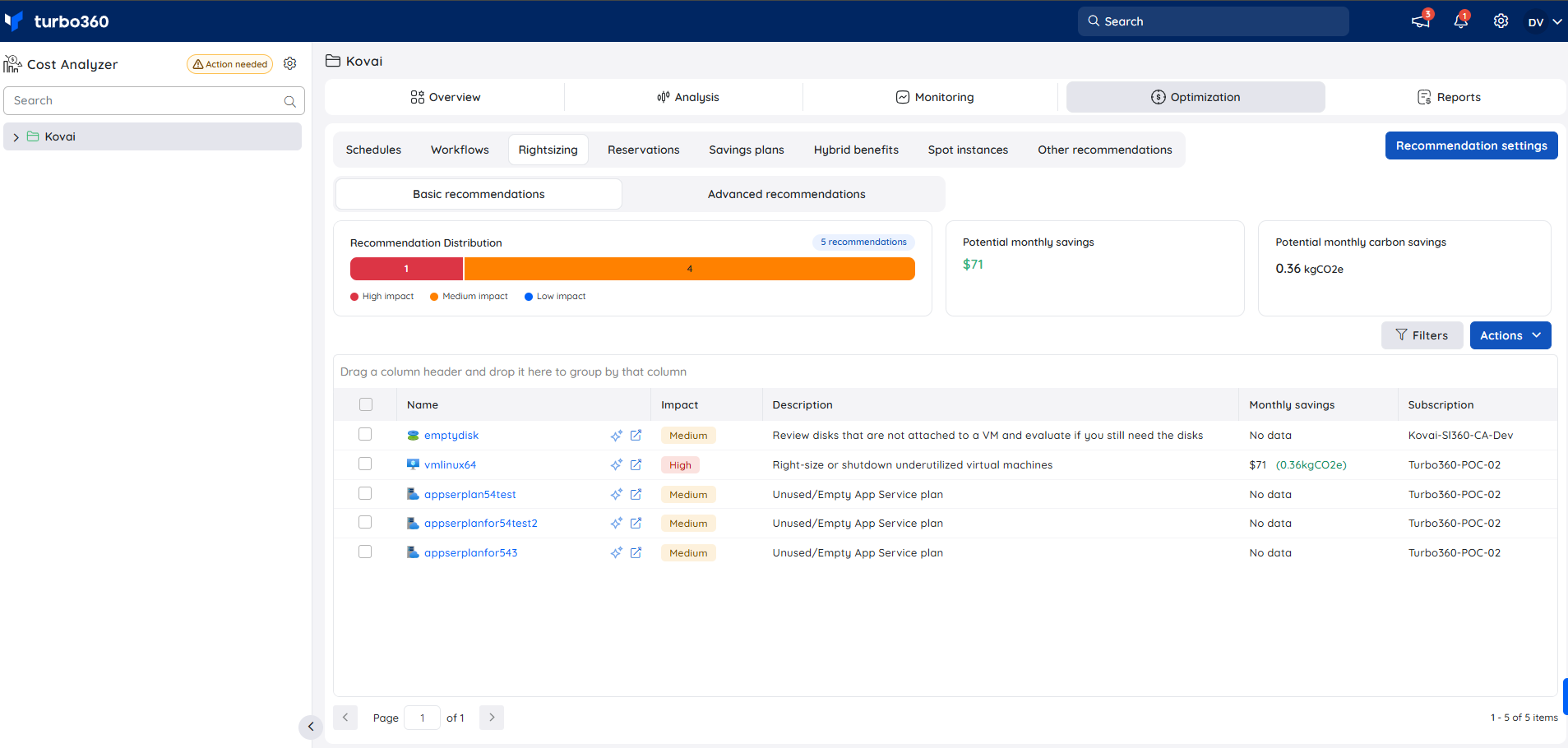
Rightsizing and Reservations
Highlights over-provisioned resources and opportunities to leverage Azure Reservations for long-term cost reduction.
Schedules
Define schedules to automatically optimize resource usage during off-peak hours.
.png)
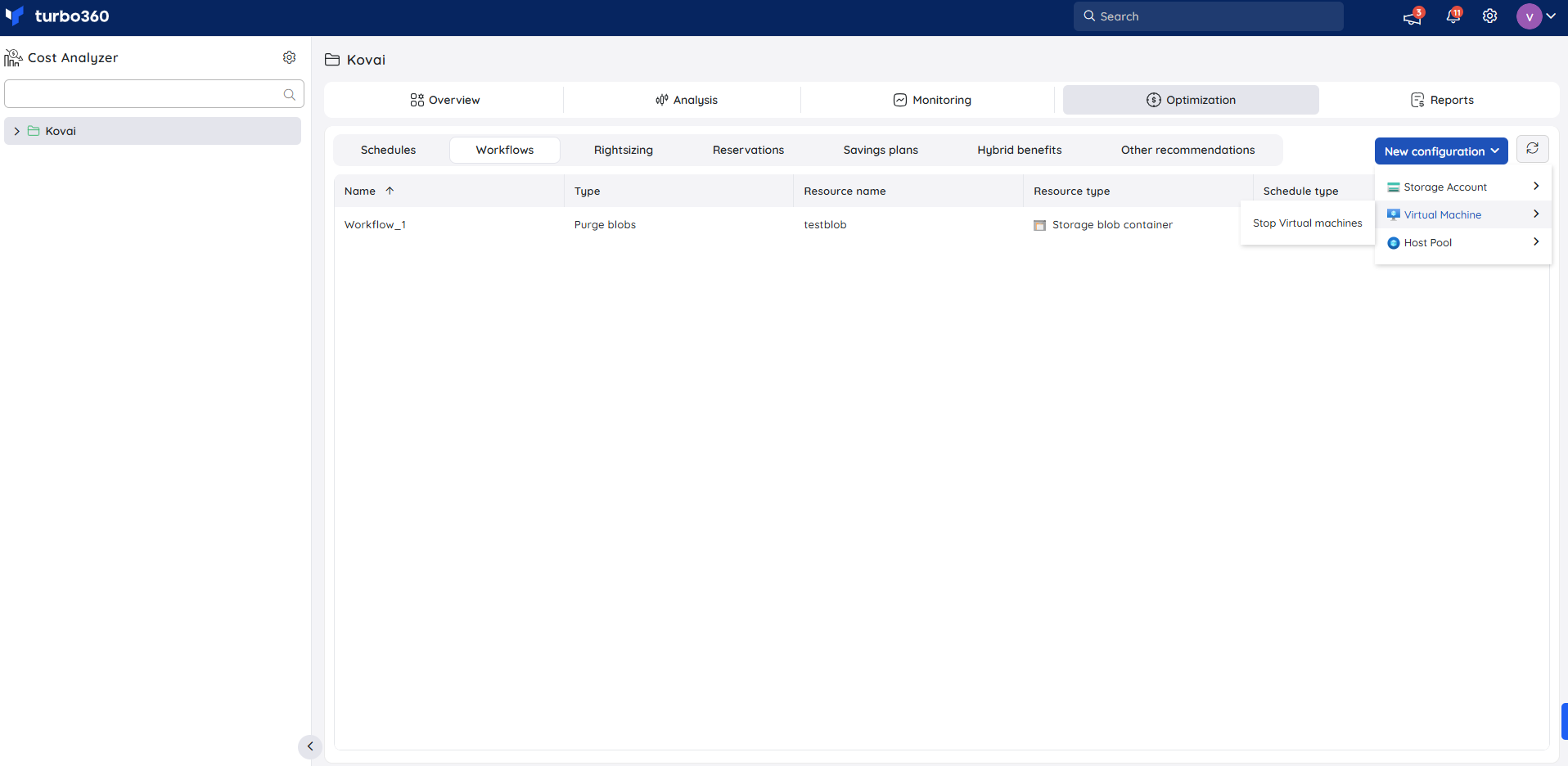
Workflows
Create workflows to execute cost-reduction tasks such as stopping virtual machines, terminating idle AVD sessions, and purging unused storage blobs.
Savings plans insights
View savings plans, their utilization, and associated cost benefits to maximize committed spend value.
.png)
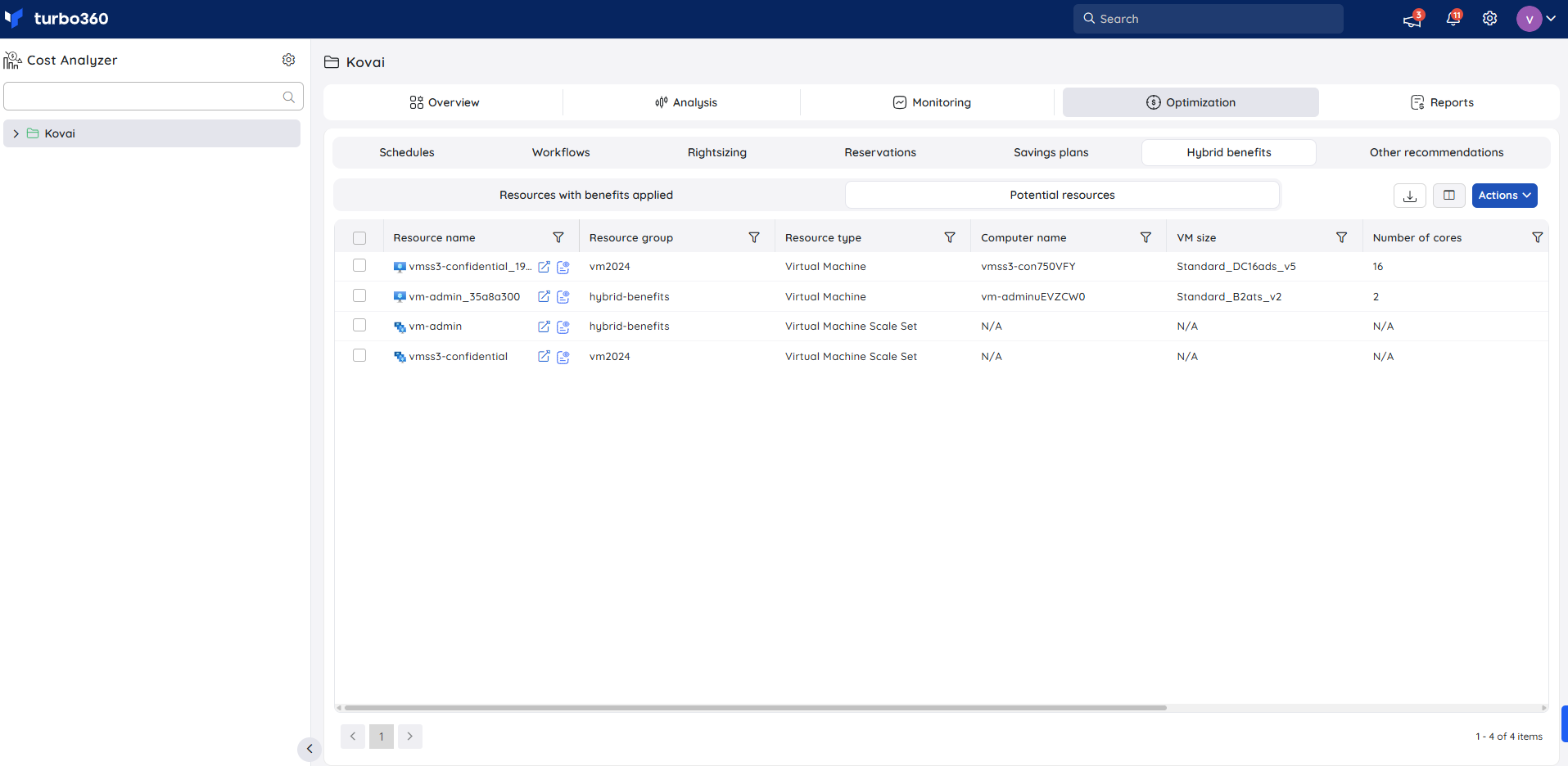
Hybrid benefits visibility
See resources with Azure Hybrid Benefits applied and identify additional resources eligible for the benefit.
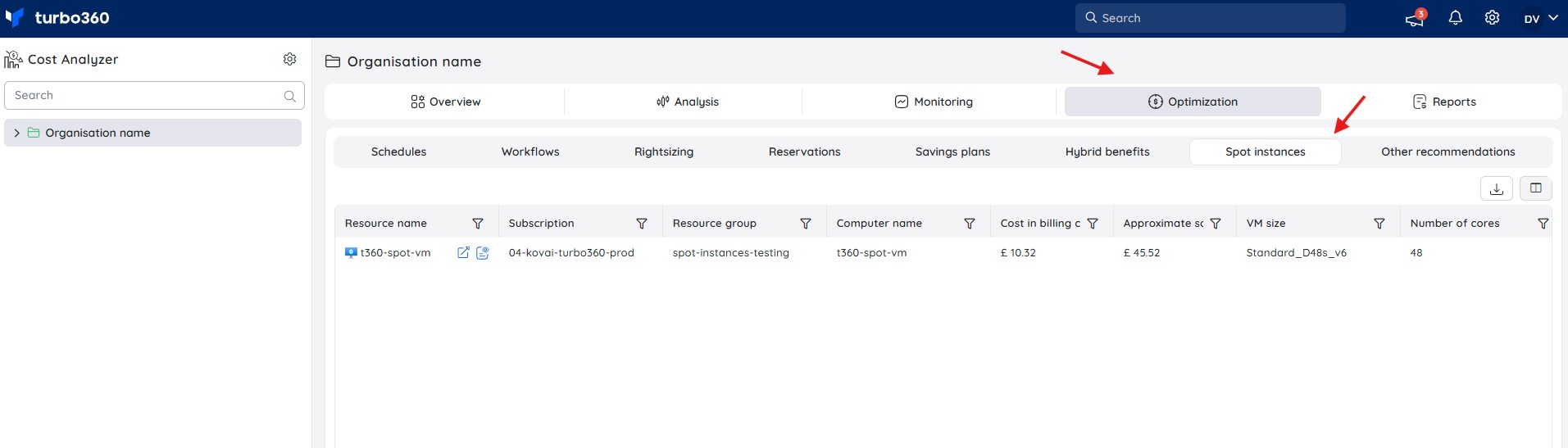
Spot instances
Lists all Spot Virtual Machines across your Azure subscriptions, showing the cost incurred in the previous month and estimated savings compared to equivalent on-demand pricing.
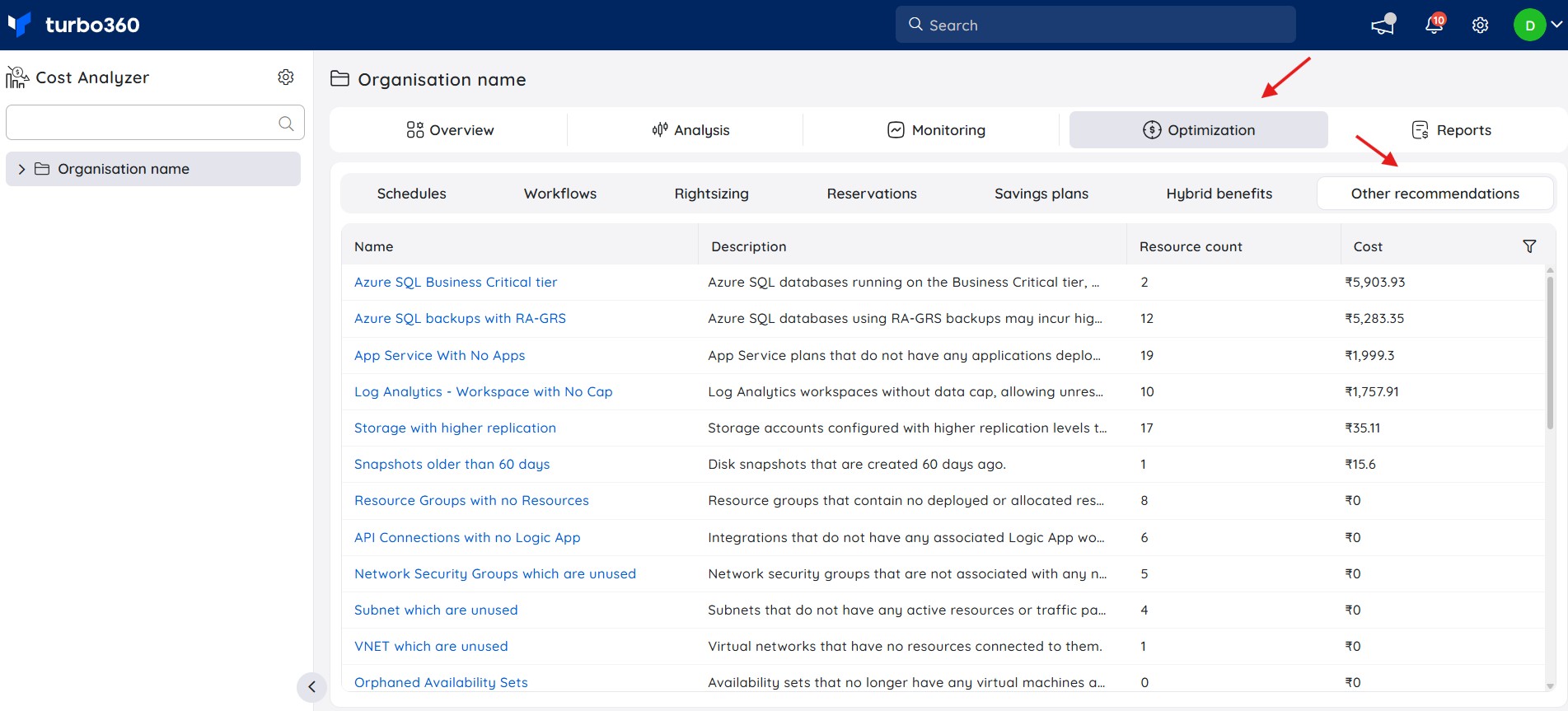
Other recommendations
Identifies idle and underutilized Azure resources across subscriptions and presents actionable recommendations grouped by type, along with resource count and consolidated cost to highlight potential savings.
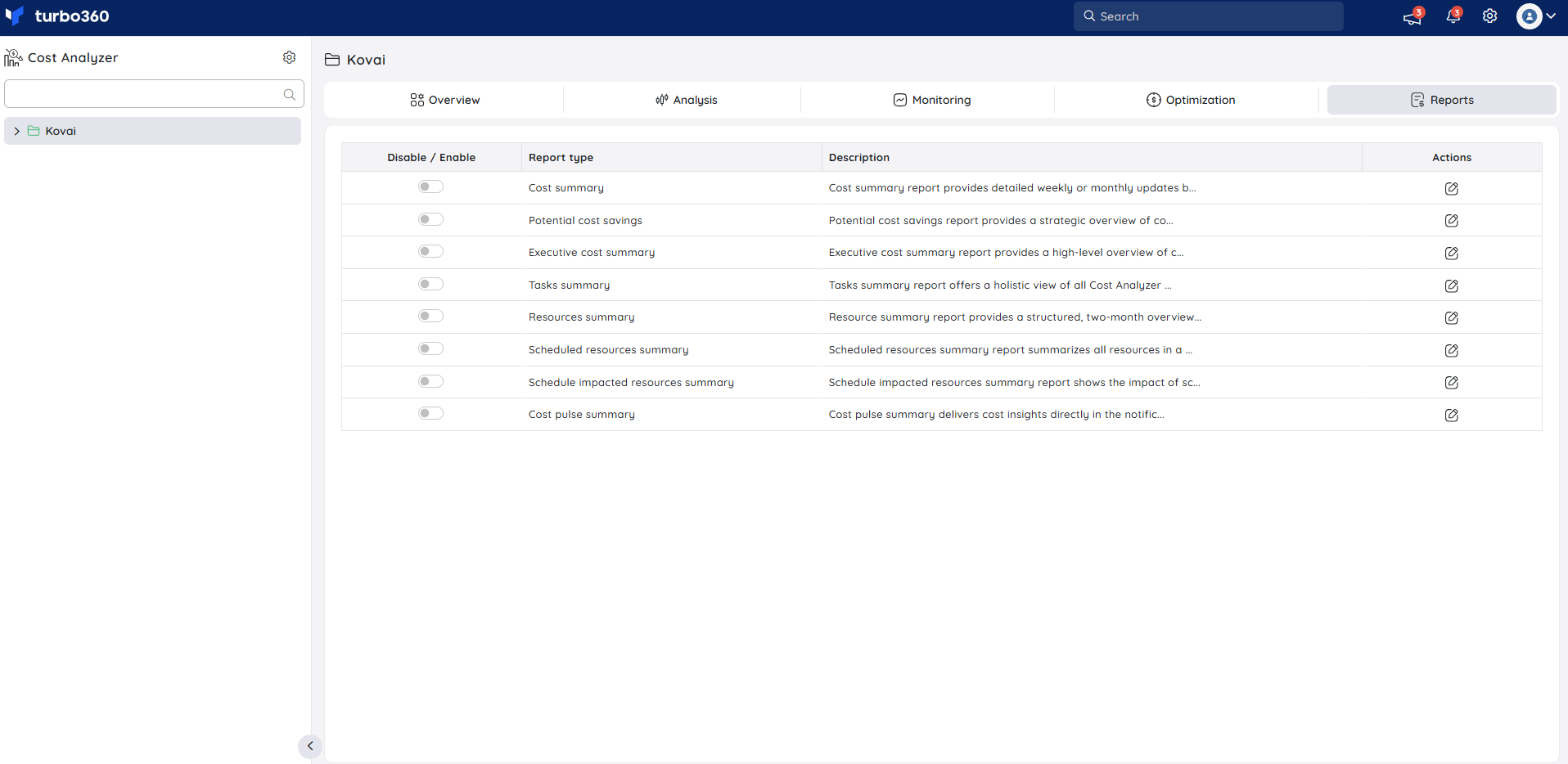
Reports
Generate configurable reports to analyze cost trends across subscriptions and services. Reports support ongoing cost governance and stakeholder review.
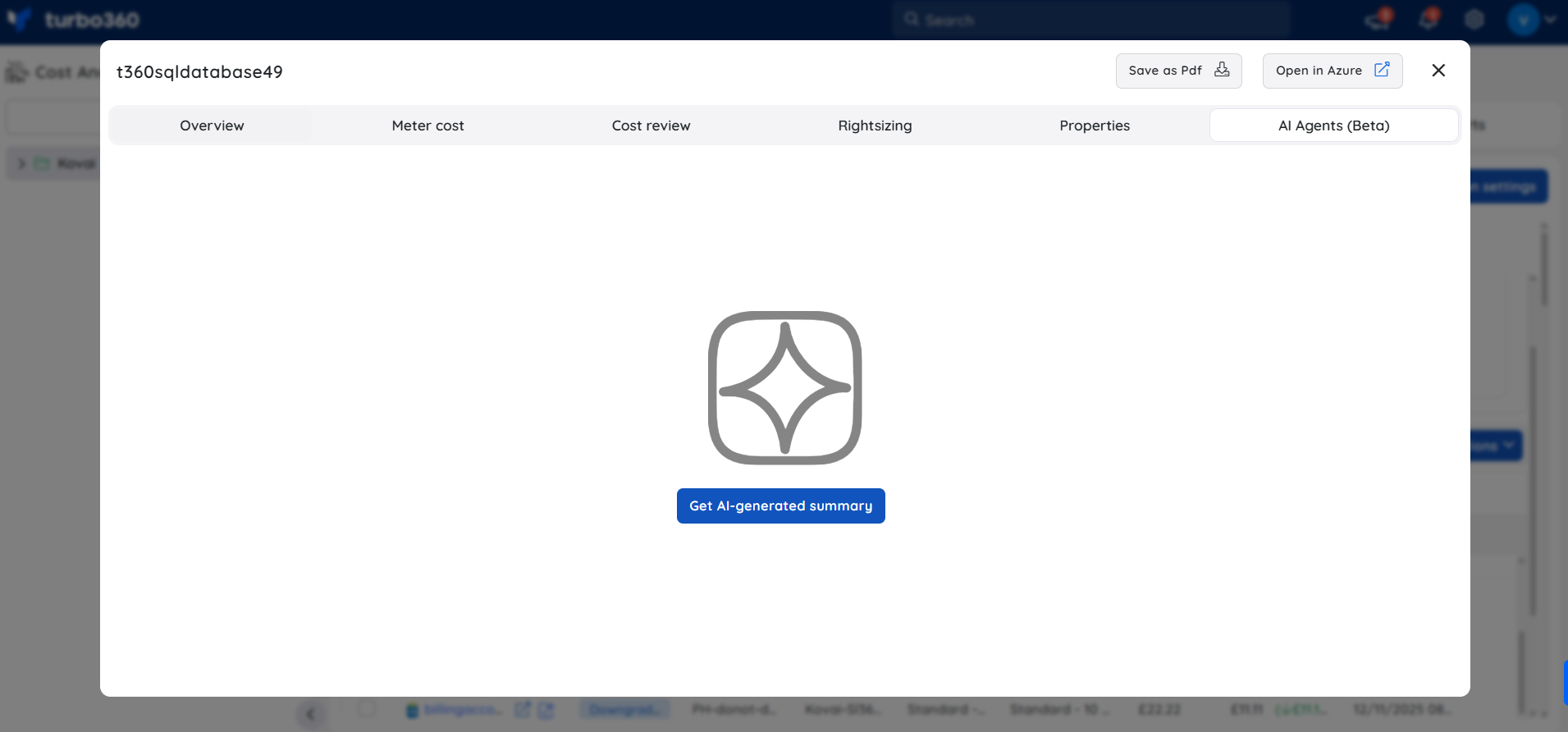
AI agents
Cost Analyzer includes built-in AI agents that automatically analyze resources and surface cost insights, utilization efficiency, and optimization recommendations within the Cost Intelligence view.
Configuration
| Option | Description |
|---|---|
| Service principal | Required. A service principal with Reader access to Azure subscriptions. |
| Azure subscription | The subscription(s) to analyze. Configured during Azure Connection Setup. |
Permission behavior
With Reader access: All four sections are available. Cost Analyzer retrieves and displays data across all connected subscriptions.
Without Reader access: Cost Analyzer cannot retrieve cost data. Assign Reader access to the service principal at the subscription scope before setup.
Example scenario
A cloud administrator notices rising Azure costs. They use Analysis to identify which subscriptions are driving the increase, set up a budget alert in Monitoring, configure a shutdown schedule in Optimization for idle virtual machines, and share a monthly summary from Reports with the finance team.
Limitations
- Cost data may be delayed by up to 24 hours due to Azure Cost Management sync cycles.
- Only subscriptions where the service principal has Reader access are included in analysis.
- AI agents are currently in beta — outputs may vary in accuracy and the feature is subject to change.
- Additional limitations on data coverage, supported subscription types, or regional constraints.
Troubleshooting
Cost data is not appearing
Cause: The service principal may lack Reader access, or the Azure connection may not be configured.
Fix: Verify permissions and confirm the subscription is connected in Turbo360.Data appears outdated
Cause: Azure Cost Management data can lag by up to 24 hours.
Fix: Wait for the next sync before investigating further.Analysis charts are not loading
Cause: The selected subscription may have no cost data for the chosen time period.
Fix: Try a different date range or verify the subscription status in Azure.Budget alerts are not triggering
Cause: Alert thresholds or notification channels may not be correctly configured, or cost data has not been synced yet.
Fix: Confirm that alert thresholds and notification channels are correctly configured in Monitoring and verify that the subscription has current cost data.
FAQs
What data does Cost Analyzer use?
Data from Azure Cost Management, covering subscriptions, resource groups, services, and time periods.Can I analyze multiple subscriptions?
Yes. Cost Analyzer supports multiple connected subscriptions across Analysis, Monitoring, and Reports.How often is data refreshed?
Azure Cost Management can delay data by up to 24 hours. Cost Analyzer reflects the latest available data at each sync.
Related articles
Was this article helpful?