

Module overview
- 05 May 2026
- 2 Minutes to read
- Print
- DarkLight
- Download PDF
Module overview
- Updated on 05 May 2026
- 2 Minutes to read
- Print
- DarkLight
- Download PDF
Article summary
Did you find this summary helpful?
Thank you for your feedback!
Introduction
Cost Analyzer in Turbo360 is a centralized module designed to help organizations gain visibility, control, and actionable insight into their Azure cloud spending.
By combining detailed cost analysis, continuous monitoring, and intelligent optimization recommendations, Cost Analyzer enables teams to make informed financial decisions while maximizing the value of their Azure investments.
The module leverages Azure Cost Management data to break down spending across subscriptions, resource groups, services, and time periods, helping stakeholders understand where costs are incurred and how they evolve over time.
Cost Analyzer is built to support finance teams, cloud administrators, and engineering leaders with a shared, data-driven view of cloud expenses.
Cost Analyzer includes four key operational sections: Analysis, Monitoring, Optimization, and Reports.
Setting up the Cost Analyzer environment requires adding a service principal with Reader access to the Azure subscriptions.
Feature overview
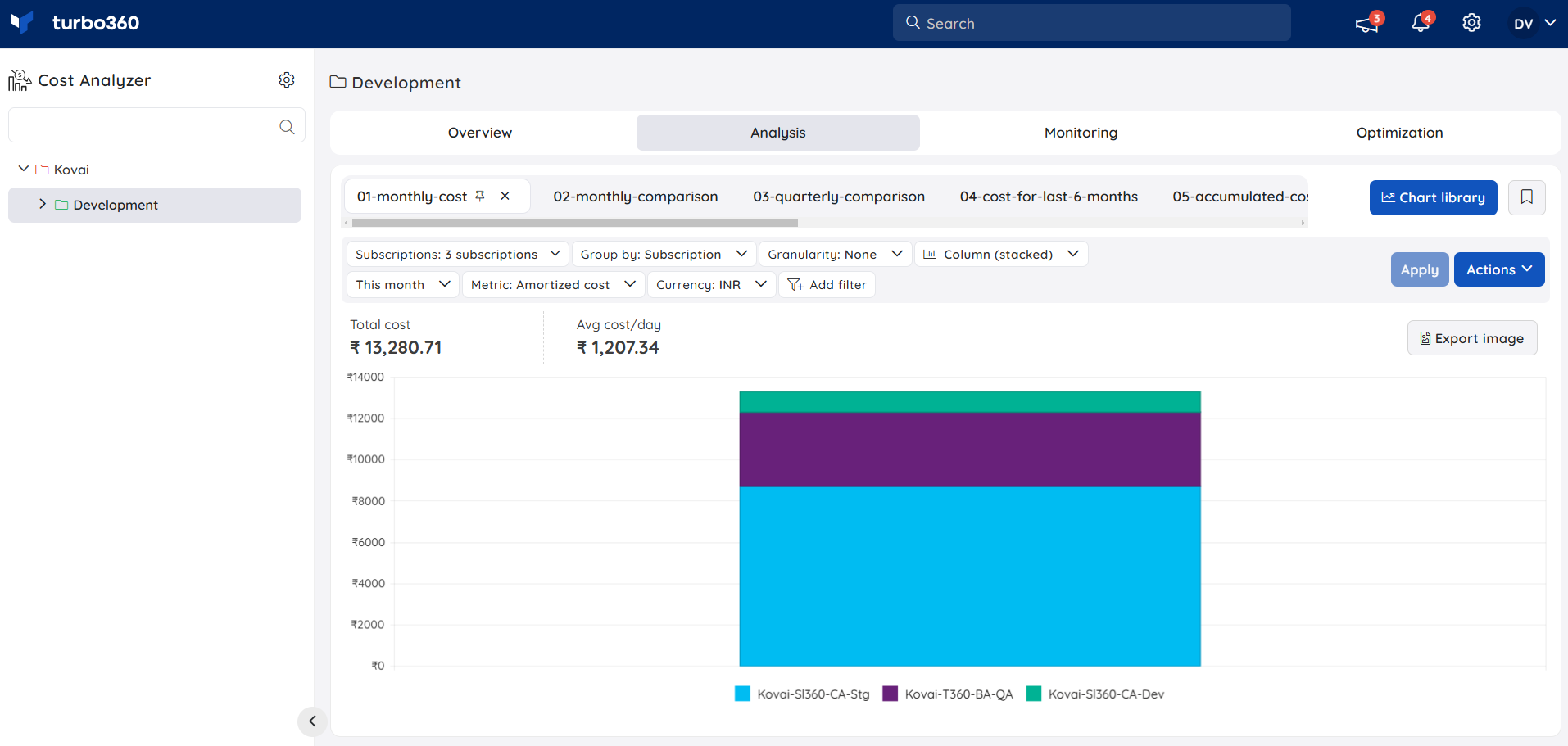
Analysis
The Analysis section helps users visualize Azure subscription cost usage using customizable chart-based views. By selecting different chart types and view options, users can explore spending trends, compare costs, and better understand how Azure resources contribute to overall expenses.
Monitoring
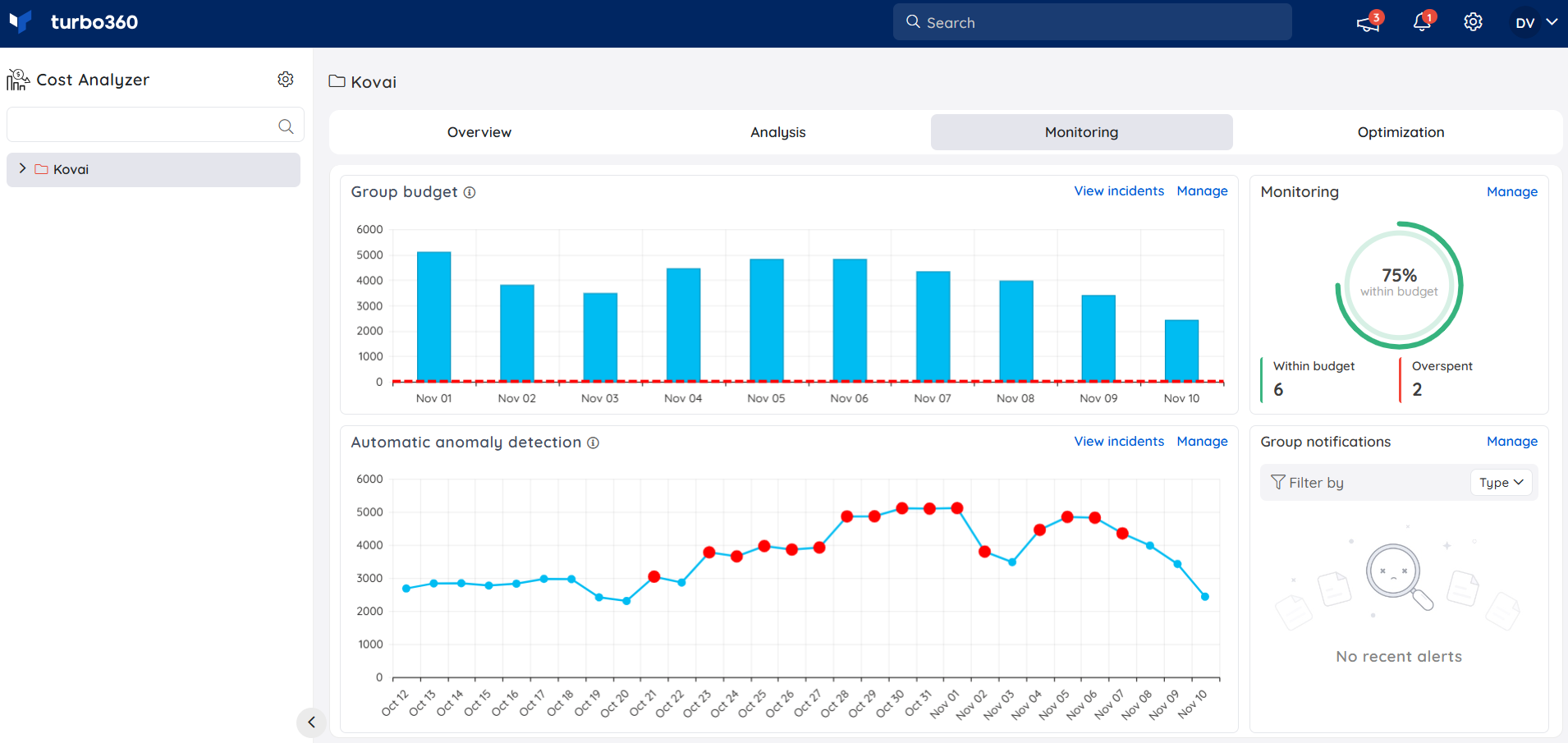
The Monitoring section enables users to continuously track Azure spending over time. It provides visibility into current usage, budget utilization, and cost trends, helping users quickly identify changes in spending patterns and respond proactively to potential cost overruns.
Optimization
The Optimization section helps users identify cost-saving opportunities and automate actions to improve Azure resource efficiency and reduce overall spend.
It includes the following capabilities to help manage and reduce Azure costs:
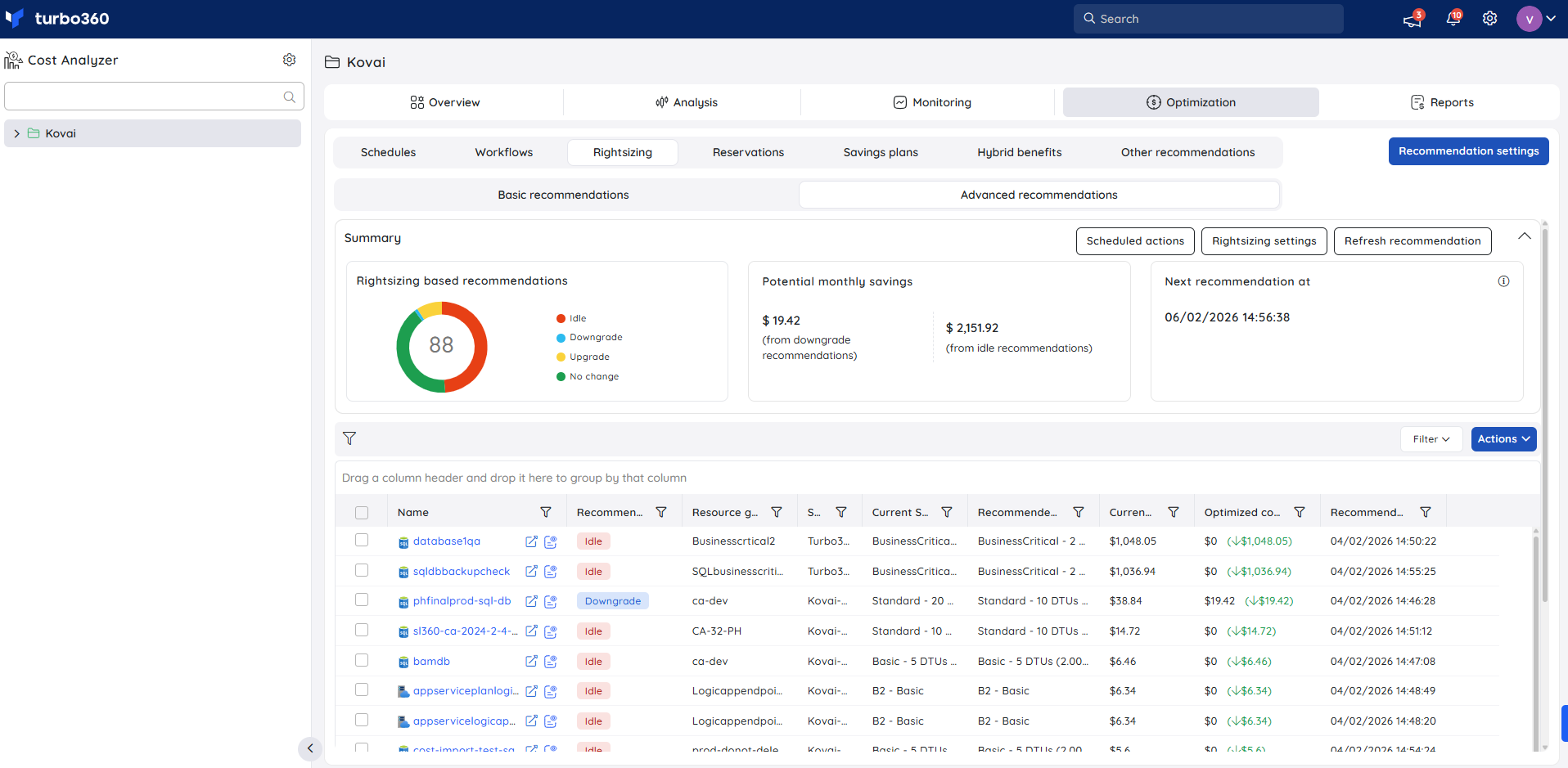
i) Rightsizing and Reservations
- Highlights opportunities to rightsize over-provisioned resources and leverage Azure Reservations to reduce long-term costs.
ii) Schedules
- Allows users to define schedules to automatically optimize resource usage during off-peak or non-business hours.
.png)
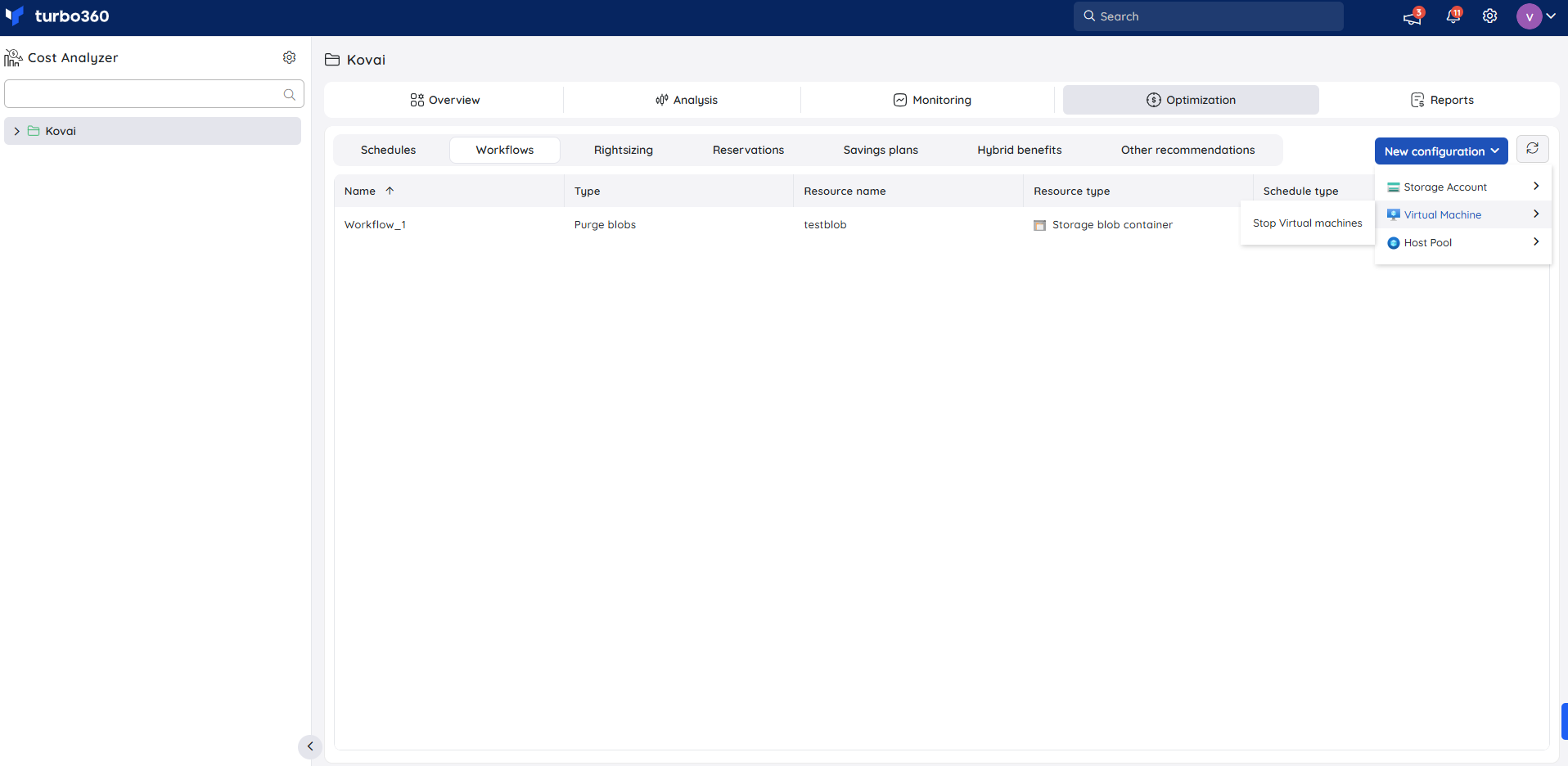
iii) Workflows
- Enables creation of workflows to execute cost-intensive tasks such as stopping virtual machines, terminating idle sessions of Azure Virtual Desktop (AVD) host pool, and purging unused storage blobs.
iv) Savings plans insights
- Displays savings plans, their utilization, and associated cost benefits to help maximize committed spend value.
.png)
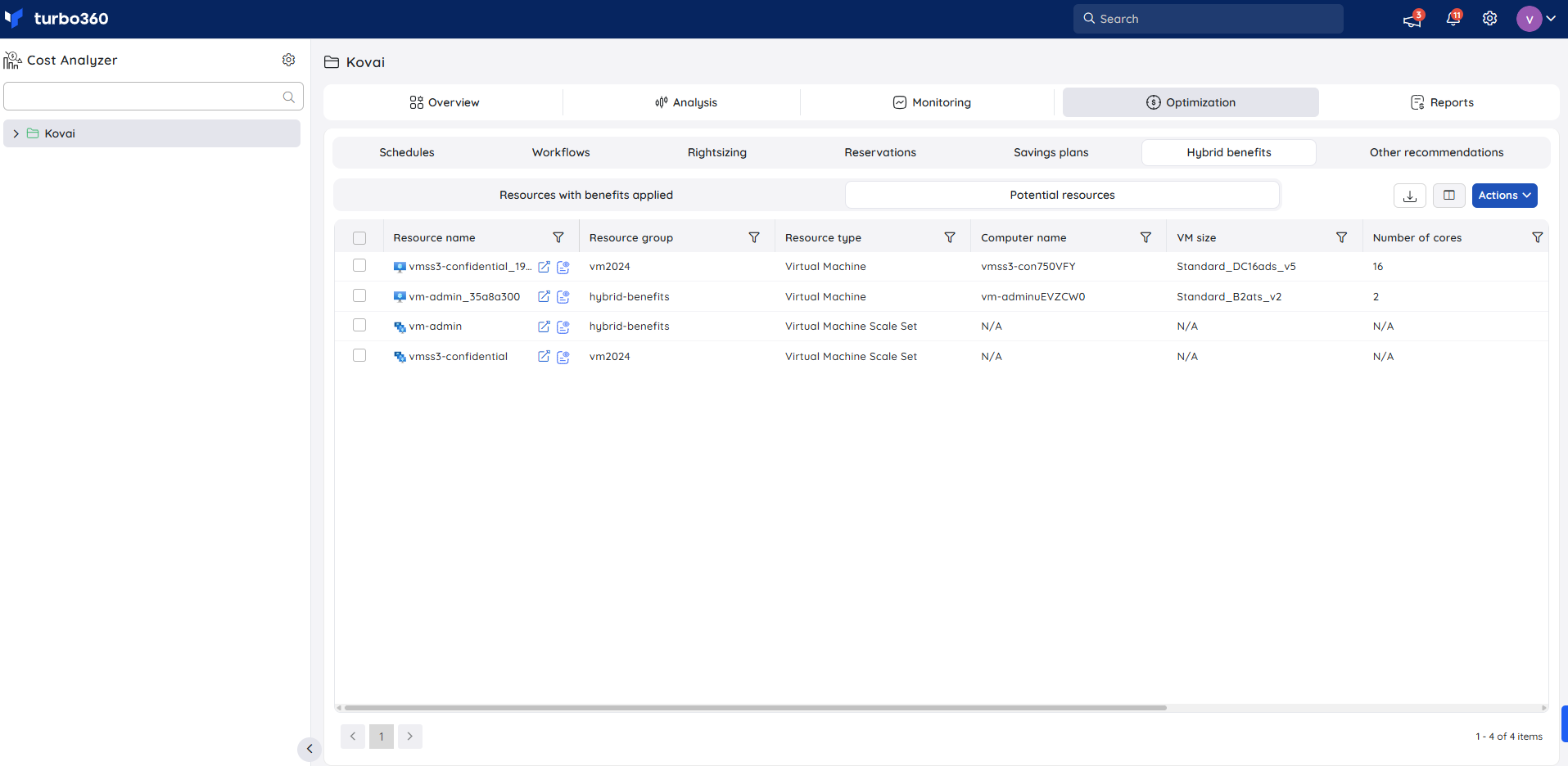
v) Hybrid benefits visibility
- Shows resources with Azure Hybrid benefits applied and identifies additional resources eligible for potential benefit application.
Reports
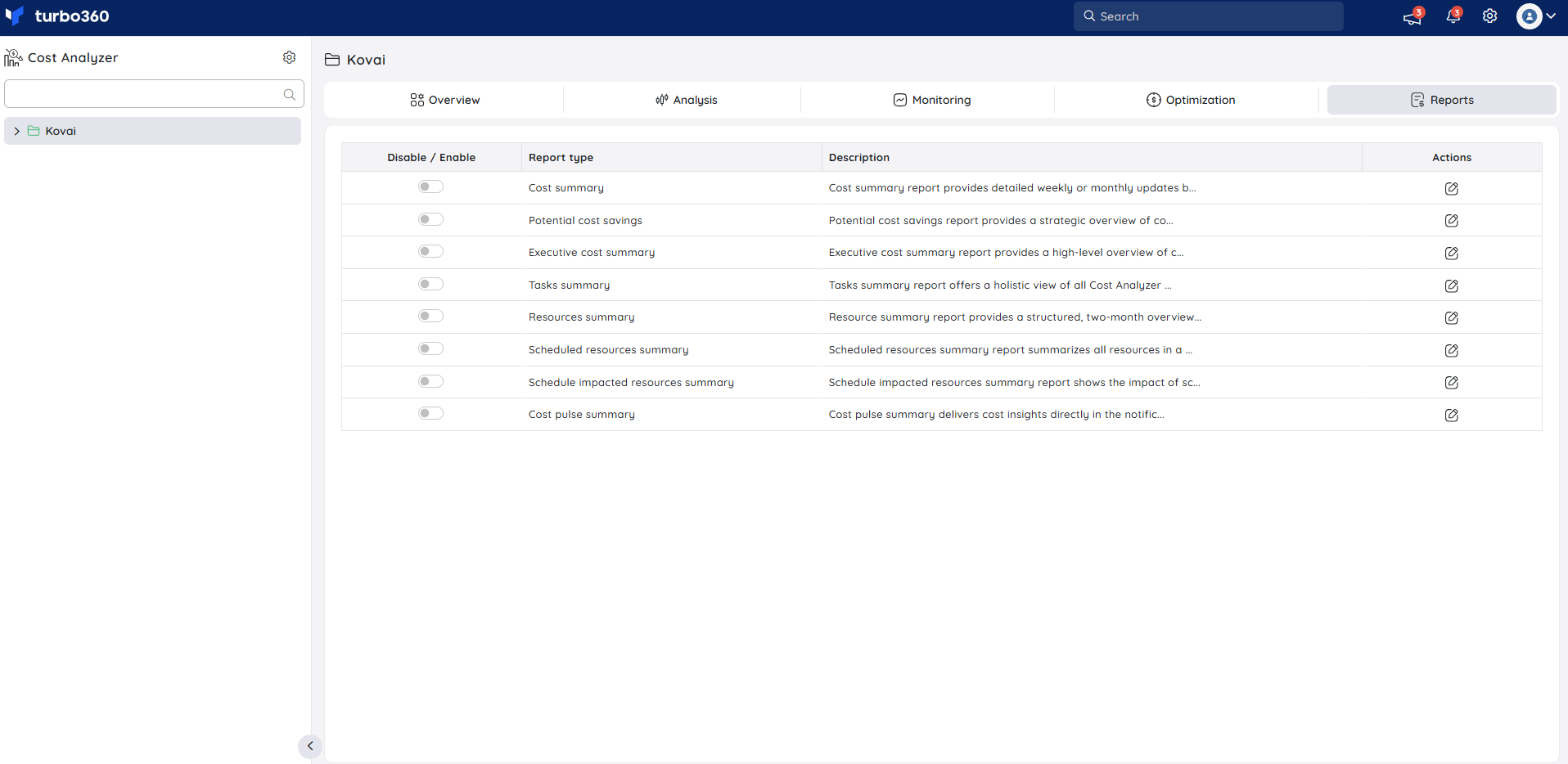
The Reports section provides a range of configurable report types to support Azure cost management and cost optimization. It helps users to analyze cost usage and spending trends across subscriptions and services to identify savings opportunities.
These reports enable structured analysis of cost data to support ongoing cost governance.
Was this article helpful?