Overview
Business Activity Monitoring (BAM) is built on a layered architecture that separates data ingestion, storage, processing, and presentation. This article describes the system components, how they interact, and the deployment models available for your environment.
Business value
Understanding the BAM architecture helps you plan deployments, estimate infrastructure requirements, and troubleshoot data flow issues. It gives architects and platform engineers a clear picture of which components are hosted by Turbo360 and which run in your Azure subscription.
How it works
BAM uses two data ingestion models — push and pull — that feed into a shared backend. The backend handles storage, processing, and rule evaluation. The Turbo360 platform provides the monitoring and management interface.
Push model ingestion
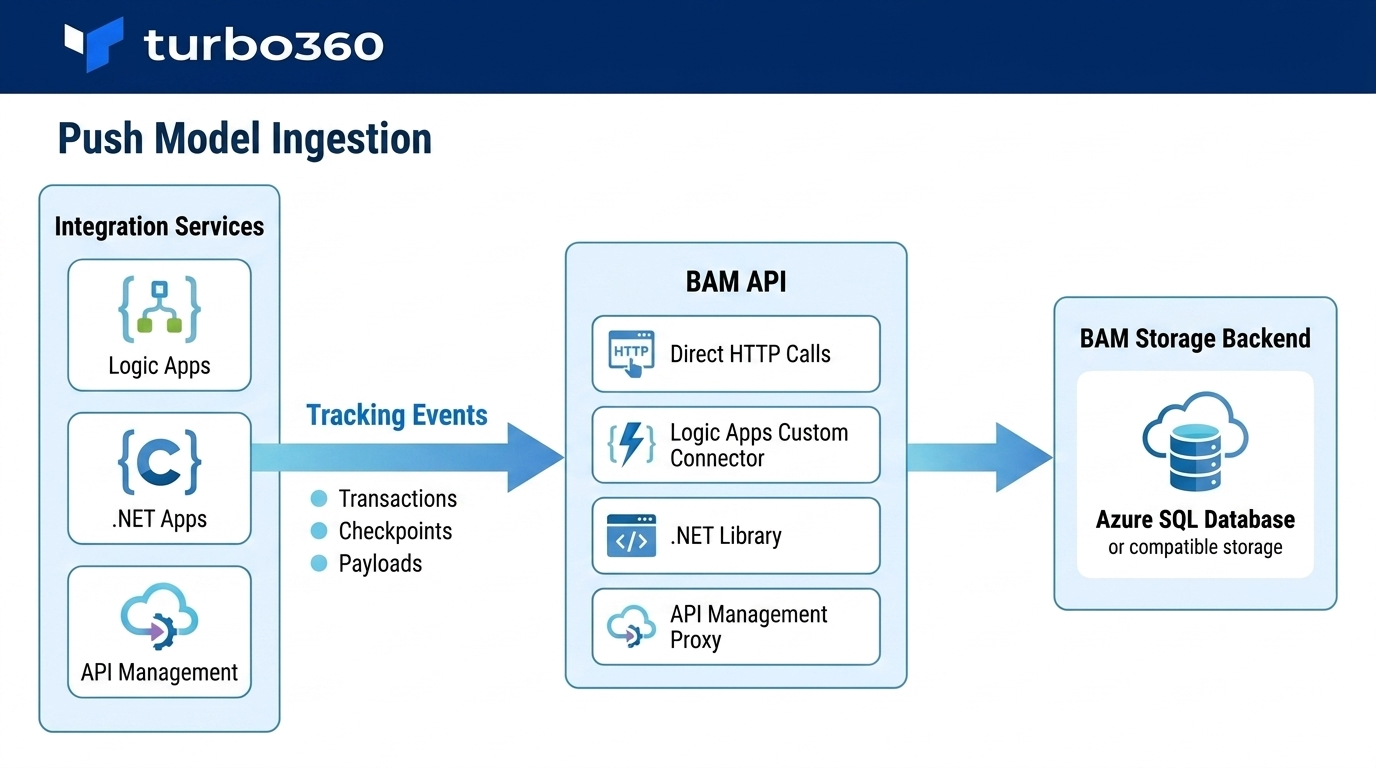
In the push model, your integration services send tracking events directly to the BAM API. Data flows in as transactions execute — each call carries correlation identifiers, stage checkpoints, property values, and exception payloads. Supported ingestion methods include:
- Direct HTTP calls to the BAM API
- Logic Apps custom connector
- .NET library (for custom applications)
- API Management proxy integration
Events are received, validated, and written to the BAM storage backend. No polling or scheduled extraction is required.
Pull model ingestion
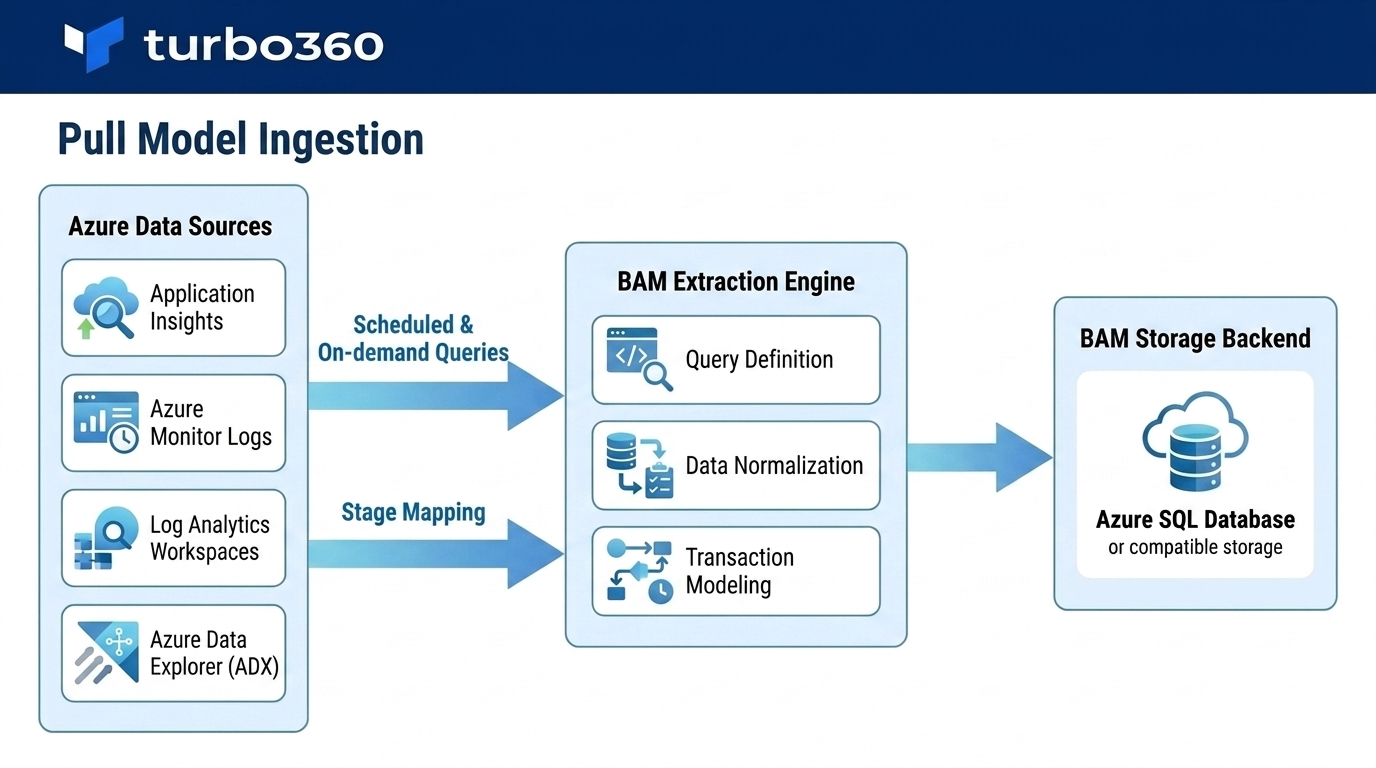
In the pull model, BAM queries data from existing Azure data sources on a scheduled or on-demand basis. BAM reads from sources such as Application Insights, Azure Monitor Logs, and Log Analytics workspaces. You define the query, the data source, and the stage mapping — BAM extracts and normalizes the results into the transaction model.
The pull model is suited to environments where instrumentation of the source service is not possible, or where existing telemetry already captures the data you need.
Storage backend
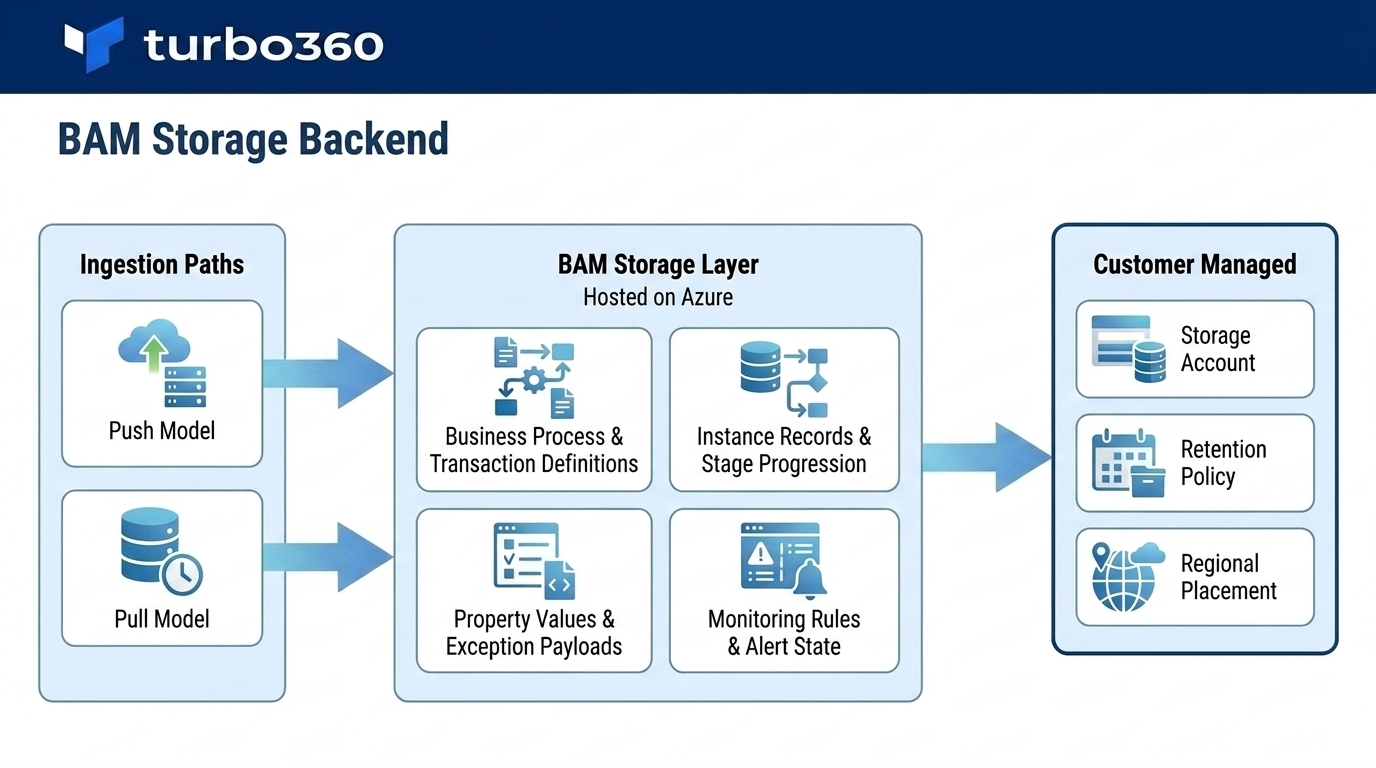
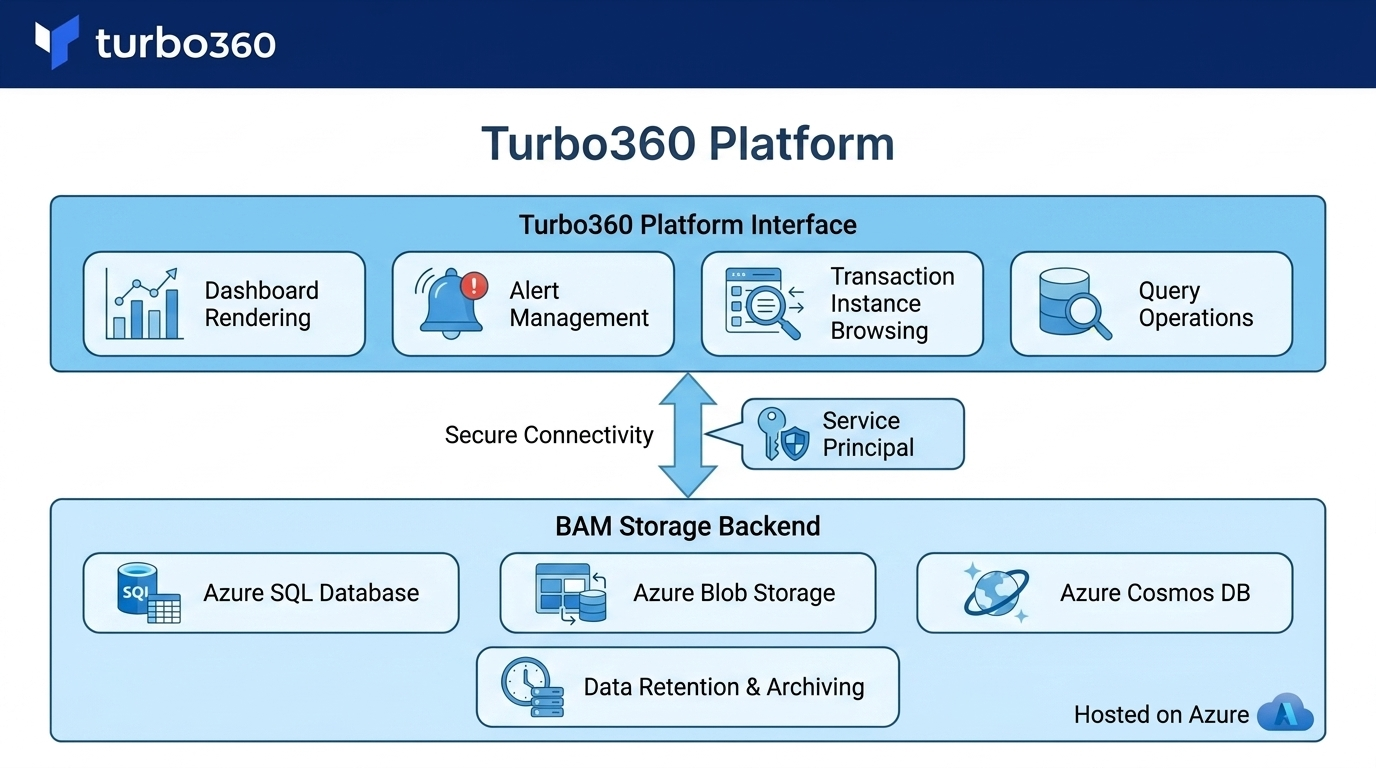
Both ingestion paths write to the BAM storage layer, which is provisioned in your Azure subscription. The storage backend holds:
- Business process and transaction definitions
- Transaction instance records and stage progression data
- Property values and exception payloads
- Monitoring rule configurations and alert state
You control the storage account, retention policy, and regional placement. BAM does not retain your transaction data in Turbo360-managed infrastructure.
Processing and rule evaluation
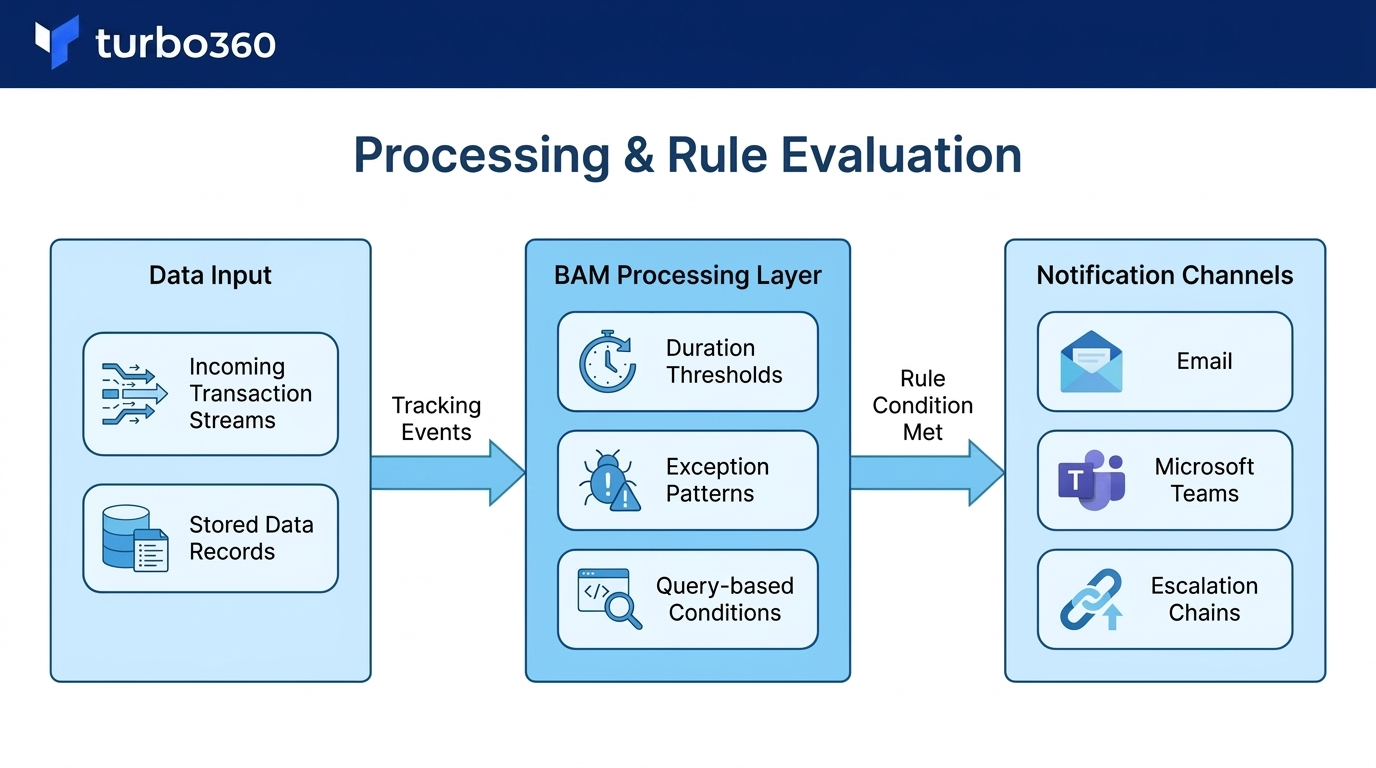
The BAM processing layer evaluates monitoring rules — duration thresholds, exception patterns, query-based conditions — against incoming and stored transaction data. When a rule condition is met, the processing layer generates an alert and routes it through the configured notification channels (email, Microsoft Teams, escalation chains).
Turbo360 platform
The Turbo360 platform is the management and monitoring interface. It connects to the BAM storage backend via the service principal you configure during setup. All query operations, dashboard rendering, alert management, and transaction instance browsing are served through the platform.
Deployment models
BAM supports two deployment models:
| Model | Description |
|---|---|
| Standard deployment | Turbo360 provisions and manages the BAM processing layer. You provide the storage account. Suitable for most production deployments. |
| Bring your own backend | You deploy the BAM backend components into your own Azure subscription. Provides full control over networking, compliance boundaries, and data residency. Requires additional setup steps. |
The bring-your-own-backend model is recommended for organizations with strict data residency or network isolation requirements.
Limitations
- The pull model requires read access to the target Azure data source. Data availability and query latency depend on the source service.
- Reprocessing is available only in the push model (Custom Logging type). Pull model transactions do not support replay.
- Storage retention is governed by your Azure storage account configuration, not by BAM settings.