Overview
Business Activity Monitoring (BAM) is designed to address a broad range of integration monitoring and operational visibility scenarios. This article describes the primary use cases where BAM provides the most value, along with the operational context that makes each one relevant.
Business value
Understanding where BAM fits in your operations helps you identify which business processes to instrument first and how to structure your monitoring strategy. Each use case maps to a concrete operational pain point that BAM is designed to eliminate.
How it works
BAM addresses use cases across three operational domains: real-time transaction tracking, alert-driven incident management, and compliance and audit. The use cases below reflect common patterns in Azure integration environments.
1. End-to-end order and fulfilment tracking
Organizations running order management, fulfilment, or supply chain workflows on Azure Logic Apps or Service Bus often lack visibility into the end-to-end journey of a single order. When a failure occurs, support teams must correlate logs across multiple services to locate the problem.
BAM solves this by tracking each order as a transaction with named stages — for example, Order received, Payment validated, Inventory reserved, Dispatch confirmed. Support teams can query by order ID and see the full stage history, property values, and any exceptions without touching Azure Monitor or Log Analytics.
.png)
2. SLA monitoring for business-critical processes
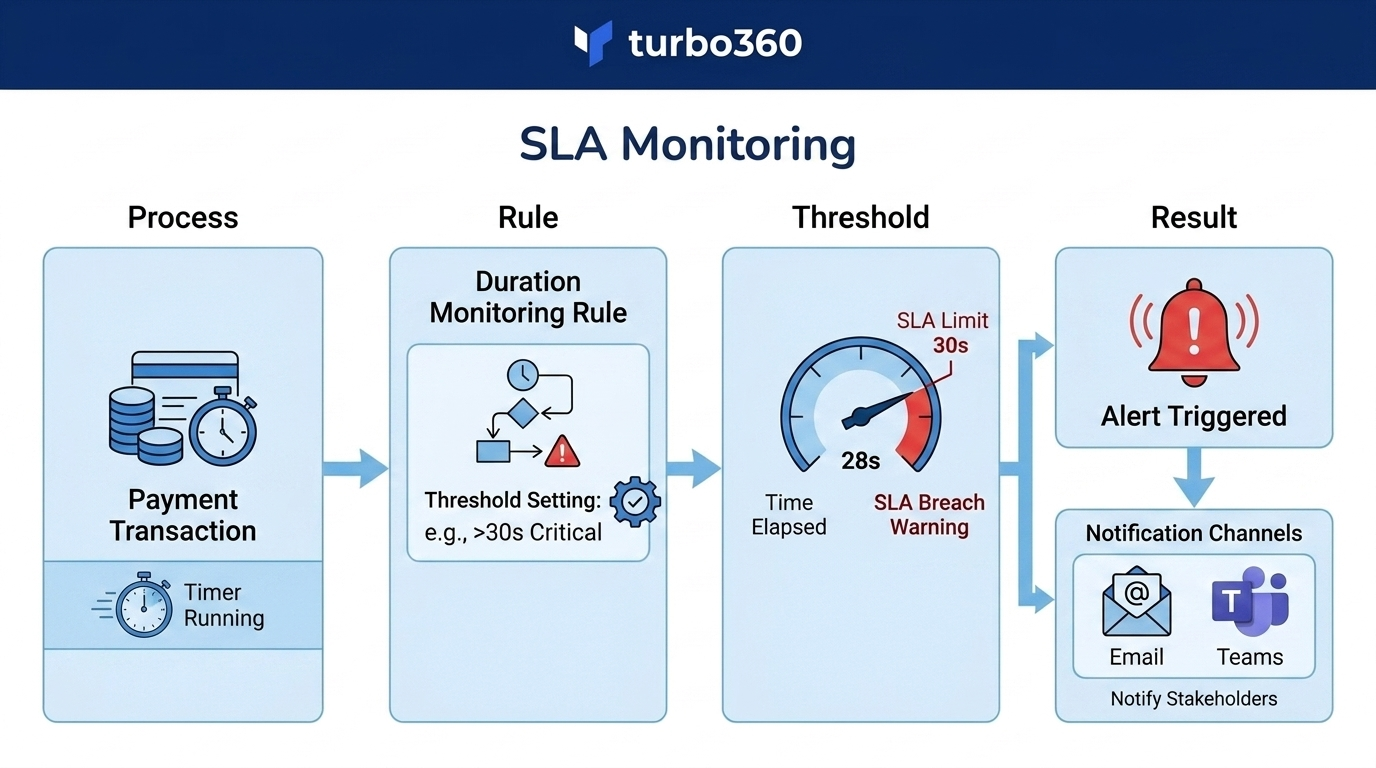
When a business process must complete within a defined time window — for example, a payment transaction must settle within 30 seconds, or a document upload must process within 5 minutes — manual monitoring is not scalable.
BAM duration monitoring rules define the expected completion window per business process. If a transaction exceeds the threshold, an alert fires immediately and escalates to the configured notification channel. This allows operations teams to meet SLA commitments proactively rather than reactively.
3. Exception-based alerting for integration failures
Azure integration services generate exception data when workflows fail, but the native alerting mechanisms are often coarse-grained and require access to Azure Monitor or application-specific log queries.
BAM exception monitoring captures structured exception data at the transaction stage level. Alert rules fire when specific exception types occur above a threshold, and escalation policies ensure the right team is notified — without requiring the recipient to have Azure portal access.
.png)
4. Reprocessing failed transactions without developer involvement
In many organizations, replaying a failed integration transaction requires raising a ticket to the development team. This adds hours or days to mean time to recovery and consumes developer time on repetitive manual tasks.
BAM reprocessing allows authorized operations or support users to replay a failed transaction directly from the BAM interface. The reprocess configuration defines the target endpoint and payload mapping, so the operation is repeatable and governed without requiring code changes.
.png)
5. Compliance audit trails for regulated industries
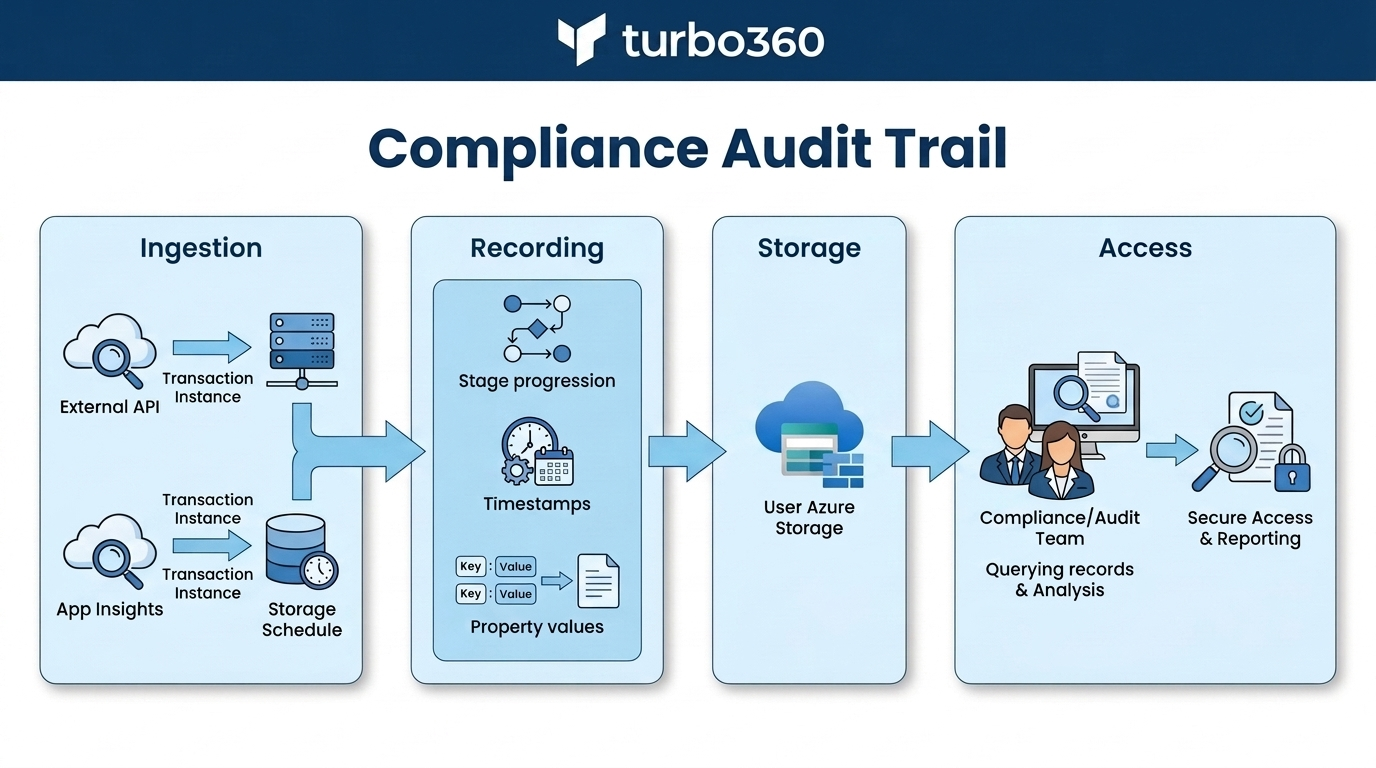
Industries subject to audit requirements — financial services, healthcare, government — need a reliable record of every transaction that passed through a business process, including timestamps, property values, and exception history.
BAM stores complete transaction instance records in your Azure storage account. Each instance records its stage progression, property values, and outcome. This provides a structured, queryable audit trail that operations and compliance teams can access without relying on ephemeral log data.
6. Monitoring heterogeneous integration landscapes
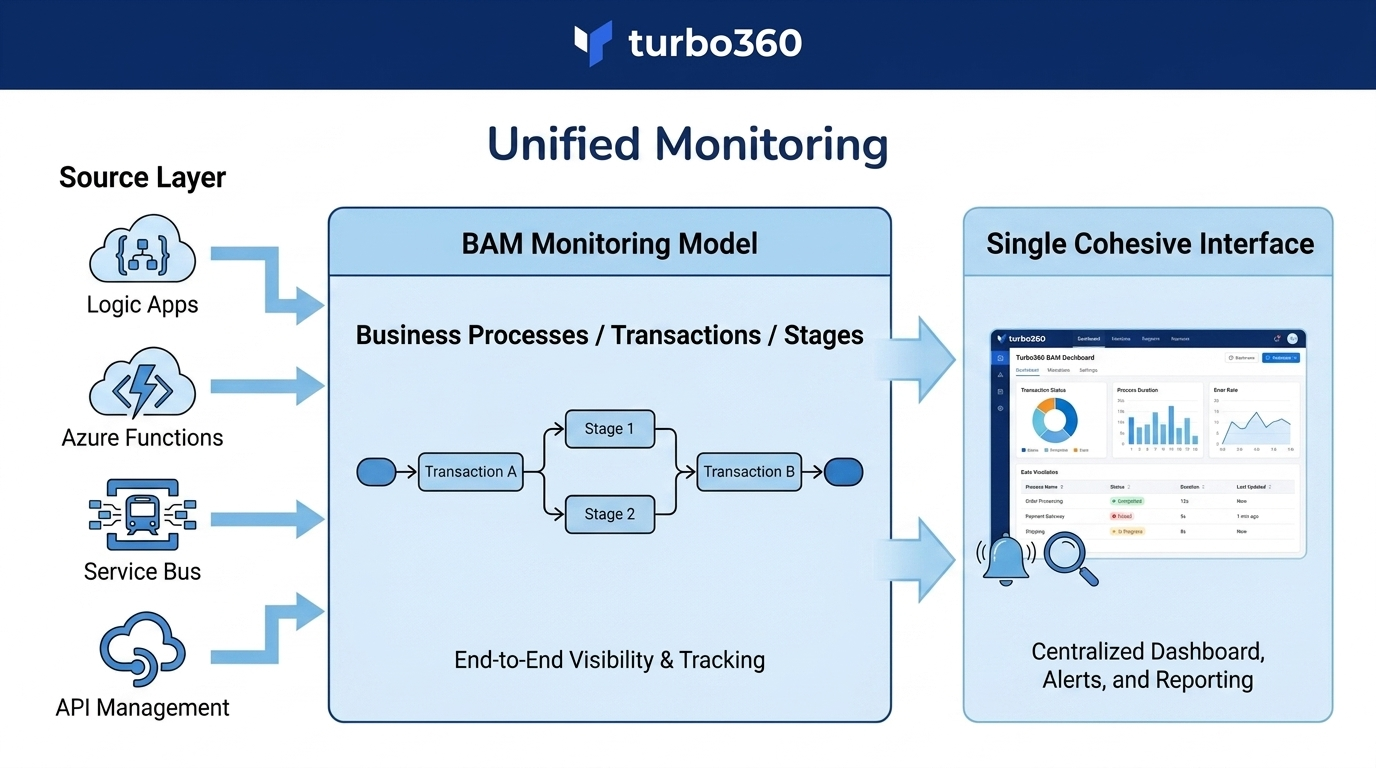
Environments that mix Logic Apps, Azure Functions, Service Bus, API Management, and custom .NET services typically lack a unified monitoring surface. Each service has its own telemetry model, and correlating events across services requires custom tooling or expensive BI infrastructure.
BAM provides a single monitoring model — business processes, transactions, and stages — that applies across all supported Azure services. Whether a transaction passes through a Logic App, a Function, and a Service Bus queue, BAM tracks it as a single cohesive transaction with a consistent interface.
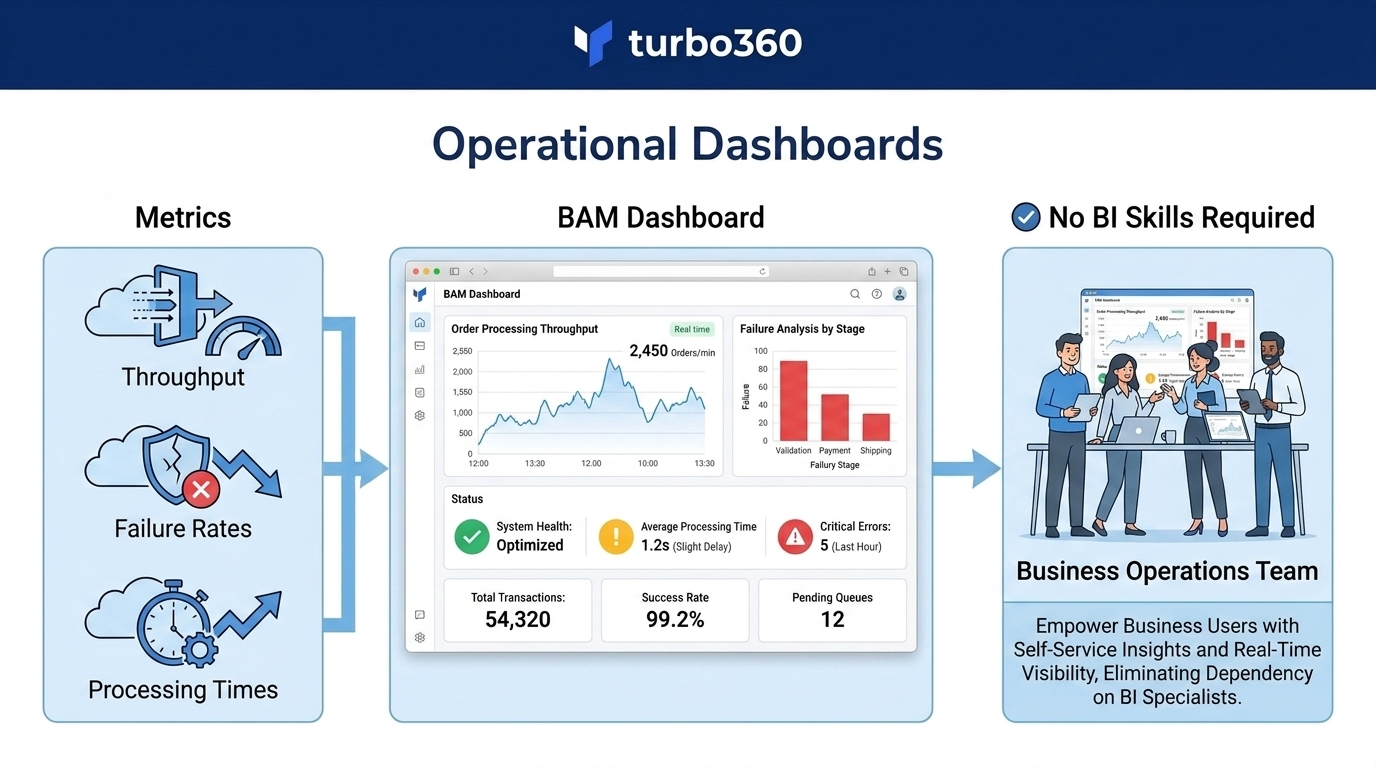
7. Operational dashboards without BI tooling
Business operations teams often need a live view of transaction throughput, failure rates, and processing times — but lack the skills or access to build Power BI dashboards or Log Analytics queries.
BAM dashboards surface these metrics in the Turbo360 portal using the business process and transaction model. Operations teams can monitor live state, drill into failed transactions, and track trends without requiring any BI or query tooling.