Overview
Turbo360 is a cloud operations platform for Azure and Microsoft 365. It gives operations and engineering teams one place to control cost, keep applications healthy, trace business transactions, keep infrastructure documentation current, and manage Microsoft 365 licenses.
You connect Turbo360 to your Azure subscriptions or Microsoft 365 tenants, then use only the modules you need. It runs as SaaS, or you can host it in your own Azure subscription.
Business value
Turbo360 helps your team act on what it sees in Azure and Microsoft 365, instead of piecing it together from separate tools. Each module delivers a specific outcome:
- Cost Analyzer helps you control Azure spend by showing where it goes and flagging unexpected increases.
- Business Applications helps you spot application problems early by monitoring your Azure resources as one application.
- Business Activity Monitoring helps you follow each business transaction end to end across your integrations.
- Azure Documenter helps you keep Azure documentation current by generating it on demand or on a schedule.
- Tenant Manager helps you manage Microsoft 365 licenses, users, and Microsoft Entra ID groups across your tenants, with approval controls for changes.
How it works
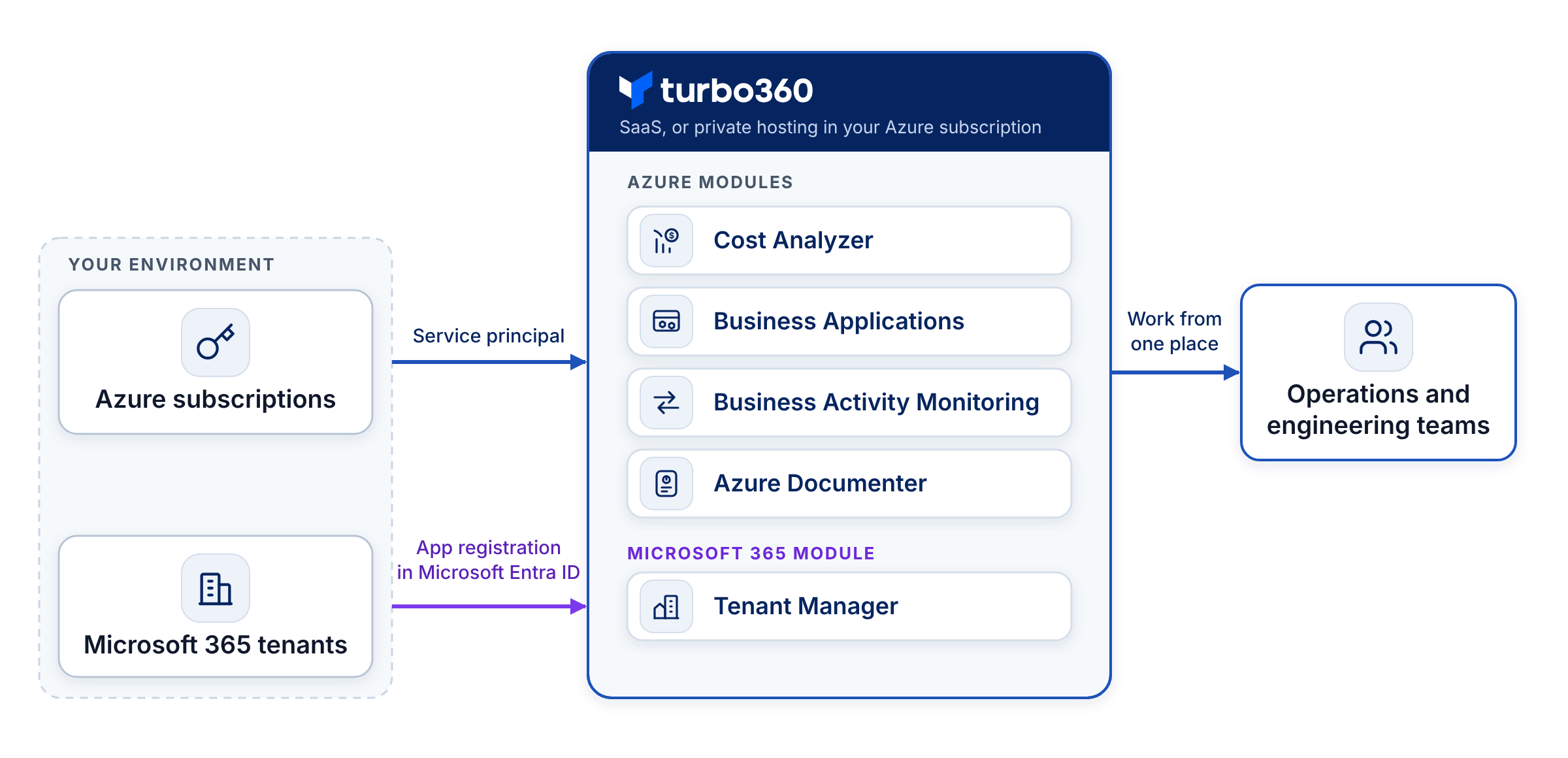
Turbo360 connects to your Azure subscriptions through a service principal, and to your Microsoft 365 tenants through an app registration in Microsoft Entra ID. For most modules, Turbo360 reads data remotely, so nothing is deployed in your Azure subscription. The exception is Business Activity Monitoring with bring-your-own-backend, which requires a deployment. The diagram shows how your environment, Turbo360, and your teams fit together.
Get started
- Create your account. Sign up with a business email address. The Turbo360 team validates it and sends you an activation link. See Create Turbo360 account.
- Connect your environment. Add a service principal to connect an Azure subscription. For Tenant Manager, connect a Microsoft 365 tenant through an app registration instead. See Connect Azure subscription and Connect a Microsoft 365 tenant.
- Choose your modules. Activate one module or several at once, based on what your team needs. The onboarding wizard lets you select multiple modules and set each one up in a single session, and you can activate the rest later from the module cards on the Turbo360 home page. See Initial setup. Product overview links to all five quick starts.