Overview
Business Applications is a Turbo360 module built on a cross-subscription, application-centric architecture. It abstracts the resource boundaries enforced by Azure (subscriptions, regions, resource groups) and presents a named, logical container that maps directly to a line-of-business solution. This article describes how that architecture is structured, what each layer does, and how the layers interact at runtime.
Business value
- Monitor, manage, and respond at the solution level instead of the resource level
- Plan service principal access across subscriptions and resource groups
- Understand how monitoring, alerting, and automated response fit together, for faster incident detection and consistent governance across solutions
How it works
Business Applications is built around three architectural layers: Azure connectivity, resource grouping and association, and the monitoring engine. Each layer plays a distinct role from connection through to alerting.
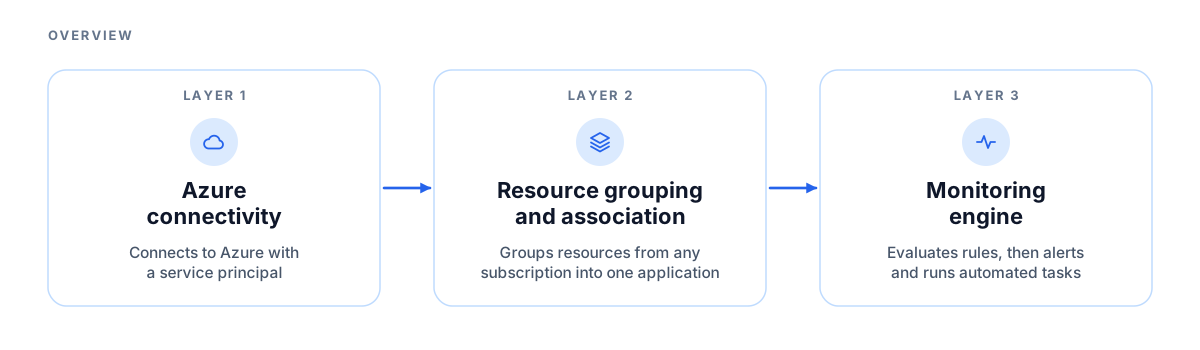
Layer 1: Azure connectivity (service principal)
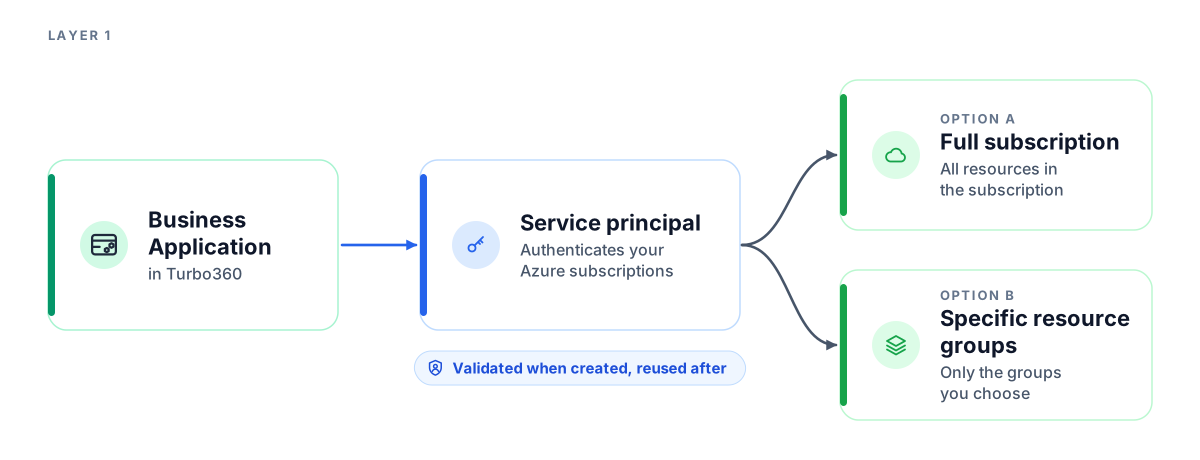
Everything starts with a service principal. When you create a Business Application, you authenticate against one or more Azure subscriptions using a service principal with the appropriate access scope. You can grant access at the full-subscription level or restrict it to specific resource groups. This scope determines which Azure resources are visible and manageable within the Business Application.
A single Turbo360 organization can hold multiple Business Applications, each authenticated via its own service principal or sharing a previously registered one from another module. Service principals are validated at creation time and reused for all subsequent resource queries and management operations.
Layer 2: Resource grouping and association
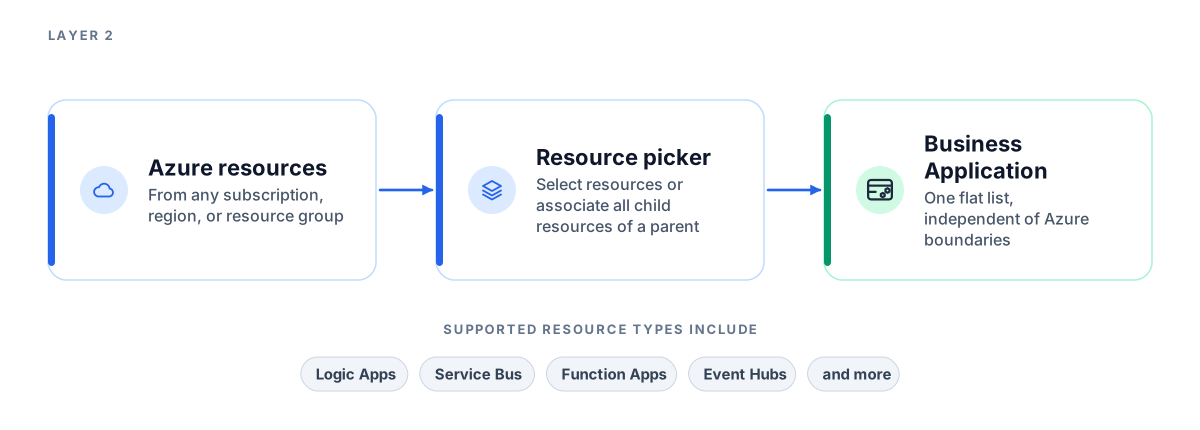
Once a subscription is connected, you select the Azure resources that constitute the solution. Business Applications supports a wide range of Azure resource types, including Logic Apps, Service Bus queues and topics, Azure Function Apps, Event Hubs, Event Grid, Data Factory pipelines, Key Vault, Virtual Machines, and API Management.
Resources are organized in a parent/child relationship within the resource picker. Selecting a parent resource type automatically pre-loads its child resource types, and the Associate all child resources option includes all child resources of a selected parent in a single operation.
Resources can come from different Azure subscriptions, regions, and resource groups. The Business Application stores the selected resources as its membership, in a single flat list that is decoupled from their underlying Azure organizational boundaries.
Layer 3: Monitoring engine
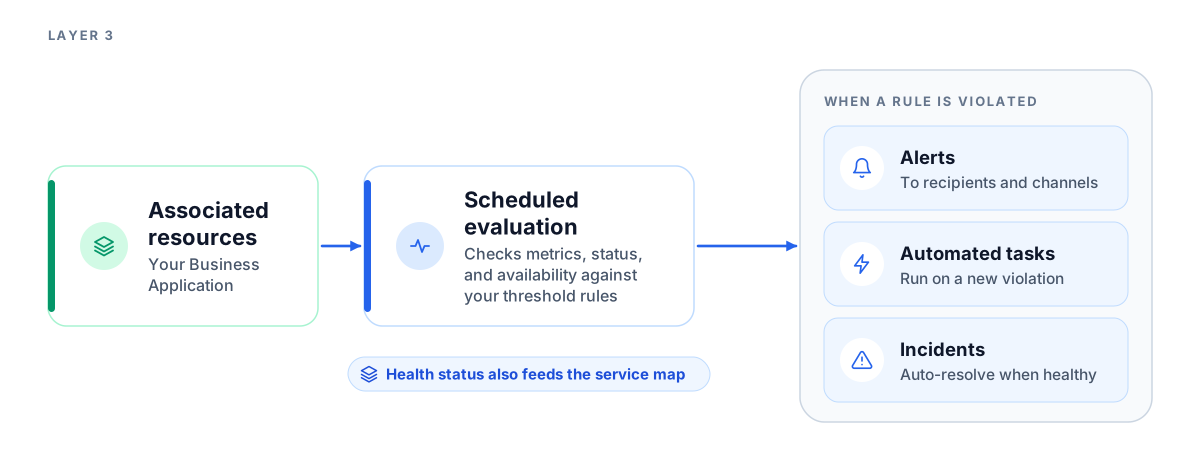
The monitoring engine runs on a scheduled evaluation cycle configured per Business Application. It queries each associated resource's properties, metrics, status, and availability, then evaluates the results against the configured threshold rules. Rules can be defined for each resource or shared across Business Applications through monitoring profiles. For metric rules, two threshold levels are supported, warning and error, and the error threshold takes precedence when both are breached in the same cycle.
When a rule is violated, Turbo360 sends alerts to the recipients and notification channels you configure. If neither is configured, monitoring continues silently and health is still tracked in the Business Application. Incidents are tracked separately and can auto-resolve when all resources return to a healthy state in the next evaluation cycle. Health status also feeds the service map, a visual dependency diagram of the associated resources.
Automated tasks, such as restarting a Logic App or purging a Service Bus queue, can be linked to a monitoring rule. They run when a new violation is detected and do not re-trigger on sustained violations from earlier cycles.
Limitations
- The resources you can associate depend on the access scope of the service principal. Resources it cannot reach are not available in the resource picker.
- Monitoring runs on a scheduled evaluation cycle, so violations and incident auto-resolution are picked up at the next cycle, not instantly.
- Automated tasks run only when a new violation is detected. They do not re-run for a violation that continues from earlier cycles.